
Account Security: 2FA, Email and Phone
Your account stores balance, projects, and access to Search Console, so it's worth setting up protection right away. Everything is done in the "Settings" section.
Two-Factor Authentication
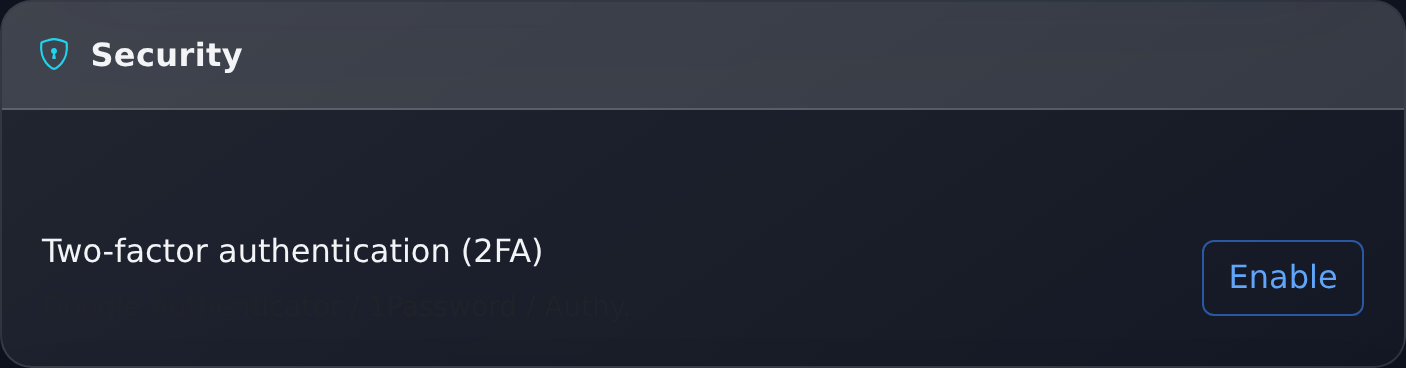
Two-factor authentication works with any authenticator app: Google Authenticator, 1Password, Authy. When enabled, the system will show a QR code and the same secret in text — it should be saved in case of a phone change. After that, in addition to the password, a six-digit code will be required when logging in.
How to Enable: Four Steps
- Click "Generate Secret" — the platform will create a key and show a QR code.
- Scan the QR with the authenticator app. If the camera is unavailable, enter the secret manually — it is shown in text below the code.
- Enter the six-digit code from the app in the form field.
- Click "Enable 2FA". The protection can be disabled there with the "Disable 2FA" button with confirmation.
| Parameter | Value |
|---|---|
| Algorithm | TOTP (time-based one-time code), SHA-1 |
| Code Length | 6 digits |
| Change Period | 30 seconds |
| Time Tolerance | A code from the neighboring interval is also accepted — a slight clock discrepancy does not hinder login |
Email Confirmation
The address is confirmed by an email with a link. Without confirmation, reports and notifications about the completion of cascades do not arrive. Accounts created through Google or Apple receive emails even without confirmation — the address is known to be valid. However, the confirmation mark is not set for them, so the same item in the "Quick Start" will remain open until you click "Confirm" in the settings.
Phone Confirmation
The phone is confirmed through a Telegram bot: the platform sends instructions, and you perform them in the messenger. This is not a mandatory step, but it is part of the "Quick Start" and increases trust in the account.
Practically, it looks like this: first, Telegram is linked, then a command of the form /phone +380XXXXXXXXX is sent to the bot with the same number specified in the settings. In the settings, there is a link "Send instructions to Telegram" to avoid typing the command manually. The number is normalized — spaces, brackets, and dashes are discarded — and the same confirmed number cannot be linked to two accounts. The SMS service does not send messages.
Telegram Binding
Linked Telegram is a second notification channel: top-ups, withdrawals, and completed cascades come directly to the messenger. Binding is done with a one-time code from the settings, and it can be unlinked there as well.
The code is valid for a limited time: if the bot did not accept it, return to the settings and get a new one. After binding, a notification toggle and a test message button are available — it is convenient to immediately ensure that the channel is working.
The course of action depends on what exactly is lost. If the phone is gone but the secret is saved — add it to the authenticator on the new device, and the codes will work again. If neither the phone nor the secret is available — contact support from the same e-mail that the account is registered with: confirmed email and phone significantly speed up verification here. If the password is forgotten and 2FA is enabled — first, the password is restored via email, the code from the app will be requested afterward.
What Else Should Be Done
- Use a unique password — not the same as on other services.
- Check which notifications are enabled: see the article on notifications.
- For team work, issue separate API keys with the necessary permissions instead of sharing a password.
Why Each Setting is Needed
| Setting | What it Protects Against or Provides |
|---|---|
| 2FA | A stolen or guessed password alone does not allow access to the account |
| Confirmed Email | Recovery access channel and delivery of reports and notifications |
| Confirmed Phone | Additional identity confirmation when contacting support |
| Linked Telegram | Quick notification of withdrawals and completed cascades — suspicious operations are visible immediately |
| Separate API Keys | Access for a contractor or script without sharing a password; the key can be revoked in one click, see public API |
Frequently Asked Questions
- "The code does not fit" — most often, the time on the phone is out of sync. Enable automatic time synchronization and try again.
- "Can 2FA be enabled if logging in via Google" — yes, protection is enabled on the PromoPilot side and works independently of the login method.
- "I changed my phone" — disable 2FA in the settings in advance and enable it again on the new device or transfer the saved secret.
- "Where to start for a newbie" — the order of initial setup is collected in the article "Registration, Bonus, and Quick Start", enabling 2FA is included in the checklist there.
The security of the site itself is a separate topic: it is handled by the Shield service, which scans your site for vulnerabilities and infections, not the account in PromoPilot.