How to get into AI answers in 2026: a six-step protocol
There is no magic switch that gets a site into AI answers — but there is a sequence of conditions, each of them verifiable. We walk through all of it: from the three different roles of AI bots in robots.txt to measuring citations. And our own survey of 46 sites shows that most stumble at the very first step.
There is no magic switch that gets a site into AI answers — Google states as much in its documentation, and we covered that separately. But there is a sequence of conditions, each of them verifiable, and they apply strictly in order: failing the first makes the third pointless. Below is that whole sequence, with a check at every step. Plus our own study, which shows that most sites stumble at the very first one.
First things first: each system has three bots, not one
This is the knot everything else breaks on. When a site owner decides to "block AI", they usually add a single line to robots.txt with the most famous name. But OpenAI and Anthropic each have three bots, and their roles are fundamentally different.
OpenAI puts it plainly in its crawler documentation:
On GPTBot: "Disallowing GPTBot indicates a site's content should not be used in training."
On OAI-SearchBot: "used to surface websites in search results in ChatGPT's search features"; OpenAI recommends allowing it in robots.txt, and sites that opt out "will not be shown in ChatGPT search answers".
Anthropic uses the same scheme: ClaudeBot collects content for training, Claude-SearchBot "navigates the web to improve search result quality for users", and Claude-User visits a site when a person in a conversation asks for it.
Google's split is different and most often misunderstood: Google-Extended governs the use of content for training models but does not affect display in Search, including AI Overviews and AI Mode. The generative features of Search are served by plain Googlebot, because those features are built on the same index.
Our study: how this looks on real sites
We decided to check how large sites have actually handled these settings. We took 46 well-known sites across five categories, requested robots.txt from each and parsed the directives — the directives themselves, not mere mentions: a full block, a partial one or an explicit allow. Forty-three sites responded.
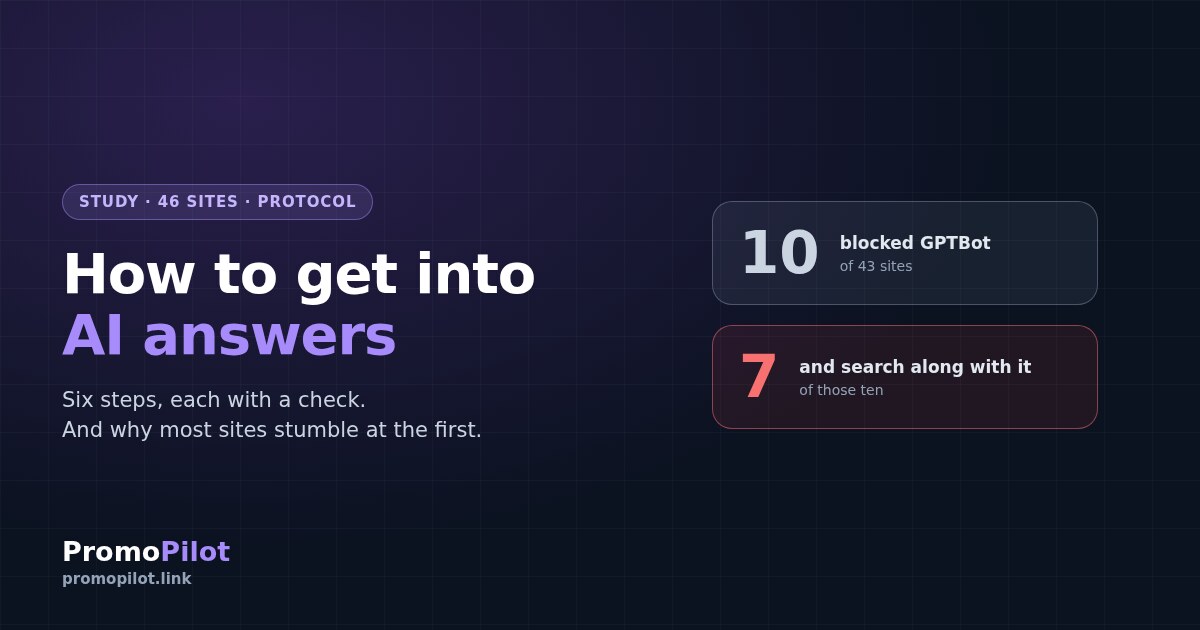
Disallow directives inside User-agent groups, accounting for group records with several bots listed in a row.The interesting part is not the totals but one particular cut. Ten sites fully blocked GPTBot. Seven of them also blocked OAI-SearchBot — meaning that along with opting out of training they wrote themselves out of ChatGPT's search answers. Only three drew the distinction.
The split by category is telling too. Of twelve media outlets, five blocked ChatGPT search — for news publishers that is most likely a deliberate position in licensing disputes. But among twelve SaaS services there was one, among six SEO and marketing services none at all, and among eight retail and travel sites one.
The conclusion that follows: media outlets mostly close themselves off on purpose, whereas companies that live on inbound traffic would do well to re-read their own robots.txt — because "blocking AI" with one line and "staying in AI answers" do not go together unless you know the bot names.
The protocol: six steps in order
Below is a sequence in which each step only makes sense after the previous one. Every step comes with a check: a way to confirm you have passed it.
Make sure you have not blocked yourself
Open your robots.txt and find the bot names. The task is not to "allow everything" but to make a deliberate decision for each of the three roles. A typical configuration for those who do not want to feed training but do want to appear in answers:
# model training — blocked
User-agent: GPTBot
Disallow: /

User-agent: ClaudeBot
Disallow: /

User-agent: Google-Extended
Disallow: /

User-agent: CCBot
Disallow: /

# search and citation — left open
User-agent: OAI-SearchBot
Allow: /

User-agent: Claude-SearchBot
Allow: /

User-agent: PerplexityBot
Allow: /
your-site/robots.txt and confirm that no group with Disallow: / contains OAI-SearchBot, Claude-SearchBot or PerplexityBot. Pay particular attention to group records: several User-agent lines in a row form a single group, and the block applies to every bot listed.Check indexing and snippet eligibility
For Google's generative features this is the only stated requirement: the page must be in the index and eligible to be shown with a snippet. A page outside the index will appear neither in ordinary results nor in an AI answer. While you are there, check the nosnippet and max-snippet directives and any data-nosnippet attributes in your templates — they exclude the page from generative features as well.
site:page-address query.Make the answer extractable
A generative answer is assembled from fragments, so the text that wins is the one a fragment is easy to lift from. In practice that means: a direct answer to the question in the first paragraph after the heading, self-contained wording that makes sense in isolation, question-shaped headings, lists and comparison tables instead of continuous prose.
Appear in independent sources
The only published attempt to measure what is associated with a brand appearing in AI results is Ahrefs' analysis of 75,000 brands from December 2025. There, branded web mentions showed a correlation of around 0.66, while backlink count came in at around 0.19 — among the weakest factors. The authors note separately that correlation is not causation and the relationships are moderate.
The practical meaning: what works is not the number of links but how often, and in what context, the brand appears where somebody names it independently of you — reviews, round-ups, answers in relevant discussions, industry material.
Start measuring instead of guessing
Since 3 June 2026 Search Console has a separate Generative AI performance report showing how many times links to your site were shown in generative features on Search. The limitations are worth knowing up front: it contains impressions only — no clicks, no CTR, no position — Search Labs experiments are excluded, and as of 31 August 2026 it has been rolled out to all websites worldwide.
For systems outside Google there is no direct analytics. What remains is a manual check: ask a dozen target questions in ChatGPT, Perplexity and Claude with search enabled and record who gets cited. It is crude, but reproducible if you do it regularly against the same list.
Work out why you get impressions but not citations
This is a separate situation, and it means the earlier steps are done: you are seen, but somebody else gets taken into the answer. The difference is material — according to Seer Interactive, when an AI answer is present, cited brands receive roughly twice the CTR of uncited ones.
What to look at is whoever was cited instead of you: how their page differs from yours in the directness of the answer, in specificity, and in carrying data nobody else has. A retelling of common knowledge does not make it into an answer — it is already there.
What not to do
In short
Getting into AI answers is not a separate discipline with secret techniques but a sequence of six verifiable conditions, where the first two are technical and take an hour, and the rest coincide with ordinary work on quality.
And if you do just one thing from all of the above right now — open your robots.txt and check whether you have blocked your own access. In our sample that is the most common and the most expensive mistake.
Step two of the protocol — the one requirement Google named outright. Checking is free.
Frequently asked questions
How do you get into AI answers in 2026?
There is no separate mechanism: Google's generative features are rooted in the same ranking systems as ordinary Search. What works is a sequence: do not block your own access in robots.txt, be indexed and snippet-eligible, provide an extractable direct answer, appear in independent sources, and measure the result.
Should I block AI bots in robots.txt?
Decide separately for each of the three roles. Training bots (GPTBot, ClaudeBot, Google-Extended, CCBot) can be blocked without losing visibility. Search bots (OAI-SearchBot, Claude-SearchBot, PerplexityBot) must not be blocked if you want to appear in answers: OpenAI states outright that opted-out sites will not be shown in ChatGPT search answers.
Does Google-Extended remove a site from AI Overviews?
No. Google-Extended governs the use of content for training models and does not affect display in Search, including AI Overviews and AI Mode. Generative features of Search are served by plain Googlebot, since they are built on the same index.
What is the difference between GPTBot and OAI-SearchBot?
GPTBot collects content that may be used in training models. OAI-SearchBot surfaces sites in ChatGPT's search features, and OpenAI recommends allowing it. They are different bots with different consequences when blocked.
How do I measure whether my site appears in AI answers?
For Google, the Generative AI performance report in Search Console, launched on 3 June 2026; it contains impressions only, without clicks, CTR or position; as of 31 August 2026 it is available to every site. For other systems there is no direct analytics: what remains is a regular manual check against a fixed list of questions.
Does structured data help you get into AI answers?
By Google's documentation, no: structured data is not required for generative AI search and there is no special markup for it. Markup remains useful for rich results in ordinary search.
Sources
OpenAI, crawler documentation: the purpose of GPTBot, OAI-SearchBot and ChatGPT-User, and robots.txt guidance.
Anthropic, crawler help article: the purpose of ClaudeBot, Claude-SearchBot and Claude-User.
Google Search Central, guide to optimising for generative AI features on Search: page requirements, structured data, machine readable files.
Google Search Console Help, Generative AI performance report (launched 3 June 2026): metrics included and limitations.
Ahrefs, "Top Brand Visibility Factors in ChatGPT, AI Mode, and AI Overviews", 12 December 2025 — 75,000 brands, Spearman correlation.
Seer Interactive, "AIO Impact on Google CTR: 2026 Update" — 53 brands, January 2025 – February 2026.
PromoPilot's own measurement, August 2026: robots.txt parsed for 46 well-known sites across five categories; 43 responded.