JSON-LD after Google's change: we checked 1,044 sites — 1.6% were hit, the real problem affects a third
Since 21 August Google removes HTML escaping from JSON-LD markup once instead of twice. We checked 3,167 pages from 1,044 sites: the change hit only 1.6% of them. But 23% of Shopify sites carry characters in their markup that no standard processor decodes, and 36% of sites in Google's top ten write markup that only Google reads correctly. We go through the causes, our own mistake and a four-step check.
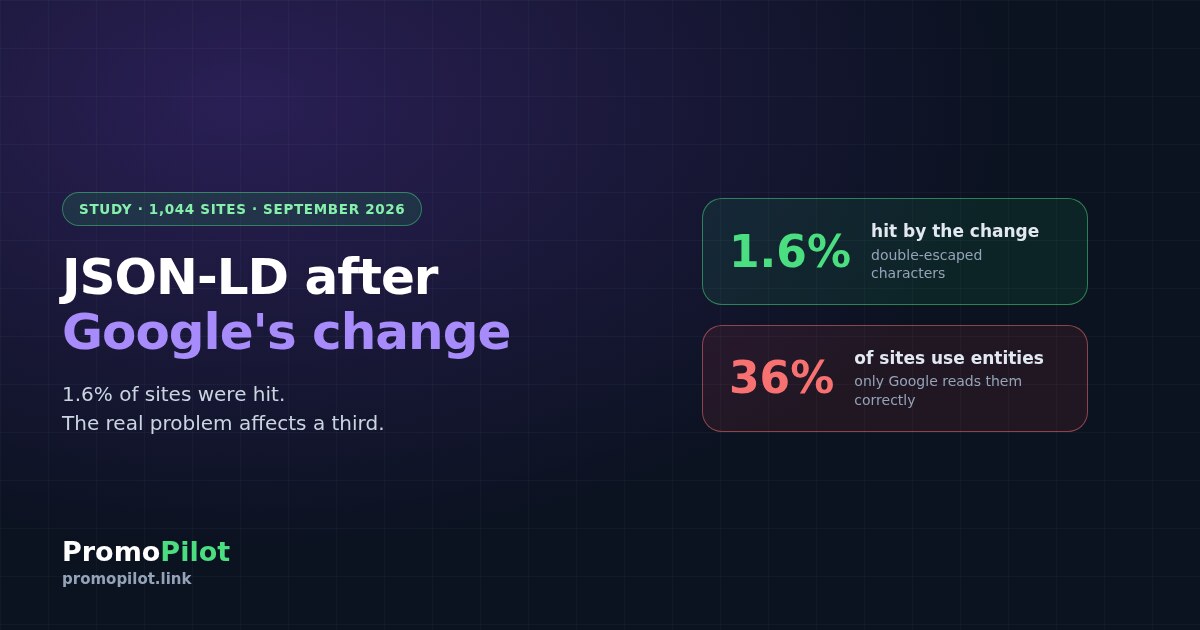
On 21 August Google changed how its crawler reads JSON-LD markup, and industry outlets rushed to write “check your markup now”. We checked — not ours, but 1,044 sites: 748 from Google's top ten for commercial queries, 295 of our clients' sites and our own. 3,167 pages in total. Google's change affected 1.6% of sites. What we did find was a problem twenty times wider that nobody is writing about — and one mistake of our own, which we have already fixed.
What exactly Google changed
The announcement came not in the documentation but as a Google Search Central post on LinkedIn. The key sentence:
"We changed our JSON-LD extraction and are now only applying a single pass of HTML unescaping."
Google Search Central, LinkedIn, 21 August 2026To see what this means you need one fact about HTML. In ordinary page text an ampersand is written as &, and the browser shows it as “&”. But the contents of a <script> tag — which is exactly where JSON-LD lives — are “raw text” under the HTML specification: HTML entities are not decoded there at all. The JSON-LD specification says so directly: such characters “will remain escaped after processing”.
Google has always been lenient about this and decoded the entities itself. Until August it did so twice in a row, so even a double-escaped &amp; turned into a clean “&”. Now it does so once. Here is what that means for a company name:
| Written in the markup | Google before 21.08 | Google now | Standard processor |
|---|---|---|---|
Tom & Jerry | Tom & Jerry | Tom & Jerry | Tom & Jerry |
Tom &amp; Jerry | Tom & Jerry | Tom & Jerry | Tom &amp; Jerry |
Tom \u0026 Jerry | Tom & Jerry | Tom & Jerry | Tom & Jerry |
Tom & Jerry | Tom & Jerry | Tom & Jerry | Tom & Jerry |
The change affects only the second row — double escaping. The first row still works in Google, but only in Google. The last two are correct for everyone.
How we checked
Three samples. The first is 2,076 pages from Google's top ten and from AI answer sources for 48 commercial queries in our study of AI recommendations: sites that actually get traffic for expensive queries. The second is our clients' sites: the home page and up to four promoted pages from each, so large sites do not dominate. The third is 300 random pages from our own site. Every page was downloaded directly, with no paid services.
On each page we extracted every JSON-LD block and ran it three ways: as Google read it before, as it reads it now, and as the standard requires. We count results by site, not by page: pages on one template repeat one mistake, and counting pages inflates it heavily. For example, almost half of the double-escaped pages in our sample came from a single site.
Who the change affected: 1.6% of sites
Of 748 sites with markup, 12 had double escaping. More than half of them are publications from one media group: they share a template in which the author description is escaped twice. As a result, these sites now carry a literal “'” instead of an apostrophe in the author bio in their markup. Among our clients' sites there are two such cases out of 295.
The takeaway is simple: if you have seen no new structured data errors in Search Console since 21 August, the change almost certainly did not touch you. The alarm in industry outlets was out of proportion to the scale.
A bigger problem: Shopify and characters nobody decodes
There is a second way to corrupt a character, and Google has nothing to do with it. The entity ends up hidden inside a JSON escape: the code contains \u0026amp;. HTML decoding does not see it — there is no ampersand in the text — and after JSON parsing the value holds a literal “&”. No standard processor will clean this up.
We found this on 11 of 47 Shopify sites in Google's top ten — 23%. On all other platforms, on 2.3%. A tenfold gap. The platform itself is not the cause; theme templates are: the text is first escaped for HTML and then wrapped in JSON by a filter once more, and the entity passes straight through. Product descriptions suffer most — they come from the visual editor with entities already inside.
The biggest problem: a third of sites write markup “for Google only”
36% of sites in Google's top ten and 23% of our clients' sites have ordinary HTML entities inside JSON-LD: &, ", '. Google still understands them — a single decoding pass is enough. But it is the only one that does so of its own accord. The standard requires reading them literally, so any other consumer of the markup — other search engines, validators, services that collect product and company data by the specification — will see “Tom & Jerry” in the name.
Almost all of these characters are safe to write into JSON as they are: the ampersand, curly quotes and the apostrophe. Straight quotes inside a JSON string are escaped with a backslash, not an HTML entity. The only thing genuinely forbidden inside a script tag is a sequence the browser would take for the end of the script. For those, as Google advises, there is JSON escaping: \u003C instead of “<” and \u0026 instead of “&”.
We checked ourselves — and found something
Our site has markup on all 300 pages we checked, and no double escaping turned up. But two pages fell into the “for Google only” class: in the breadcrumbs, the title of an English article went into the markup as “Web 2.0 & Cascade Promotion”.
The cause is exactly the one that most often puts entities into JSON-LD. The page template escapes the title for HTML output, and the code that builds the breadcrumbs takes the already escaped string and puts it into JSON. On screen everything looks right; in the markup it does not. We fixed it on 29 September with one line: the string is decoded back before it is packed into JSON. We checked again — zero entities in the markup.
How to check and fix your site
Find entities in the markup
Open the page source, find the application/ld+json blocks and search them for the ampersand character. Any sequence like &, ", ' or \u0026amp; inside those blocks calls for a fix. Check at least one page of each template: home, product, article, category.
\u0026.Find where the text is escaped twice
The cause is almost always the same: a string already prepared for HTML output goes into JSON. Look in the code for where the markup values come from: title, description, author name. If HTML escaping is applied to them before they are packed into JSON, that is the mistake.
// Bad: the string is already escaped for HTML — entities end up in JSON-LD
$title = htmlspecialchars($post['title']);
echo json_encode(['headline' => $title]);

// Good: raw text goes into JSON, and the flags turn & and < into \u0026 and \u003C
echo json_encode(['headline' => $post['title']],
JSON_HEX_TAG | JSON_HEX_AMP | JSON_UNESCAPED_UNICODE);If your site runs on Shopify, check the theme
Look in the markup template for an escape filter applied before the json filter, and for a product description that arrives from the visual editor with entities inside. The order of filters decides it here: escape for HTML what goes on the page, and pass the raw text into JSON.
\u0026amp;, \u0026quot; or \u0026#39; sequences.Check the result with Google's tools
Run the page through the Rich Results Test and through URL Inspection in Search Console. Look not only at “no errors” but at the field values themselves: name, description, author name. That is where a literal “&” shows up — something the validator does not count as an error.
Frequently asked questions
What exactly did Google change in JSON-LD parsing on 21 August 2026?
Google used to remove HTML escaping from markup twice; now it does so once. So a double-escaped character, such as an ampersand written as an entity of an entity, now ends up in the value as entity text rather than as the character. Ordinary, singly escaped entities are still understood by Google.
How do I know whether the change affected my site?
Open the page source and look inside the JSON-LD blocks for entities written twice: an ampersand followed by the word amp and then another entity. In our check this turned up on only 1.6% of sites in Google's top ten and 0.7% of client sites, and more than half of the cases were one template of one media group.
Should I remove HTML entities from markup if Google understands them?
Yes, if you care that the markup is read correctly beyond Google. The JSON-LD standard requires these entities to be taken literally, and any processor that follows the specification will see entity text in the value instead of the character. In our check, 36% of sites in Google's top ten write their markup this way.
How should I write an ampersand and quotes in JSON-LD?
The simplest way is as they are: inside a script tag the ampersand, apostrophe and curly quotes are safe. Straight quotes inside a string are escaped with a backslash under JSON rules. If you want full protection against accidentally closing the script tag, use JSON escaping: \u0026 for the ampersand and \u003C for the less-than sign.
Why are corrupted characters more common on Shopify?
Not because of the platform itself but because of theme templates. Text is first escaped for HTML output and then packed into JSON, and the entity ends up hidden inside a JSON escape. In our sample this happens on 23% of Shopify sites against 2.3% on other platforms.
Does a JSON-LD mistake affect rankings?
Not directly: markup determines how a page can look in the results and how precisely machines understand its data. But a corrupted value will reach a rich snippet, a product card or a third-party system that reads the markup in exactly its corrupted form. The fix usually takes one line of code.
Sources: Google Search Central post on LinkedIn (21 August 2026), W3C JSON-LD 1.1 specification, section 7.2, and the HTML specification (WHATWG) on raw text elements. Own data: 3,167 pages from 1,271 sites downloaded on 29 September 2026 — Google's top ten for 48 commercial queries, PromoPilot client sites (unnamed) and 300 pages of promopilot.link.