Keyword Studio is live: a free keyword clustering tool that builds a keyword map from your site URL
Keyword Studio builds a keyword map from just your site URL: it finds language versions and regions, collects keywords from your pages, Search Console and Google Ads ideas, adds Keyword Planner volumes and CPC, clusters them and shows which keyword each page should target. What is free, what is paid, and how it worked on our own site.
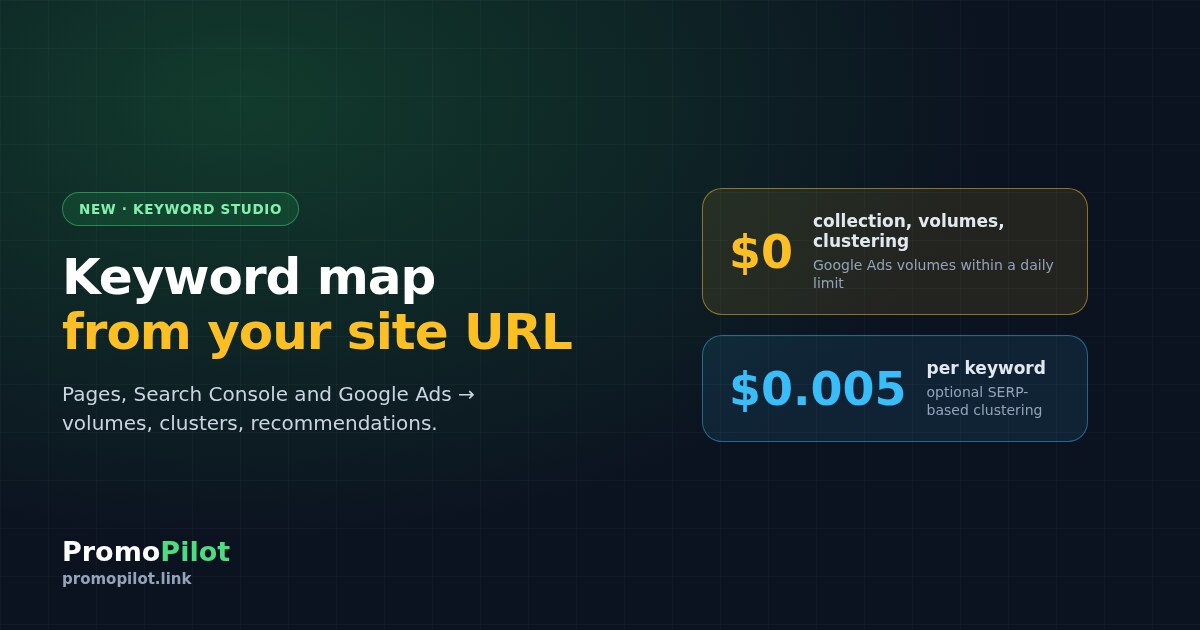
We've launched Keyword Studio, a keyword research and keyword clustering tool that starts from a single input: your site's address. It finds the language versions, suggests a search region for each one, collects keywords from your pages, Search Console and Google Ads, adds real search volumes from Keyword Planner and groups everything into clusters. What used to take a day of copying between spreadsheets now runs in the background while you do something else. The core features are free with a PromoPilot account.
What Keyword Studio does
A keyword map (some call it a semantic core) is the list of searches your site should rank for, split so that one group of queries maps to one page. Building it by hand means pulling queries out of Search Console, running seed phrases through Keyword Planner, cleaning the junk and then grouping thousands of rows. Keyword Studio does that pipeline for you:
- Three sources at once. Phrases from your pages (up to 50 pages from the sitemap), expanded with Google Autocomplete; queries from your Search Console if you connect it; and Google Ads keyword ideas for the domain.
- Real demand data. Average monthly search volume, monthly history for up to 24 months, CPC and competition from Google Ads Keyword Planner, for the country and language you chose. You don't need an ad account of your own.
- Cleaning and intent. Duplicates and junk phrases are flagged automatically, negative keywords remove the rest, and every keyword gets an intent label (commercial, informational and so on). A project holds up to 100,000 keywords.
- Clustering. Free clustering by shared word stems (soft or hard), or precise SERP-based clustering that groups keywords whose Google top 10 overlap.
- Trends. Seasonality and direction from four sources: Google Ads history, Google Trends, Wikipedia page views and your Search Console.
From URL to keyword map: how it works
Enter your site URL
Keyword Studio reads the home page and finds the language versions (via hreflang and lang). For each version it suggests a search region: a specific country, or "Worldwide" if the audience is international. Each version becomes its own project, and all versions of one site are kept together in a group with a switcher, so a multilingual site stays one site.
Let the collection run
Pages, autocomplete, Search Console and Google Ads ideas are collected in the background, then volumes and clusters are added. You can follow every stage in the project or simply close the tab: when the whole site is done, you get one notification in the bell, plus Telegram and email if you have them enabled.
Review clusters and recommendations
Rename and merge clusters, move phrases, assign landing pages. The Recommendations tab shows quick wins (keywords in positions 4–20), cannibalization (two pages competing for one query), content gaps (demand with no page) and seasonality, along with a prioritized plan.
Decide which keyword each page should target
The Pages tab ("which keyword to promote each page for") lists each page with its main keyword, up to five secondary ones, its current position and the estimated extra clicks if it reached the top 3. Pages that need links get a "Promote with a cascade" button: it opens your PromoPilot project with the URL and anchors already filled in, and you confirm the cascade link building there.
Export or track
Download the result as CSV or XLSX, or send the keywords (clusters become groups) straight to Rank Tracker to follow daily positions. To check that the pages behind your clusters are technically sound, run an SEO Audit.
Our own site as an example
We tested Keyword Studio on promopilot.link. It found four language versions and suggested regions for them: Worldwide for English and Russian, Ukraine for Ukrainian and Poland for Polish. In about three minutes it collected roughly 5,900 keywords across the four projects and grouped them into roughly 900 clusters. That's one site with an active blog and dozens of tool pages; a smaller site will produce fewer keywords, and the time depends on the size of the site and on which sources are connected.
What's free and what's paid
We charge only for operations that cost us money per request. Everything else is free with a registered account.
| Free | Paid (price shown before you start) |
|---|---|
| Projects, collection from the site URL, autocomplete, Search Console, Google Ads ideas, CSV import | SERP-based clustering: $0.005 per keyword (one Google results page per keyword) |
| Google Ads volumes, CPC and competition, within a daily limit | Google results snapshots, keyword difficulty (KD), AI page brief |
| Cleaning, intent, word-based clustering, trends, recommendations, the Pages tab | Link building itself: the cascade is a separate PromoPilot service with its own price |
| Export to CSV/XLSX, sending to Rank Tracker, notifications |
Paid operations are charged from your PromoPilot balance and always show the price for confirmation first. Keywords whose Google results are already in our cache are not charged again: you pay only for the pages we actually have to fetch.
Who it's for
- Site owners and small businesses who need a keyword map for a new site or a redesign and don't want to learn a desktop tool.
- SEO specialists and agencies who start every client with keyword research and want collection, volumes and clustering in one place.
- Multilingual and international sites: each language version gets its own region and its own demand data, not one averaged list.
- Content teams looking for gaps: topics with search demand but no page on the site.
Also: one tool renamed, the Keyword Generator stays free
Our former "Keyword Research" tool is now called Google Autocomplete Ideas, which describes what it actually does: hundreds of ideas from Google suggestions for any query, by country and language. The Keyword Generator stays free with no sign-up, and any phrase you find there can be opened in Keyword Studio with one button.
FAQ
Is Keyword Studio free?
Yes, the core is free for registered users: collection, Google Ads volumes within a daily limit, cleaning, word-based clustering, trends, recommendations and export. Only operations with Google results are paid, such as SERP-based clustering at $0.005 per keyword.
Do I need my own Google Ads account?
No. Volumes, monthly history, CPC and competition come from Google Ads Keyword Planner through our access, for the country and language of your project.
What is the difference between free and SERP-based clustering?
Free clustering groups keywords by shared word stems, which is fast and good for a first pass. SERP-based clustering compares the Google top 10 for each keyword and puts keywords with overlapping results into one cluster, which matches how Google itself groups queries.
Can I use it for a competitor's site?
Yes. Collection from pages, autocomplete and Google Ads ideas works for any domain. Search Console data is only available for sites you have connected.