Striking distance keywords: how to find pages near Google’s top 10 in Search Console (2026)
Striking distance keywords rank just outside the positions that get clicks, usually 11–20. In 22,489 growth-candidate pages on several hundred small and mid-sized business sites, 37% sat on page two and held half of all impressions. This guide shows four ways to find them in Search Console, the tools that automate it (SEOTesting, SEO Gets, Ahrefs, Semrush), the data traps of 2025–2026 and a five-step way to decide which pages to push first.
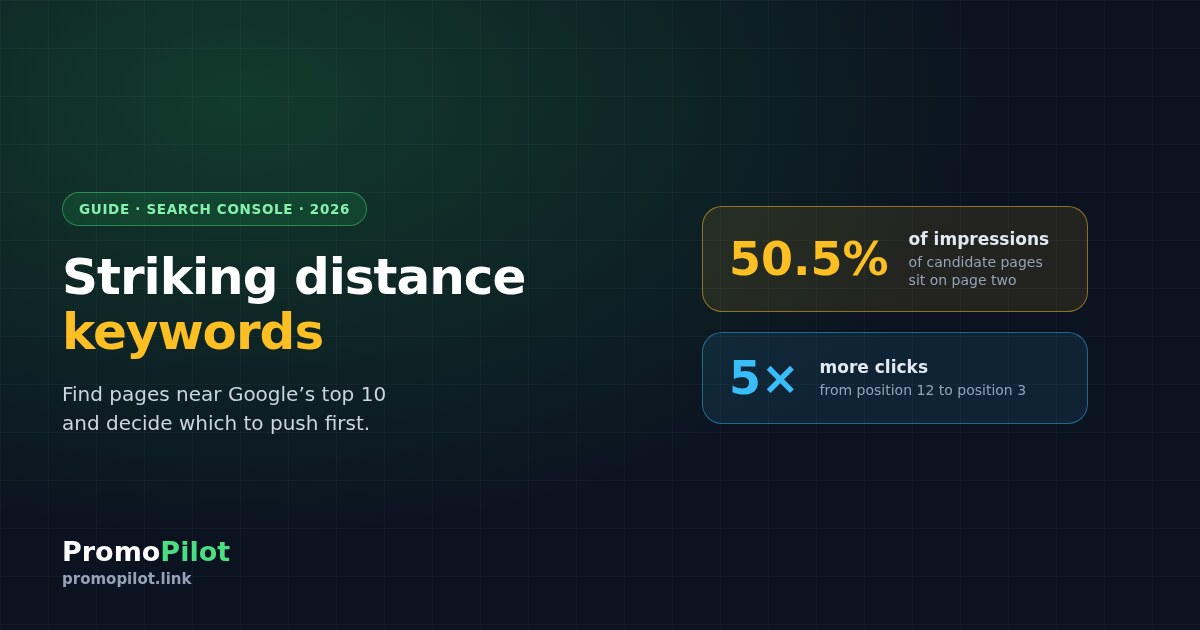
Striking distance keywords are queries where your page already ranks just outside the positions that get clicks — usually 11 to 20, sometimes 4 to 20. They are the cheapest growth most sites have: Google already considers the page relevant, so a better page, a few internal links or a handful of backlinks can move it onto page one or into the top three. In our analysis of 22,489 growth-candidate pages on several hundred small and mid-sized business sites, 37% sat in positions 11–20 — and they collected half of all the impressions. This guide shows four ways to find these queries in Search Console, from a free filter to the API, the tools that automate it, the data traps to avoid and how to decide which pages to push first.
Why positions 4–20 are worth the effort
Clicks fall off steeply after the first few positions. Advanced Web Ranking's July 2026 data for US desktop results puts the click-through rate at 20.02% for position 1, 10.36% for position 2 and 3.89% for position 3 — and below 1% for positions 10 through 20. A page that moves from 12th to 3rd can get five times the clicks from the same impressions.
Two caveats. First, AI Overviews cut these numbers sharply: in the same dataset, position 1 drops to 9.69% when an AI Overview is shown. Second, desktop page two is no longer a cliff in this sample — positions 11–15 have slightly higher CTR than positions 6–10 — so do not assume nobody sees page two. Still, the difference between position 15 and position 3 is several times the traffic.
What our data shows
SEO Radar, PromoPilot's tool for finding pages close to the top, analyses sites through their own Search Console data. Across the candidate pages it flagged on several hundred sites — pages with at least 50 impressions that have room to grow — the distribution looks like this:
Almost half of the candidates already sit in positions 4–10, but the larger pool of impressions is on page two: positions 11–20 hold 37% of candidate pages and 50.5% of their impressions. That is the classic striking distance zone, and on most small sites it is underused. Note that these are pages the tool selected as growth candidates, not all pages on those sites.
There is no standard range — choose yours
| Tool | Range it calls "striking distance" | Data source |
|---|---|---|
| SEOTesting | 11–30 (filter for 4–10 available) | Your Search Console |
| SEO Gets | 4–20 (page also says 5–20) | Your Search Console |
| Ahrefs ("low hanging fruit") | 4–15 | Ahrefs index or connected Search Console |
| Clearscope | 10–20 | Clearscope's own position monitoring |
| Semrush | Presets for 4–10 and 11–20 | Semrush database |
| Moz | "Just outside the top 10" | Moz database |
A practical split: 4–10 are pages on page one that need to climb into the top three; 11–20 are pages that need to reach page one. They often need different work. Whatever you choose, say which range you mean when you report results.
Four ways to find striking distance keywords
The Search Console filter
Open Performance → Search results, switch on Average position, go to the Queries tab and add a table filter: Position greater than 10 (and less than 21 for page two). Combine it with a page filter to see one URL's near-miss queries. Limits: the table shows at most 1,000 rows, and rare queries are hidden for privacy — they count in chart totals but never appear in the table.
A Looker Studio report
Connect the Search Console connector, build a table with Query and Landing page, and filter Average position between 10.5 and 20.5, optionally with impressions above a threshold. Anonymised queries may show up as a blank row — filter it out. The connector shares the API limit of about 50,000 rows per day per site and search type.
The API or a Sheets add-on
The Search Console API returns up to 25,000 rows per request; you page through with startRow, up to roughly 50,000 rows per day per search type, sorted by clicks. Search Analytics for Sheets does this for you inside Google Sheets (free tier, paid tiers from about $16 a month), and you filter Position yourself. For very large sites, the BigQuery bulk export removes the row limit — but anonymised queries still come without the query text.
Ready-made reports
SEOTesting's Striking Distance report ($50 a month for one site, 14-day trial without a card), SEO Gets (free plan, opportunity reports from $59 a month), SEO Scout (from $49), Clearscope (from $129) work on your Search Console data. Ahrefs, Semrush (from $139) and Moz (from $99) offer position filters on their own databases, which are estimates rather than your real impressions. In PromoPilot, SEO Radar does this as part of a free site check and, with Search Console connected, ranks candidate pages by potential clicks.
Three data traps
- Average position is an average. Google records the topmost position of your site for each impression and averages across impressions. A query "at 11" can be a mix of days at 4 and days at 30. Check the daily history before acting.
- AI Overviews count as one position. All links inside an AI Overview get the same position, and AI Mode data is included in the totals. A page can show a good position and still get few clicks.
- Some periods are distorted. Google confirmed a logging error that misreported impressions, CTR and average position from May 13, 2025 to April 27, 2026; clicks were not affected. In September 2025 Google stopped supporting the parameter that let rank trackers load 100 results per page, which cut impressions and made average positions look better. Compare periods after April 27, 2026, or compare clicks.
How to decide what to push first
Estimate the upside per page
For each page, multiply its impressions by the difference between the CTR at a realistic target position and its current CTR. A page with 5,000 monthly impressions at position 12 is worth more than one with 200 at position 6.
Check intent and page type
Look at what ranks above you. If the top results are service pages and yours is a blog post — or the other way round — fix the format first. No amount of links moves a page of the wrong type.
Rule out cannibalisation
If two of your pages swap positions for the same query, merge or differentiate them before investing in either.
Do the cheap things first
Update the content to answer the query fully, rewrite the title to match how people search, add internal links from your strongest pages with descriptive anchors. Pages in positions 4–10 often move on these changes alone.
Add links where the gap is authority
If the page already matches intent and is complete but competitors have far more links pointing at their pages, add a few links to the page itself. Our study of what DR you need to rank shows why the page matters more than the domain score.
Frequently asked questions
What are striking distance keywords?
Striking distance keywords are search queries where a page already ranks just outside the positions that get most clicks, usually positions 11 to 20 and sometimes 4 to 20. Google already sees the page as relevant, so improving it or adding links can move it onto page one or into the top three.
How do I find striking distance keywords in Google Search Console?
Open the Performance report, enable Average position, go to the Queries tab and add a filter for Position greater than 10 and less than 21. Add a page filter to check one URL. The table shows up to 1,000 rows and hides rare queries, so use the API, Looker Studio or a tool for larger sites.
What position range counts as striking distance?
There is no standard. SEOTesting uses 11 to 30, SEO Gets 4 to 20, Ahrefs 4 to 15 and Clearscope 10 to 20. A useful split is 4 to 10 for pages that need to reach the top three and 11 to 20 for pages that need to reach page one.
How much traffic can I gain by moving from page two to page one?
In Advanced Web Ranking's July 2026 data for US desktop, position 3 has a 3.89% click-through rate and positions 11 to 20 between 0.27% and 0.88%. Moving a page from around 12th to 3rd can multiply its clicks several times, less when an AI Overview appears on the query.
Why does Search Console show a good average position but few clicks?
Average position is weighted by impressions and records only your topmost result, so it can hide days at much lower positions. All links in an AI Overview share one position, and a logging error distorted impressions and positions between May 13, 2025 and April 27, 2026. Compare clicks or recent periods.
Do I need links to rank striking distance keywords?
Not always. Pages in positions 4 to 10 often move after content updates, better titles and internal links. Add links to the page when it already matches intent and is complete but competing pages have far stronger link profiles.
Sources: Google Search Console help (average position, data discrepancies, data anomalies), Search Console API documentation (row limits, quotas), Google Search Central blog (performance data deep dive, October 2022; bulk data export, February 2023); Advanced Web Ranking organic CTR study (July 2026, US desktop); official pages of SEOTesting, SEO Gets, Search Analytics for Sheets, Ahrefs, Semrush, Moz, SEO Scout and Clearscope (checked October 11, 2026). PromoPilot SEO Radar data: 22,489 candidate pages with at least 50 impressions on several hundred sites, latest snapshots, October 2026.