
Key facts
Automatic keyword ideas: enter a word and get hundreds of real Google Autocomplete suggestions for the chosen country and language, grouped into questions, comparisons and general ideas. Free. There is no search volume or competition here: these are ideas, not a demand estimate.
- Price
- Free
- Sign-up
- Not required
- Processing
- On our server: it requests Google Autocomplete suggestions for your keyword with different endings and question openers
- Input
- A word or phrase up to 100 characters; the suggestion language (13) and country (15)
- Limits
- 10 requests per minute; 10 a day without an account, 30 with a free account, unlimited with Pro; a guest gets fewer variants (5 endings and 5 question openers), a logged-in user up to 27 and 14
- Output
- A list of Google suggestions split into questions, comparisons and general ideas; no search volume, CPC or competition
- Last updated
See it in action
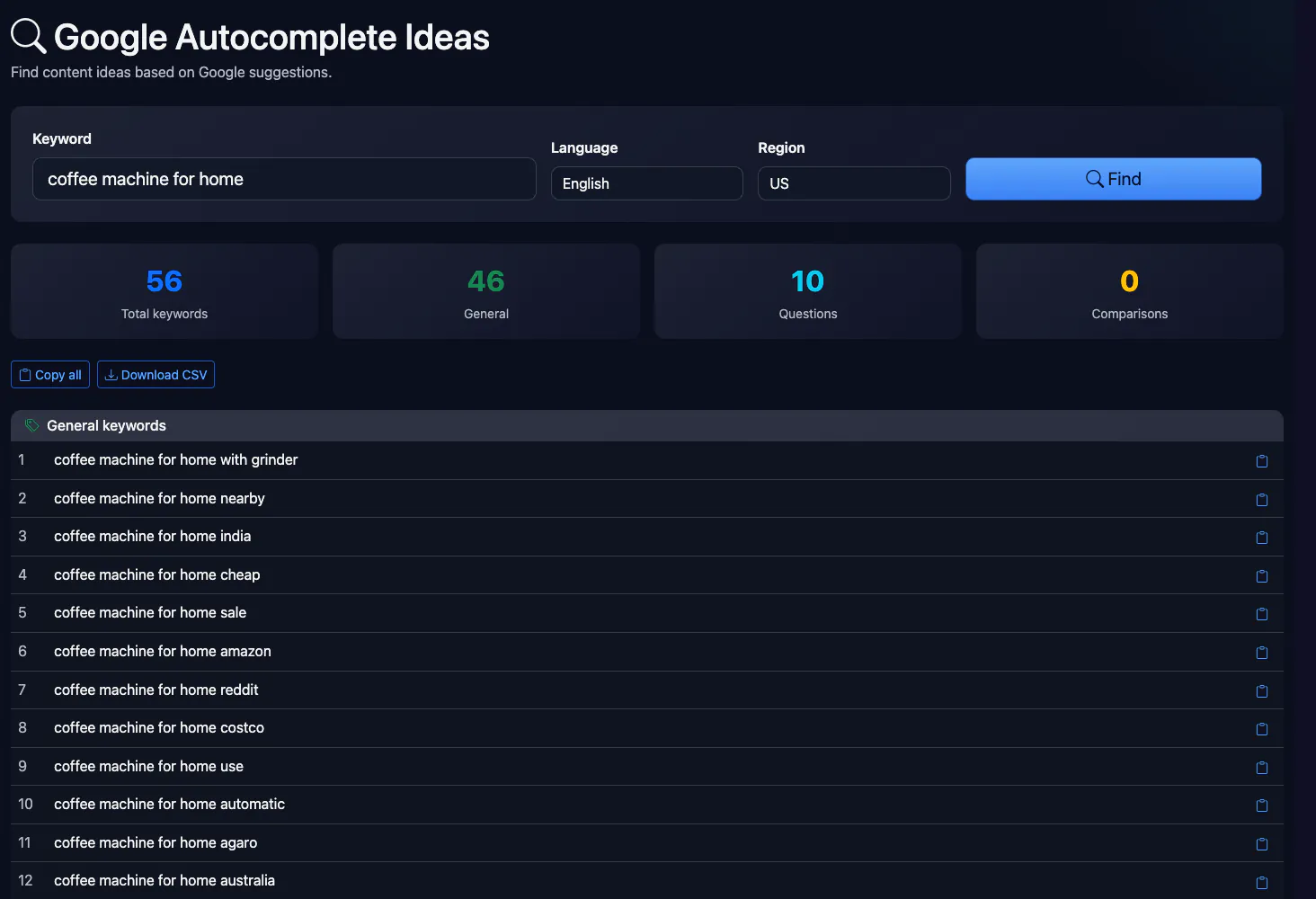
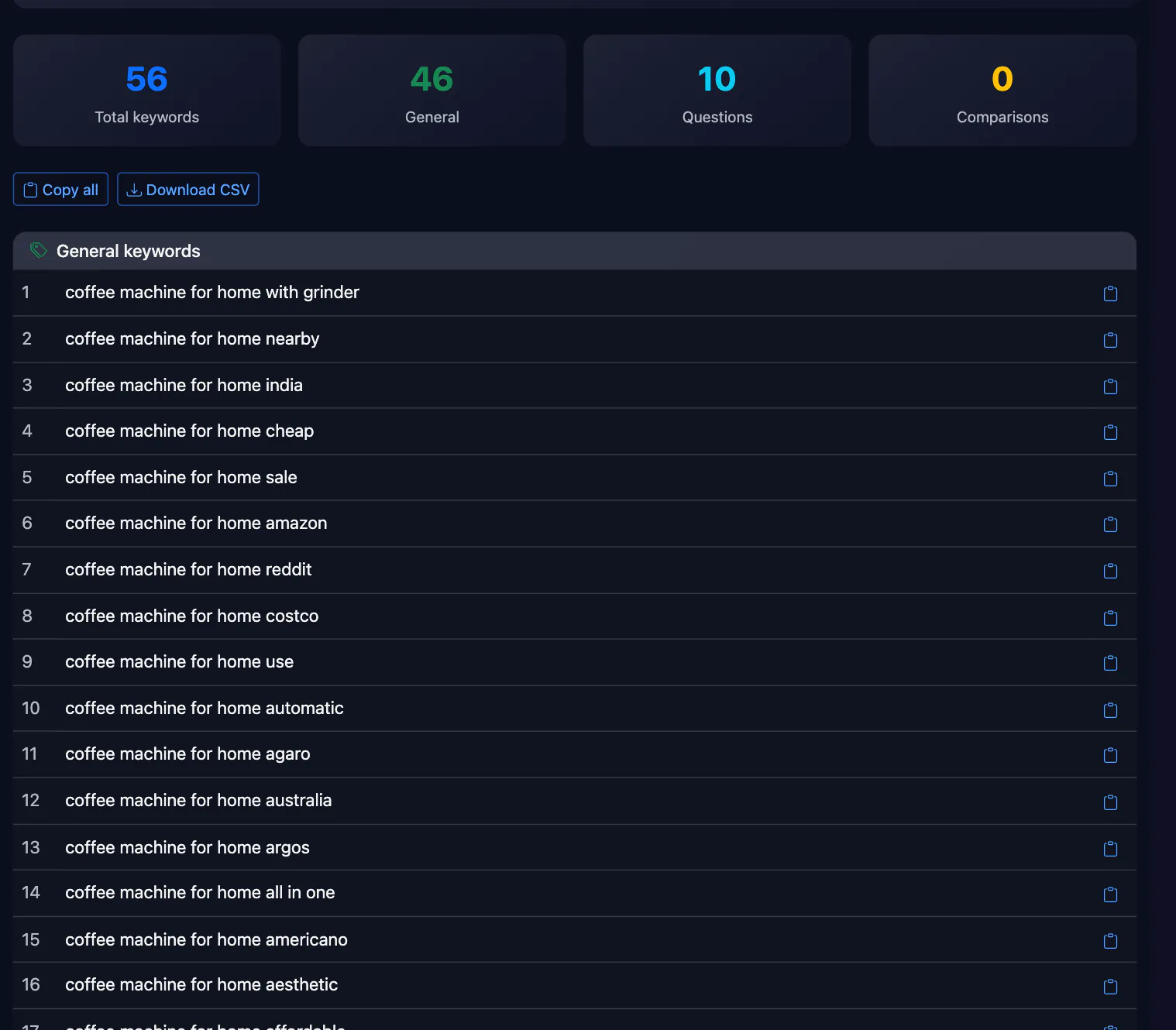
Google Autocomplete Ideas
Find keywords and phrases based on Google Suggest suggestions. The tool generates hundreds of ideas using alphabetical and question prefixes, and groups them by categories.
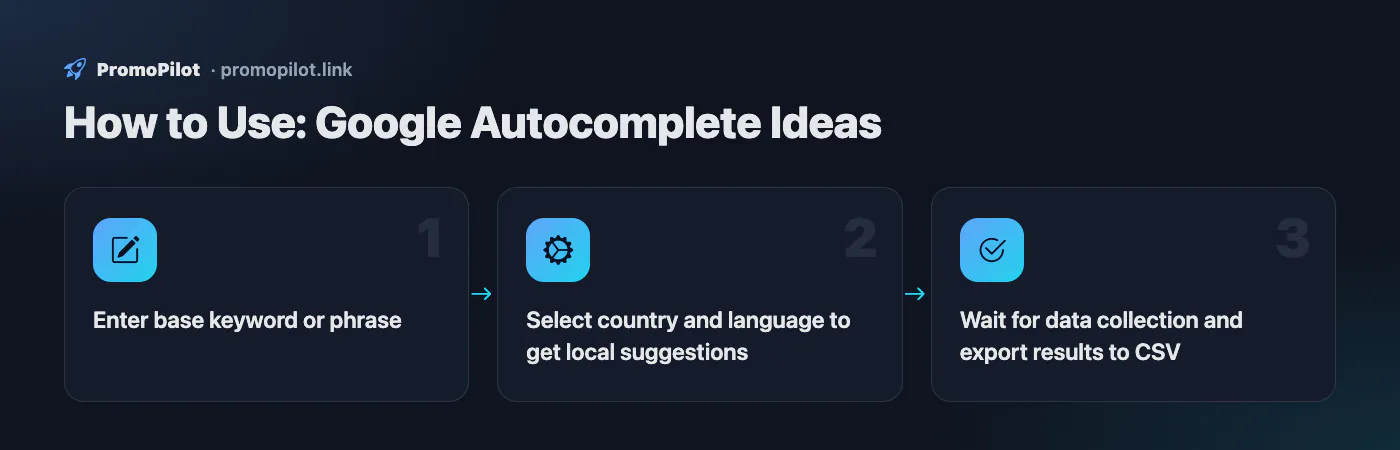
How to Use
- Enter base keyword or phrase
- Select country and language to get local suggestions
- Wait for data collection and export results to CSV
FAQ
Who it is for and typical uses
- Topics for articles and FAQs. The questions block shows how people phrase queries (“how”, “why”, “what”).
- Long-tail queries. Endings a–z uncover tails that are not visible in ordinary results.
- Another country or language. Pick a country and language to see suggestions for the market you need.
- Comparisons. “X vs Y” and “X alternative” help find competitors and topics for reviews.
Honest limitations
- No search volume. We do not know how often a suggestion is searched, so ideas cannot be ranked by demand. For that use Keyword Studio or Google Keyword Planner.
- Fewer for guests. Without logging in only the bare query, letters a–d and five question openers are used; the full 26 letters and 14 openers come after sign-in.
- Question openers are Russian and English. For Ukrainian and Polish, questions come mostly through general suggestions rather than “чому”, “jak”, “dlaczego”.
- Suggestions depend on time and place. Google shows them according to region and recent searches, so the list can change.
- Daily limit. 10 requests a day without an account.
Related: keyword density, keyword generator, People Also Ask, Zipf analysis.
PromoPilot vs alternatives: comparison
We compare only what is confirmed on each service's own pages. Where we could not confirm a fact, the cell shows "—".
| Parameter | PromoPilot | Google Keyword Planner | Keyword Tool (keywordtool.io) | AlsoAsked |
|---|---|---|---|---|
| Ideas from Google suggestions | ✓ | ✓ helps discover new keywords related to your business | ✓ the free version relies on Google Autocomplete; also YouTube, Bing, Amazon and others | — |
| Search volume data | ✗ | ✓ estimates of searches and the cost to target them | Search volumes and CPC come with the subscription | — |
| “People Also Ask” questions | ✗ (a separate tool) | — | — | ✓ live “People Also Asked” data with intent clustering; country, location and language selectable |
| Free and sign-up | Yes: 10 a day for a guest, 30 with an account | — | — | — |
Scroll the table sideways
Where we are weaker: no search volume, CPC or competition, no export or clustering, and a guest gets a trimmed set of suggestions.
When to choose PromoPilot: When you want to collect ideas for articles, questions and long-tail queries quickly. For search volume, clusters and export use Keyword Studio or the official Keyword Planner.
Checked on: . "—" means not confirmed on the official page; terms and prices change, so check the services' own sites.
A free keyword research tool built on Google Autocomplete
This keyword research tool finds keywords for your website from Google's search suggestions — the predictions that drop down under the search box as you type. Google returns up to ten suggestions per phrase, so the tool queries it many times: the seed itself, the seed followed by a letter (running shoes a, running shoes b…) and the seed preceded by a question word (how running shoes, why running shoes). Without signing in it sends 10 requests; signed-in users get 41 (all 26 letters plus 14 question words). Duplicates are removed, results are split into general keywords, questions (starting with how, what, why, can, is…) and comparisons (vs, versus, or, compared), and you can copy the list or download a CSV with a Keyword and Category column.
Language and region are passed to Google as parameters, so suggestions for the UK and for the US differ even for the same seed — "trainers" vs "sneakers" is the classic example. Pick the pair that matches the audience you want to reach.
What it doesn't show: search volume
To be clear: this tool shows no search volume, keyword difficulty or cost per click. Google Autocomplete carries no numbers. A phrase appearing in suggestions means people search for it, but not whether that's ten times a month or ten thousand. For volume, use a source that has it:
| Source | What you get | Limitations |
|---|---|---|
| Google Keyword Planner | Average monthly searches by country and language, seasonality, more ideas | Free, but needs a Google Ads account. Without active ad spend, volumes are shown as ranges (100–1K, 1K–10K) |
| Google Search Console | Real impressions and clicks for your own site over 16 months | Only queries your site already appears for |
| Google Trends | Relative interest on a 0–100 scale, seasonality, side-by-side comparison | No absolute numbers |
| Bing Webmaster Tools → Keyword Research | Search volume from Bing | Free with a Bing Webmaster Tools account; Bing demand isn't Google demand |
| Ahrefs, Semrush and similar | Volume and difficulty estimates | Paid; figures are modelled estimates |
A practical workflow: collect ideas here, export the CSV, then paste the list into Keyword Planner under "Get search volume and forecasts" — it returns volume for every phrase in one go. Google may ask you to set up a campaign when you create the Ads account; you can switch to Expert Mode and create the account without one.
How to find keywords for a website, step by step
- Seeds. Write down 5–15 short phrases: your products and services in the words customers use (not your internal names), plus the problems you solve. "Laptop repair", "laptop won't turn on", "screen replacement".
- Expand. Run every seed through the tool. Short seeds return broad suggestions; two- and three-word seeds surface long-tail keywords with less competition.
- Clean. Remove competitor brands, locations you don't serve and irrelevant meanings ("laptop repair kit" if you're a repair shop, not a parts store).
- Check volume. Run what's left through Keyword Planner. Zero volume isn't always a reason to drop a phrase — in niche B2B topics low-volume terms often convert best.
- Group by intent. Put phrases with the same search intent into one group — one group per page. "Laptop repair cost" and "laptop repair price" belong together; "how to fix a laptop hinge" is a separate article.
- Map to pages. Use the group's main phrase in the title tag and H1, the rest in subheadings and body copy. If two pages target the same group they compete with each other — check for that with the keyword cannibalization checker.
How to read the suggestions
General keywords
Modifiers of the seed: price, location, model, "buy", "reviews", "near me". Commercial modifiers ("price", "service", "buy") point to service and category pages; informational ones ("what is", "how to choose") point to blog posts and guides.
Questions
Ready-made topics for articles, H2 subheadings and FAQ sections. Questions people type into Google often show up in the "People also ask" box as well. Answer the question directly in the first sentence under the heading, then expand.
Comparisons
Phrases like "X vs Y", "X or Y" and "X alternative" show what people are choosing between. Comparison articles and tables work well here, and readers at this stage are close to a decision.
Keep in mind that suggestions are Google's predictions, not a complete list of searches. They depend on popularity, freshness and location, and Google filters some phrases under its autocomplete policies.
Example: from one seed to a site section
Take the seed "standing desk". A typical suggestion list for it splits into several groups, and each one deserves its own page:
| Keyword group | Intent | Page type |
|---|---|---|
| "… for sale", "… price", "… near me" | Buy | Category page |
| "… with drawers", "… for small spaces", "… l shaped" | Buy a specific type | Subcategory or an indexable filter page |
| "how tall should a standing desk be", "is a standing desk worth it" | Learn | Guide linking to the category |
| "… vs regular desk", "… vs desk converter" | Compare | Comparison article |
One run turns into a plan for four or five pages instead of one page stuffed with every phrase. Repeat it for each seed; where groups overlap between seeds, you'll see in advance which pages could end up competing.
Tips for other languages and markets
- Letter suffixes are Latin a–z. They work best for English and other Latin-script languages; for Cyrillic seeds they return fewer new ideas, so run more seed variations instead.
- Built-in question words are English and Russian, and guests get only the first five of them — four Russian plus "what". Sign in to add how, why, where, when, who, which, is, can and does, or for German, French or Polish put the question word into the seed yourself ("wie", "comment", "jak").
- Keep seeds under 100 characters. Long sentences rarely return any suggestions at all.
Google keyword checker: does your site rank for these keywords?
Keyword research answers "what do people search for". Where your site ranks for those terms is a different question: the Performance report in Search Console shows the queries you already appear for and your average position, and a rank tracker follows positions over time. To find pages that are already close to the top and will gain traffic fastest, try the SEO Radar, which works from your site's own Search Console data.
RankBotAI — AI SEO Optimization for WordPress
RankBotAI AI plugin automatically finds and fixes SEO issues in WordPress products and posts — no manual editing.