An SEO audit returns thousands of findings. Genuine errors: 1.1%
An audit hands you thousands of rows and answers none of the only question that matters — where to start. We went through 391,294 findings across 83 sites and counted the genuine errors: 1.1%, fitting into seven codes. We unpack why the volume of a report misleads, and give a six-step order of work with a check at every step.
You ran an SEO audit, got a list several thousand rows long, and closed the tab. That is the most common reaction, and it is a reasonable one: the report does not answer the only question that matters — where to start. We went through 391,294 findings across 83 sites and counted how many of them are genuine errors. It came to 1.1%. Below is what that percent contains, why the rest looks scarier than it is, and in what order to fix any of it.
What we counted
We took our own crawl database from SEO Audit: 83 projects, and for each the latest crawl, so that no site enters the sample more than once. That is 92,386 crawled addresses, of which 82,713 answered with a 200, and 391,294 findings on them.
The sites differ in size: a quarter have fewer than 36 pages, the median has 96, the largest has 49,992. A note on method: some projects have a crawl depth limit, so the median understates the real size of the sites. This does not affect the conclusions — we compare findings against each other, not measure the absolute size of the web.
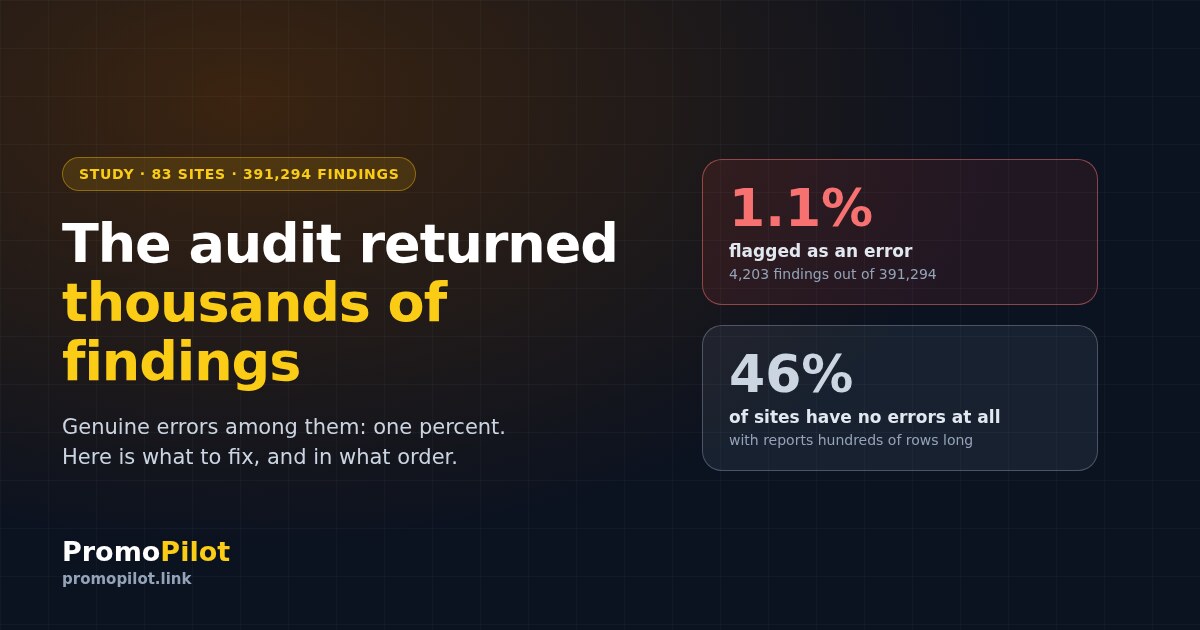
Almost the entire report — 98.9% of it — is notice and warning. Only 4,203 findings out of 391,294 are flagged error. And more importantly, 38 of the 83 sites have no errors at all — while their report still runs to hundreds of rows.
The median site collects 257 findings. A quarter get more than 461, one in ten more than a thousand. The record holder in our sample collected 244,137: a large catalogue where a single product-card template multiplied one and the same trifle across tens of thousands of pages.
Why volume misleads
Here is the trap in the report: it sorts by count. And the count of findings says nothing about the severity of a problem — it says how many pages you have and how uniform their template is. One loose end in a product-card template turns into 20,000 rows of report, while a genuinely broken page turns into one.
The difference is immediate. The codes that fill the report produce between five hundred and two and a half thousand findings for every affected site. The codes flagged as errors produce dozens. The five most voluminous codes account for 69% of everything in the reports, and not one of them is an error.
Prevalence — how many sites have the problem at least once — is worth looking at separately. It is a very different picture from sorting by volume:
| Finding | Share of sites | What it actually is |
|---|---|---|
images_no_dims | 69% | Images have no dimensions set. Affects layout shift while loading, almost nothing to do with search |
title_too_long | 66% | Long title. Google states in its documentation that it decides what to show in results |
images_no_alt | 65% | No alt on images. Matters for accessibility and image search |
desc_too_long | 51% | Long description. Google will rewrite it for the query anyway |
missing_description | 42% | No description at all — this one does deserve attention |
missing_h1 | 42% | No H1 heading — deserves attention |
too_many_links | 39% | "Too many links". The threshold was invented by the tool, not by Google |
duplicate_title | 36% | Identical titles on different pages — a real problem |
thin_content | 35% | Little text. Review by hand: it can be normal or it can be an empty shell |
orphan_page | 31% | Not a single internal link points at the page |
What is actually broken
All 4,203 errors in our sample fit into seven codes. Here is the full list — this is the percent the report is worth opening for:
| Code | Findings | Sites | Why it is an error |
|---|---|---|---|
http_4xx | 1,908 | 20 | The page does not answer. Links to it, external and internal alike, go nowhere |
duplicate_title | 1,213 | 30 | Search cannot tell which page answers the query, and they get in each other's way |
broken_links | 632 | 18 | Internal links lead nowhere: the crawler spends budget on them, the reader hits a dead end |
redirect_loop | 295 | 1 | An endless redirect. The page is unreachable for both people and robots |
missing_title | 148 | 10 | No title at all — search has nothing to show in results |
mixed_content | 5 | 1 | An HTTPS page loads HTTP content and the browser complains |
http_5xx | 2 | 1 | The server returns an error. The most urgent thing a report can contain |
Note the asymmetry: redirect_loop has 295 findings, but all of them sit on one single site. That is exactly the situation worth reading your own report for: one project has broken redirects, the other 82 have none at all.
The order of work: six steps
Below is a sequence in which each step only makes sense after the previous one. Every step comes with a check that shows you have passed it.
Filter the report by severity
The first action is not to read the report end to end but to switch on the "error" filter and see how many rows remain. In our sample about one percent remains, and for 46% of sites nothing remains at all. That is a normal result, not a reason to keep hunting.
Fix what simply does not open
The codes http_5xx, http_4xx and redirect_loop are the only things worth fixing today. A page that does not answer takes part neither in search nor in navigation, and all the link equity pointed at it is lost outright.
The order within the step: 5xx first (that is a server failure), then redirect loops, then 4xx. For 4xx it matters to separate two cases: the page was removed deliberately — then it needs a 410 or a redirect to a replacement; the page was removed by accident — then it needs to come back.
Separate identical titles
duplicate_title appears on 36% of sites and almost always means one of two things: either a template puts the same title on a batch of pages, or you genuinely have several pages targeting the same query. The first is fixed in the template within an hour, the second by deciding which page stays the main one.
A missing title (missing_title) is fixed in the same pass: those are the same pages, only the template supplied nothing at all.
hreflang.Go through pages with no description and no H1
Formally these are warnings rather than errors, but they appear on 42% of sites and, unlike title length, they genuinely change the outcome. Google will assemble an empty description from the page text itself — and will assemble it worse than you would. A missing H1 leaves the page without its main semantic heading.
An important caveat: you do not need to write a description for every page. Start with the ones already getting impressions in Search Console — there the fix shows up in clicks within a couple of weeks.
Deal with thin content and orphan pages
thin_content (35% of sites) and orphan_page (31%) are the only two warning-level codes that call for a decision rather than a fix. A thin page is either extended, or merged with a neighbour, or closed — but it does not resolve automatically, because the tool cannot know whether your page is empty or whether it is a product card with three lines of specifications and that is exactly right.
An orphan page is one no internal link points at. They can only be counted honestly where the incoming-link counter certainly did not hit the crawl limit: across those 42 sites 18.2% of pages are orphans, and another 20.6% hang on a single link. That means nearly 40% of pages rest on one thread or on nothing at all.
Everything else, on whatever is left
Load speed, schema.org markup, hreflang, image alt text, heading level order. This is not junk — it is work that makes sense once the previous five steps are done. Putting it ahead of errors is like painting a wall that has a hole in it.
One exception: hreflang deserves to move up if you have several language versions. In our sample the code appears on only 8% of sites, but where it does appear it produces 2,474 findings per site — precisely the case where a template is broken rather than individual pages.
Three questions to ask any finding
If your tool produces codes that are not in our tables, you can sort them yourself. Ask the finding three questions in order:
1. Is the page unreachable because of this? If yes, it is the first priority — fix it today.
2. Does this stop search from understanding what the page is about? An empty title, a duplicate title, a missing description — yes. A long title — no.
3. Is this a threshold the tool invented? "Too long", "too many", "too few" — almost always yes. Check whether that threshold exists in Google's documentation. Usually it does not.
What not to do
<title> element can be, and in results the title link is truncated to fit the device width. More than that — if it detects an issue on the page, Google may generate a title itself, from anchors, on-page text and other sources. Chasing a nice number in the report is pointless.In short
An audit shows everything it managed to measure and is under no obligation to set priorities — that part is your job. In our sample of 83 sites, genuine errors make up 1.1% of the report and fit into seven codes, while 69% of the volume comes from five codes, not one of which is an error.
The practical conclusion in one line: open your report, switch on the "errors only" filter, and work with what is left. Everything else can wait until next quarter — and will most likely wait without any harm at all.
The crawl reports findings already split by severity — you can start with the errors straight away.
Frequently asked questions
How many errors does an SEO audit find on an ordinary site?
In our sample of 83 sites the median site gets 257 findings, and a quarter of sites get more than 461. But genuine errors make up 1.1% of them, and 46% of sites have no errors at all — only warnings and notices.
Where do you start after an SEO audit?
Filter the report by the "error" type. Fix first whatever makes a page unreachable: 5xx responses, redirect loops, 4xx responses. Then duplicate and missing titles, then pages without a description and an H1. Speed, markup and image alt text come after that.
Do you need to shorten a title that is too long?
No. Google states in its documentation that there is no limit on the length of a title element, and that in search results the title link is truncated to fit the device width. What to look at is not the length but whether the title describes the page and whether it repeats the title of a neighbouring page.
How many links can you put on one page?
Google names no number: the documentation says there is no magical ideal number of links a page should contain, but that if you think it is too many, it probably is. The "too many links" threshold in audit reports is set by the tool itself.
Which matters more, warnings or errors?
Errors, by a wide margin. But two warnings deserve a separate look: thin content and pages with no incoming internal links. They call for a decision about the page's fate rather than an edit in the code.
What is an orphan page and is it dangerous?
It is a page that no internal link on the site points at. In our sample — counting only sites where the incoming-link counter did not hit the crawl limit — 18.2% of pages are orphans and another 20.6% hang on a single link. Such a page is harder for search to discover and receives almost no equity from the rest of the site — but the first thing to settle is whether it is needed at all.
Sources
PromoPilot's own measurement, August 2026: 83 projects, the latest crawl of each, 92,386 addresses and 391,294 findings in the SEO Audit database.
Google Search Central, "Influencing Title Links in Google Search": on the absence of a title length limit, on truncation to device width, and on Google generating a title itself.
Google Search Central, "SEO Link Best Practices for Google": on there being no ideal number of links on a page.
Google Search Central Blog, "Are 100 links per page enough?" (2011): the history of the recommendation the tool thresholds grew out of.