AI watermark detectors compared: how to check SynthID, C2PA and AI metadata (2026)
"AI watermark" means four different things: C2PA Content Credentials, generator metadata, invisible watermarks like Google SynthID and visible marks like the Gemini sparkle. We compare how to check each one in October 2026: Gemini for SynthID, Content Credentials Verify for signatures, ExifTool and PromoPilot's free detectors for images, video, audio and text, and say plainly what our detectors cannot see.
"Is there an AI watermark in this file?" has no single answer, because "AI watermark" means at least four different things: signed Content Credentials (C2PA), plain metadata left by a generator, invisible watermarks such as Google SynthID, and visible marks like the Gemini sparkle. Each needs a different tool, and some can only be checked by the company that added them. This guide compares what you can actually check in October 2026: Google's own route through Gemini, Content Credentials Verify, command-line tools such as ExifTool, and our free detectors for images, video, audio and text. We built those detectors, so we will be especially clear about what they cannot see.
The short answer
| Type of watermark | Where it lives | Who can check it | Survives a screenshot or re-upload? |
|---|---|---|---|
| C2PA Content Credentials | A signed manifest inside the file | Anyone: Content Credentials Verify, our C2PA Checker, c2patool | Usually not; most platforms and editors strip metadata |
| Generator metadata (XMP, EXIF, PNG text, IPTC DigitalSourceType) | Ordinary metadata fields | Anyone: our watermark detectors, ExifTool | Usually not |
| Invisible watermarks such as SynthID | In the pixels, frames or sound itself | Only the owner: for SynthID, Google through Gemini | Designed to survive common edits |
| Visible marks such as the Gemini sparkle | Drawn on the image | Anyone, by eye | Survives a screenshot, disappears with a crop |
| Text watermarks | Statistical patterns or hidden Unicode characters | Hidden characters: anyone. Statistical watermarks: only the owner | Hidden characters are lost when text is retyped or cleaned |
So the honest workflow is: read the metadata first (fast, free, but easy to remove), then ask the owner of an invisible watermark if you suspect their model, and only then fall back on statistical "AI or not" detectors, which give a probability, not proof.
Google SynthID: only Google can check it
SynthID is an invisible watermark that Google adds to content made with its AI models. It sits in the pixels of an image or video and in the sound of audio, not in the metadata, so removing metadata does not remove it. No third-party tool, ours included, can read it: the detector belongs to Google.
Ask Gemini about the file
Open the Gemini app or gemini.google.com, sign in, attach one file and ask: "Was this created or edited with Google AI?" Gemini checks for SynthID and answers. It can only recognise content made with Google AI; it will not tell you whether an image came from ChatGPT or Midjourney. Google has also announced a separate SynthID Detector portal; what it supports and who can use it is described on Google's site.
C2PA Content Credentials: readable by anyone
C2PA is an open standard for a signed record of where a file came from: which tool made it, what actions were applied and, for AI content, a digital source type such as "trained algorithmic media". Anyone can read it, as long as the file still has it.
Content Credentials Verify
The verification site of the Content Credentials initiative checks the manifest and its signature and shows the provenance chain. If you need to know that a manifest is genuine and the file was not changed after signing, this is the tool to use.
PromoPilot C2PA Checker
The C2PA Checker finds the manifest in JPEG, PNG, WebP, AVIF, HEIC, MP4, MOV and other formats and shows it in plain language: the claim generator, the actions, the digital source type, ingredients, AI training and mining preferences, and the signing certificate (organisation, issuer, validity dates) with the signing time. It also reads XMP and EXIF fields and lists recognised generators. Images up to 25 MB, video up to 80 MB, no sign-up.
Metadata watermarks: images, video and audio
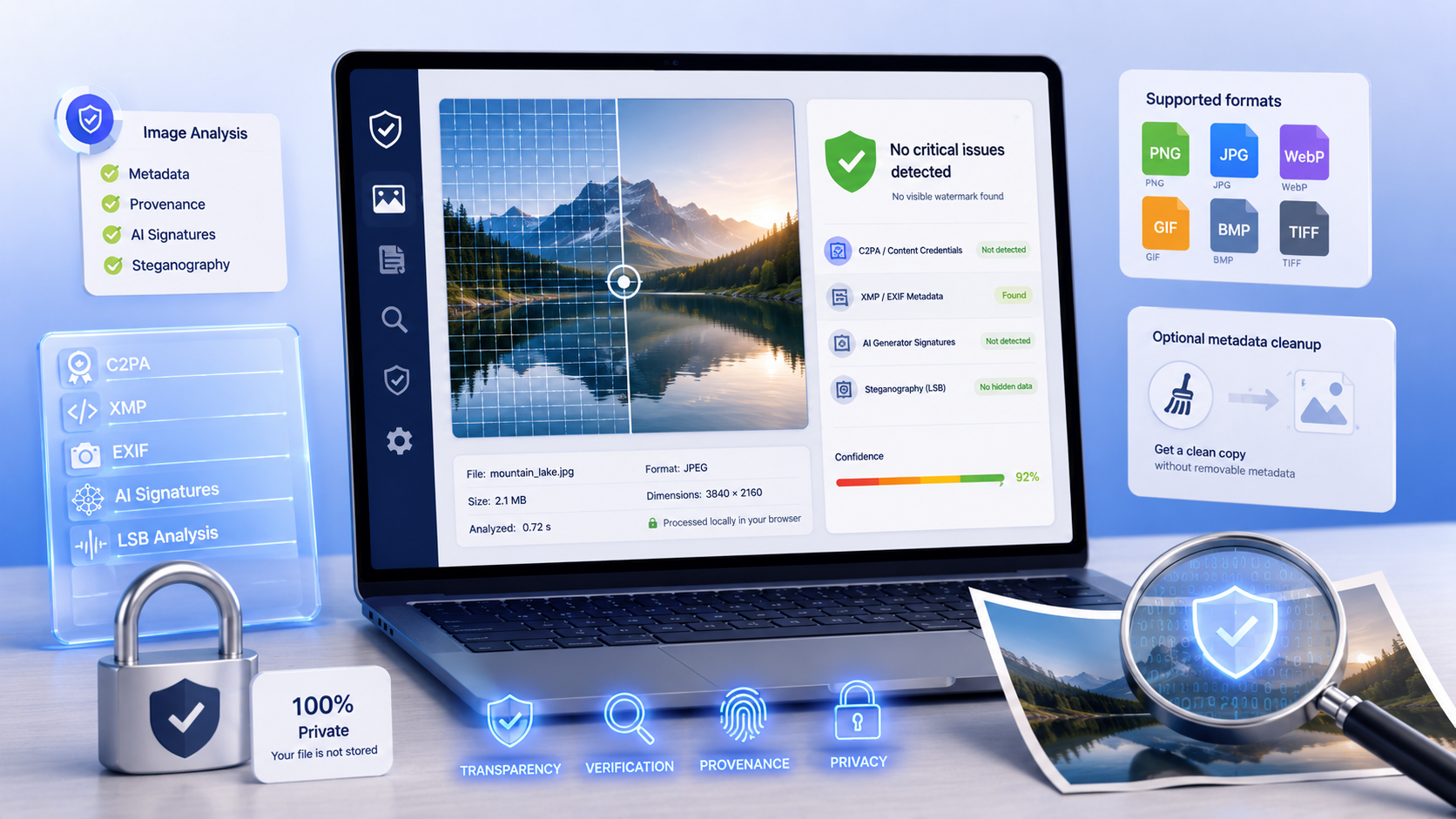
Many generators and AI front-ends leave traces in ordinary metadata: prompt parameters in PNG text chunks, a creator tool name in XMP, a software field in EXIF. Our three media detectors read these traces on our server and give a verdict with the evidence found.
AI Image Watermark Detector
The image detector reads PNG text chunks (where Stable Diffusion interfaces such as AUTOMATIC1111, ComfyUI and InvokeAI store generation parameters), JPEG application segments, WebP chunks, C2PA markers and the IPTC digital source type in XMP. It matches signatures of dozens of generators, including Midjourney, DALL·E, Firefly, FLUX, Imagen, Ideogram and Leonardo, and runs a statistical least-significant-bit test that can flag hidden data. PNG, JPG, WebP, GIF, BMP and TIFF up to 25 MB. For PNG, JPEG and WebP it can also return a copy with the metadata removed; the file is kept on our server for about 15 minutes for that.
Video Watermark Detector
The video detector walks the metadata atoms of MP4 and MOV files and scans MKV, WebM and AVI for provenance markers and generator names such as Sora, Runway, Pika or Kling. Files up to 80 MB.
Audio Watermark Detector
The audio detector parses WAV chunks and, for 16-bit WAV, checks the first 20 seconds for unusual energy near the top of the spectrum. For MP3, FLAC, OGG, M4A and AAC it searches the file for provenance markers and generator names such as Suno, Udio or ElevenLabs. Files up to 50 MB.
Text: hidden characters yes, statistical watermarks no
Some text "watermarks" are just invisible Unicode characters: zero-width spaces, soft hyphens, direction marks, or Latin letters swapped for look-alike Cyrillic or Greek ones. These are easy to find. Statistical watermarks, which some AI developers can embed in the choice of words, can only be verified by their owner with a private key, and there is no public checker for them.
Text Watermark Detector
The text watermark detector checks pasted text or a page URL for zero-width and other invisible characters, mixed alphabets, spacing tricks, trailing spaces and metadata-like markers, for 5 to 100,000 characters. It does not tell whether a text was written by AI and cannot see statistical watermarks. Hidden characters can be removed with the invisible character remover, which works in your browser.
When there is no watermark at all
Most AI images you meet online have no metadata left. Then the only options are visual checks and statistical classifiers. Commercial detectors such as Hive and AI or Not give a probability that an image is AI-generated. Our free AI Image Detector combines a metadata check with an open machine-learning model that runs in your browser, so the pixels never leave your device, and a checklist for checking by eye. Treat every classifier as a hint: none of them, ours included, can prove where an image came from.
Which tool for which question
| Your question | Tool |
|---|---|
| Was this made with Google AI? | Gemini; our SynthID Checker for the steps and a metadata check |
| Are these Content Credentials genuine? | Content Credentials Verify |
| What do the Content Credentials say, in plain language? | PromoPilot C2PA Checker |
| Did a generator leave traces in this image, video or audio? | PromoPilot image, video or audio watermark detector; ExifTool |
| Does this text contain hidden characters? | PromoPilot text watermark detector |
| No metadata left: is it AI at all? | A classifier such as our AI Image Detector, Hive or AI or Not, plus a visual check |
All our detectors are free and need no account; most have only a per-minute limit. More background is in our knowledge base article on hidden watermarks in text and in the launch notes for the image, video and audio detectors.
Frequently asked questions
How can I check if an image has a SynthID watermark?
Only Google can detect SynthID. Upload the image to the Gemini app or gemini.google.com and ask whether it was created or edited with Google AI. Gemini recognises only content made with Google AI. Third-party tools, including PromoPilot, cannot read SynthID; they can only check the metadata for Google signs.
What is the best AI watermark detector?
It depends on the watermark. For SynthID, use Gemini. For C2PA Content Credentials, use Content Credentials Verify to check the signature, or the PromoPilot C2PA Checker to read the manifest in plain language. For metadata left by generators, use a metadata detector such as PromoPilot's free image, video and audio detectors or ExifTool.
Does removing metadata remove an AI watermark?
It removes C2PA Content Credentials and generator metadata, but not invisible watermarks such as SynthID, which live in the pixels or sound. A visible mark like the Gemini sparkle stays until it is cropped or edited out.
Does the PromoPilot C2PA Checker verify the signature?
No. It reads and explains the manifest, including the signing certificate and time, but it does not verify the cryptographic signature, the content hash or the trust list. To confirm that Content Credentials are genuine, use Content Credentials Verify.
If an image has no Content Credentials, was it made by a person?
Not necessarily. Social networks, messengers, screenshots and most editors remove metadata when a file is saved or uploaded, so most images online have no Content Credentials regardless of how they were made.
Can AI text watermarks be detected?
Hidden Unicode characters such as zero-width spaces can be found by anyone with a text watermark detector. Statistical watermarks embedded in word choice can only be verified by the company that added them, and there is no public checker for them.
Sources: Google Gemini help on checking content made with Google AI, the Content Credentials verification site and the C2PA open standard, checked in October 2026. The descriptions of PromoPilot tools reflect how they work in October 2026. This article is written by PromoPilot and is not sponsored by any of the tools mentioned.