
Video Watermark Detector
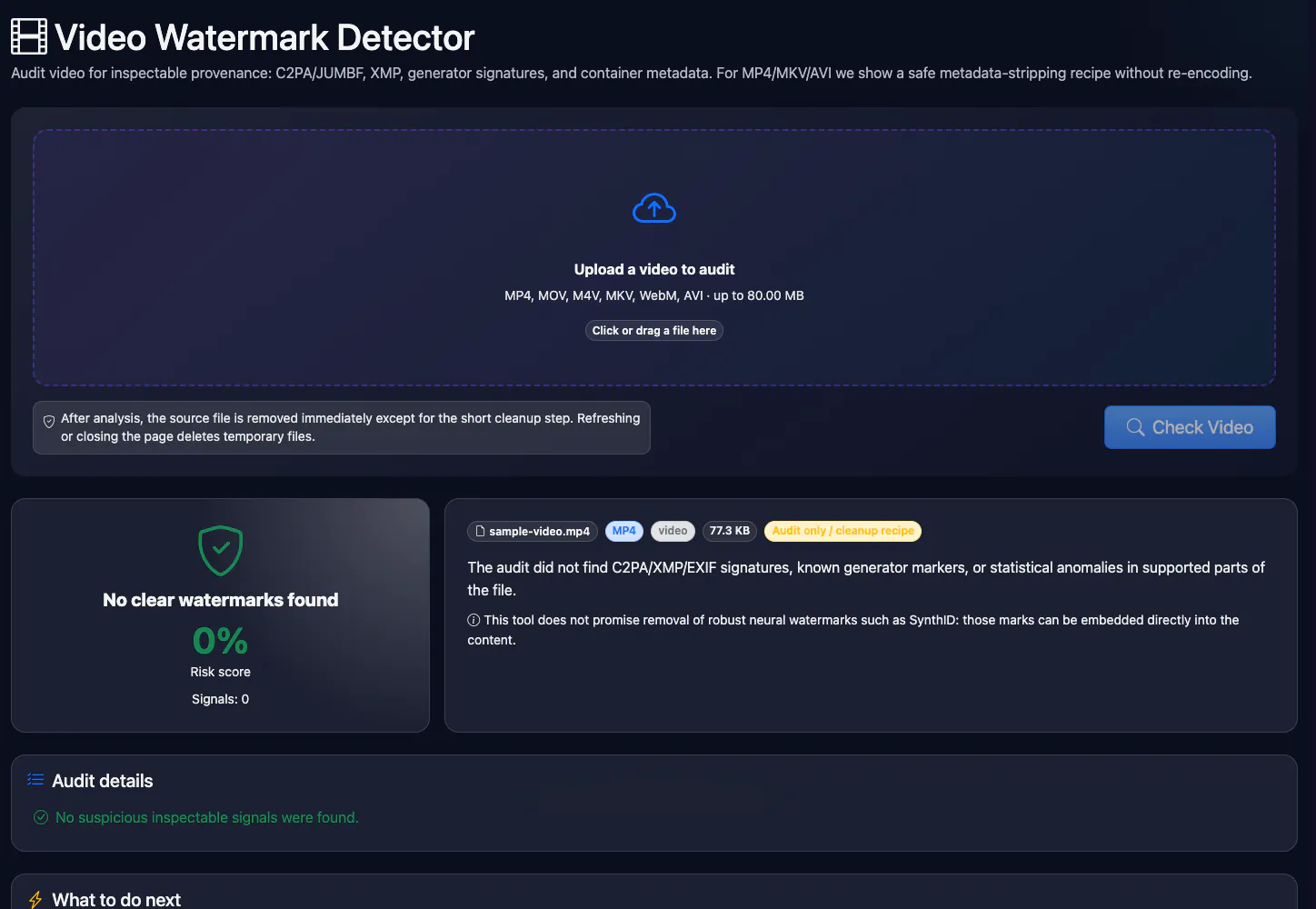
Audit video for inspectable provenance: C2PA/JUMBF, XMP, generator signatures, and container metadata. For MP4/MKV/AVI we show a safe metadata-stripping recipe without re-encoding.
See also
Key facts
Upload an MP4, MOV, MKV, WebM or AVI video up to 80 MB and the tool checks the container for C2PA (Content Credentials), XMP and signatures of Sora, Runway, Pika and Kling. Free, no sign-up. It does not decode a mark embedded in the frames or the audio, and it does not rewrite the video.
- Price
- Free
- Sign-up
- Not required
- Processing
- The file is uploaded to our server and examined by a Python module; the copy sits in a temporary folder and is deleted by a timer
- Input
- One video file in MP4, MOV, M4V, MKV, WebM or AVI format, up to 80 MB
- Limits
- 6 checks per minute per IP; no sign-up; files over 80 MB are rejected; the container and metadata are analysed, not the frames or the sound
- Output
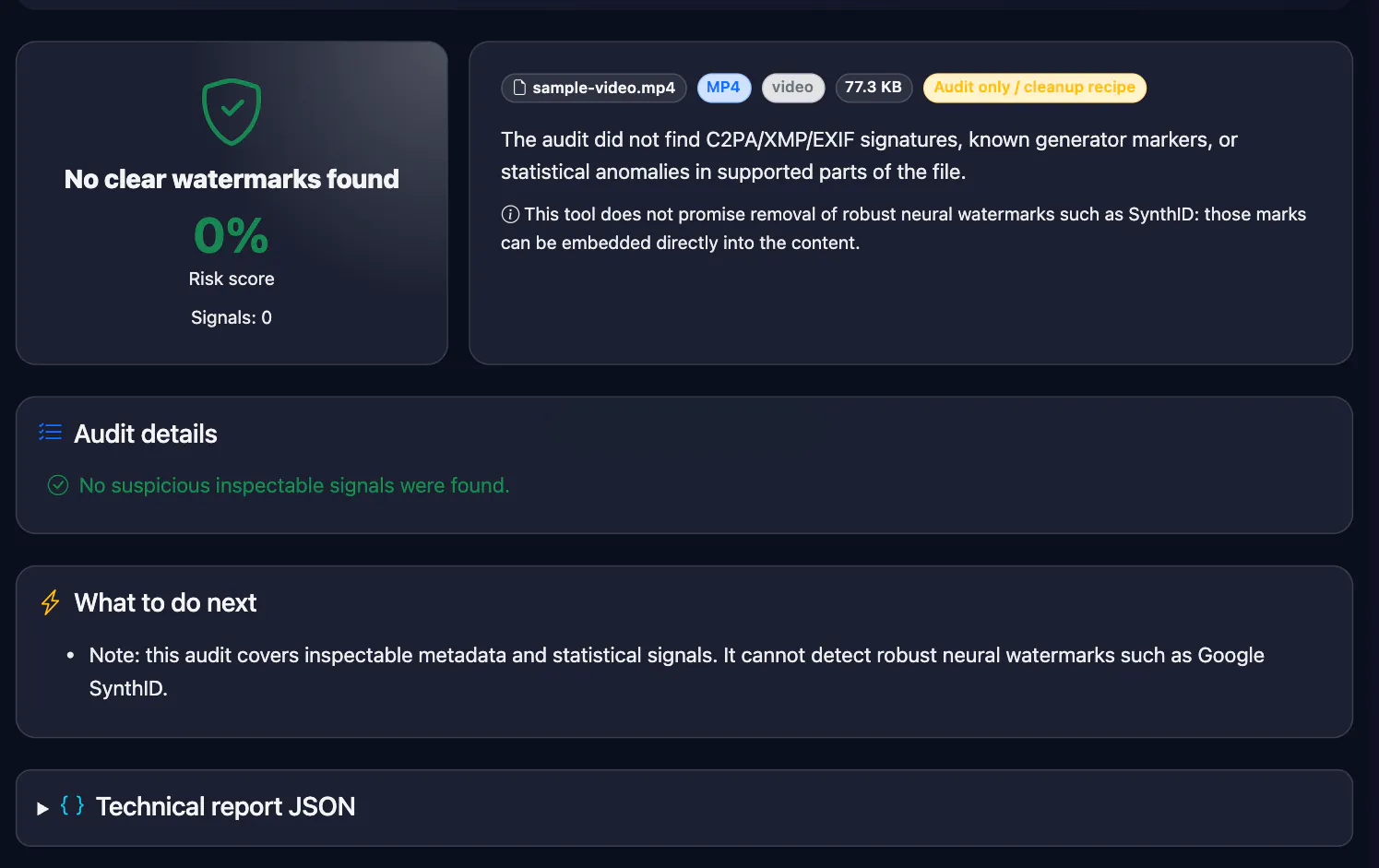
- A report with findings and a risk level: C2PA/JUMBF records, XMP fields, generator signatures (Sora, Runway, Pika, Kling and others) in container metadata, and a recommendation with an ffmpeg command to clean the metadata
- Last updated
See it in action
Video Watermark Detector — C2PA, Metadata and AI Signatures
Check a video file for C2PA/JUMBF provenance, XMP, and AI video generator names stored in container metadata, such as Sora, Runway, Pika, Kling, and more. The tool shows risk, findings, and an ffmpeg command to strip container metadata without re-encoding. It does not analyse visible logos or SynthID inside frames.
How to Use
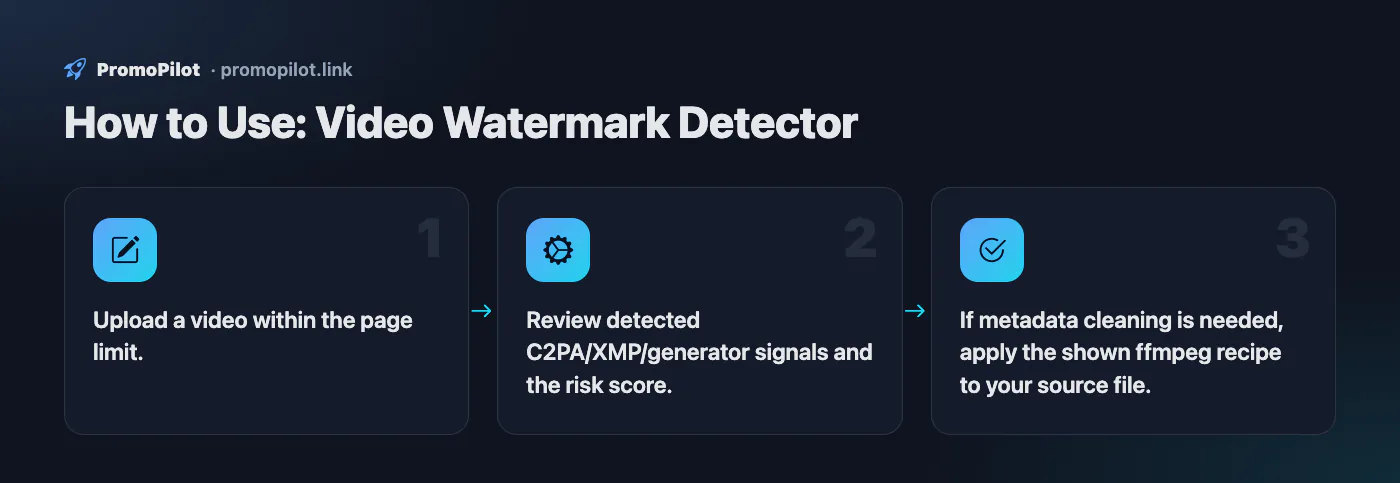
- Upload a video within the page limit.
- Review detected C2PA/XMP/generator signals and the risk score.
- If metadata cleaning is needed, apply the shown ffmpeg recipe to your source file.
Use Cases
- Audit video before publishing to social channels, ad accounts, and landing pages.
- Inventory AI provenance in UGC and contractor creatives.
Limitations
- Does not remove visible logos, subtitles, or watermarks rendered into frames.
- For large videos, use local ffmpeg cleanup based on the report recipe.
- MKV and WebM are scanned only in the first 128 KB; MP4/MOV are scanned through their metadata boxes.
Example Input / Output
promo-video.mp4 with a C2PA manifest in the container
Risk 100%; found C2PA manifest (Content Credentials); command: ffmpeg -i in.mp4 -map_metadata -1 -c copy out.mp4.
FAQ
Who it is for and typical uses
- Editors and moderators. Before publishing a clip, check whether the file carries Content Credentials (C2PA) that flag AI generation.
- Creators of AI video. See which metadata the generator left before you upload the file to other platforms.
- Lawyers and journalists. A fast first look at a file's provenance: whether a signature survived and who issued it.
- Preparing a metadata cleanup. For MP4, MKV and AVI the tool shows a ready ffmpeg command that strips metadata without re-encoding the video stream.
Honest limitations
- Only the container and metadata. Frames and the audio track are not analysed, so an invisible mark woven into the pixels or the sound cannot be found with this tool.
- A clean result proves nothing. Metadata disappears on re-saving, social uploads and conversion; no signature does not mean a human filmed the video.
- We do not clean the file ourselves. You get a recommendation and an ffmpeg command that you run on your own machine.
- Size and formats. Up to 80 MB and only MP4, MOV, M4V, MKV, WebM and AVI; 6 checks per minute per IP.
- The file is uploaded to a server. Do not send unreleased material under NDA.
Related: C2PA checker, audio watermark detector, image watermark detector, EXIF remover, AI image detector.
PromoPilot vs alternatives: comparison
We compare only what is confirmed on each service's own pages. Where we could not confirm a fact, the cell shows "—".
| Parameter | PromoPilot | c2patool (Content Authenticity Initiative) | ExifTool |
|---|---|---|---|
| Free and limits | Yes: up to 80 MB, 6 checks per minute | Open source, dual-licensed Apache-2.0 and MIT | — |
| Where the file is processed | On our server | Runs on your machine (command line) | Runs on your machine (Perl, command line) |
| Reading C2PA manifests | ✓ finds C2PA/JUMBF records | ✓ summary JSON and a low-level manifest report | — |
| XMP metadata and generator signatures | ✓ | — | ✓ XMP and many other metadata formats |
| Writing and editing metadata | ✗ only an ffmpeg command | ✓ can add a C2PA manifest | ✓ reading, writing and editing |
| Installation needed | No, works in a browser | ✓ | ✓ |
Scroll the table sideways
Where we are weaker: we do not read or verify the C2PA manifest signature in depth, cannot decode marks inside frames and do not edit the file itself; the limit is 80 MB.
When to choose PromoPilot: When you want to know quickly whether a video still carries Content Credentials, XMP or traces of an AI generator in its metadata, without installing command-line utilities. For marks hidden inside the frames, use the model developers' own tools.
Checked on: . "—" means not confirmed on the official page; terms and prices change, so check the services' own sites.
AI video detector or watermark detector: which one you need
There are three different things people mean by "is this video AI": a visible logo burned into the frames, an invisible watermark mixed into the pixels (Google's SynthID), and a provenance record stored in the file container (C2PA Content Credentials, XMP). This tool reads the third. It opens the container, finds metadata boxes and reports C2PA or JUMBF markers, XMP fields such as digitalSourceType and generator names like Sora, OpenAI, Runway, Kling and Pika. It does not look at frames, so it neither spots a visible logo nor decodes SynthID.
| Container | What is scanned |
|---|---|
| MP4, MOV, M4V | Top-level boxes including uuid (where C2PA manifests live), metadata inside moov/udta/meta, and the first 64 KB |
| MKV, WebM | The first 128 KB of the file |
| AVI | All RIFF chunks, including INFO |
Files up to 80 MB are accepted. If something is found, the report gives an ffmpeg command that strips container metadata without re-encoding; the server does not produce a cleaned video.
Sora watermark: visible logo plus C2PA
OpenAI marks Sora 2 videos in two ways. Downloads from the Sora app carry a visible, moving Sora watermark that changes position during the clip, and every video carries C2PA metadata. OpenAI also says it can trace videos back to Sora with internal tools.
- Original download. Expect "C2PA manifest (Content Credentials)" in the report, and a generator line if the manifest names Sora or OpenAI.
- Re-uploaded or screen-recorded copy. Most platforms and downloaders rewrite the container, so the C2PA record is usually gone. A clean report then means "no metadata", not "not Sora".
- A "watermark-free" Sora clip. Look for a soft, blurred patch that jumps between corners, or an unusually tight crop: those are signs the logo was removed after the fact.
Veo watermark: visible mark plus SynthID
Google marks Veo 3 output with SynthID, an invisible watermark embedded in every frame, and videos made in the Gemini app also get a visible Veo mark; some Google products and plans deliver clips without the visible one. Google has also been adding C2PA Content Credentials to its generators. Whether a particular file has a manifest is exactly what this tool shows.
Two caveats. The signature list has no separate Veo marker, so a Veo file will show up as a C2PA manifest or as a Gemini (or Imagen) mention if the metadata contains one. And SynthID is not readable from metadata: to check it, upload the file to Google's own verification in the Gemini app. See the SynthID checker page for the steps and limits.
Is this video AI? A checklist
- Get the closest file to the original. Ask the sender for the file they downloaded from the generator or exported from the editor, not a link to a repost.
- Run it here. C2PA or a generator name is strong evidence of origin. Nothing found means the metadata was stripped or never existed.
- Read the C2PA details. A manifest records who signed it and which actions were taken; the C2PA checker is the place to read it.
- Check SynthID if a Google model is likely.
- Watch the frames. Text on signs that warps between frames, hands and fingers that merge, objects that appear or vanish behind a passer-by, reflections and shadows that do not match the light, hair and fabric that move like liquid, lips slightly out of sync with speech.
- Check the length and cuts. Generators produce short clips, typically 8 seconds for Veo 3 and 10–15 seconds for Sora 2; long continuous shots without cuts are rarer.
How to check a TikTok or Reels video
Downloaded TikTok, Instagram Reels, YouTube Shorts and Facebook videos are platform re-encodes. The C2PA manifest from the original file is usually not in the copy you download, so this tool will often find nothing. Start with the platform instead:
- TikTok reads Content Credentials on upload and adds an "AI-generated" label automatically; creators can also add it themselves.
- Instagram and Facebook show an "AI info" label when they detect industry-standard signals or the creator discloses it.
- YouTube shows an "Altered or synthetic content" disclosure in the description or player when the creator ticks it.
The absence of a label proves little: labels depend on metadata surviving and on honest disclosure. For a contested clip, find the earliest upload, ask the author for the source file, and run that file here.
Sora 2 and Veo 3 compared
| Sora 2 (OpenAI) | Veo 3 (Google) | |
|---|---|---|
| Visible mark | Moving Sora logo on videos downloaded from the Sora app | Veo mark on videos from the Gemini app; some Google products and plans deliver without it |
| Invisible mark | OpenAI says it can trace videos to Sora with internal reverse image and audio search; there is no public checker | SynthID in every frame |
| C2PA | On every video, according to OpenAI | Check the specific file here |
| Official check | None public | SynthID verification in the Gemini app |
| What this tool reports | C2PA manifest; "OpenAI Sora" or "OpenAI" if the metadata names them | C2PA manifest if present; "Google Gemini" or "Google Imagen" if named; there is no separate Veo signature |
Sora and Veo watermark remover: why this tool does not offer one
Many people look for a way to remove the Sora or Veo watermark. This tool does not do it, and it will not. It never changes frames: no blurring, cropping or inpainting of logos, and the server does not produce an edited video. The reasons are practical as well as ethical:
- The mark is a disclosure. The visible logo and the C2PA record tell viewers that a realistic video was generated. Without them, a synthetic clip of a real place or person is easy to pass off as footage, which is exactly how deepfake scams and fake news work.
- Platforms and law expect the label anyway. YouTube asks creators to disclose realistic altered or synthetic content, TikTok requires labels on realistic AI-generated content, and Meta asks for a disclosure on photorealistic AI video. The EU AI Act (Article 50) obliges those who publish deepfakes to disclose that the content is artificially generated. Removing a logo does not remove that duty.
- It does not hide the origin from the systems that check. SynthID is designed to survive cropping and re-encoding, and OpenAI says it can trace Sora videos with internal tools. Removing the visible mark mostly hides the origin from people, not from detection.
If you need a clip without a visible mark for legitimate work, use a product or plan that delivers one under its terms and label the result as AI-generated where the platform asks for it.
Cleaning video metadata
For your own videos the report suggests:
ffmpeg -i in.mp4 -map_metadata -1 -c copy out.mp4
It copies the streams without re-encoding and drops global metadata; MP4 muxing also does not carry over unknown boxes, so a C2PA uuid box is not copied either. Run the cleaned file through the tool again to confirm. Cleanup removes neither a visible watermark nor SynthID in the pixels, and it does not change who may use the video. Use it to strip device, location and editor data from your own footage; if the video is AI-generated, it still needs an AI label where you publish it.
Frames exported as images can be checked with the image watermark detector, separate soundtracks with the audio watermark detector.