
AI Image Watermark Detector
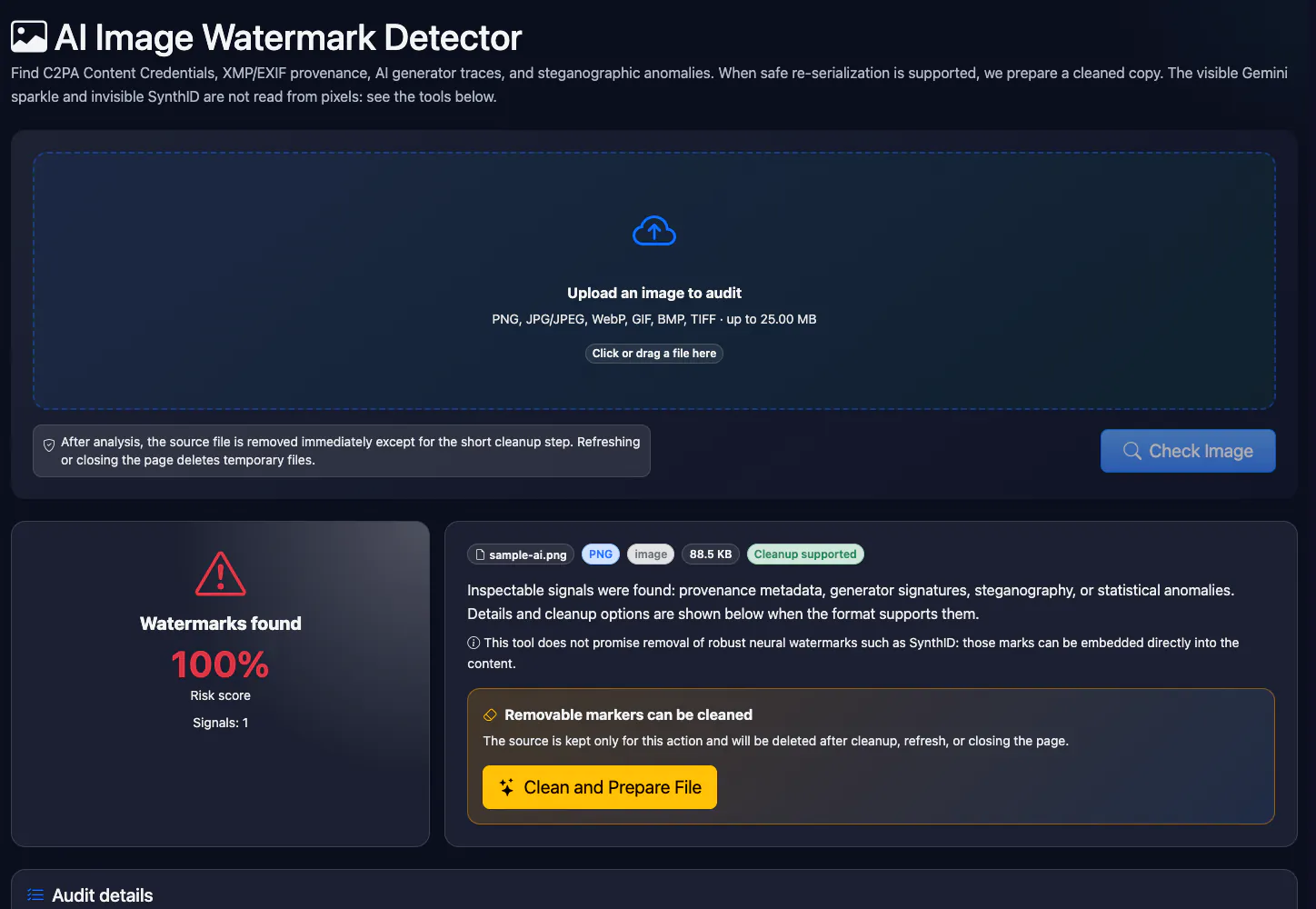
Find C2PA Content Credentials, XMP/EXIF provenance, AI generator traces, and steganographic anomalies. When safe re-serialization is supported, we prepare a cleaned copy. The visible Gemini sparkle and invisible SynthID are not read from pixels: see the tools below.
Which AI watermark, which tool
See also
Key facts
Upload a PNG, JPG, WebP, GIF, BMP or TIFF image up to 25 MB and the tool finds provenance marks in it: C2PA (Content Credentials), XMP/EXIF, traces of Midjourney, DALL·E, Firefly, Stable Diffusion. For PNG, JPEG and WebP you can get a copy without metadata. It does not read the visible Gemini mark or invisible SynthID in the pixels.
- Price
- Free
- Sign-up
- Not required
- Processing
- The file is uploaded to our server and examined by a Python module; the copy sits in a temporary folder and is deleted by a timer, on refresh or when the page is closed
- Input
- One image in PNG, JPG, WebP, GIF, BMP or TIFF format, up to 25 MB
- Limits
- 10 checks per minute per IP; no sign-up; files over 25 MB are rejected; metadata cleanup only for PNG, JPEG and WebP; visible and invisible watermarks in the pixels are not read
- Output
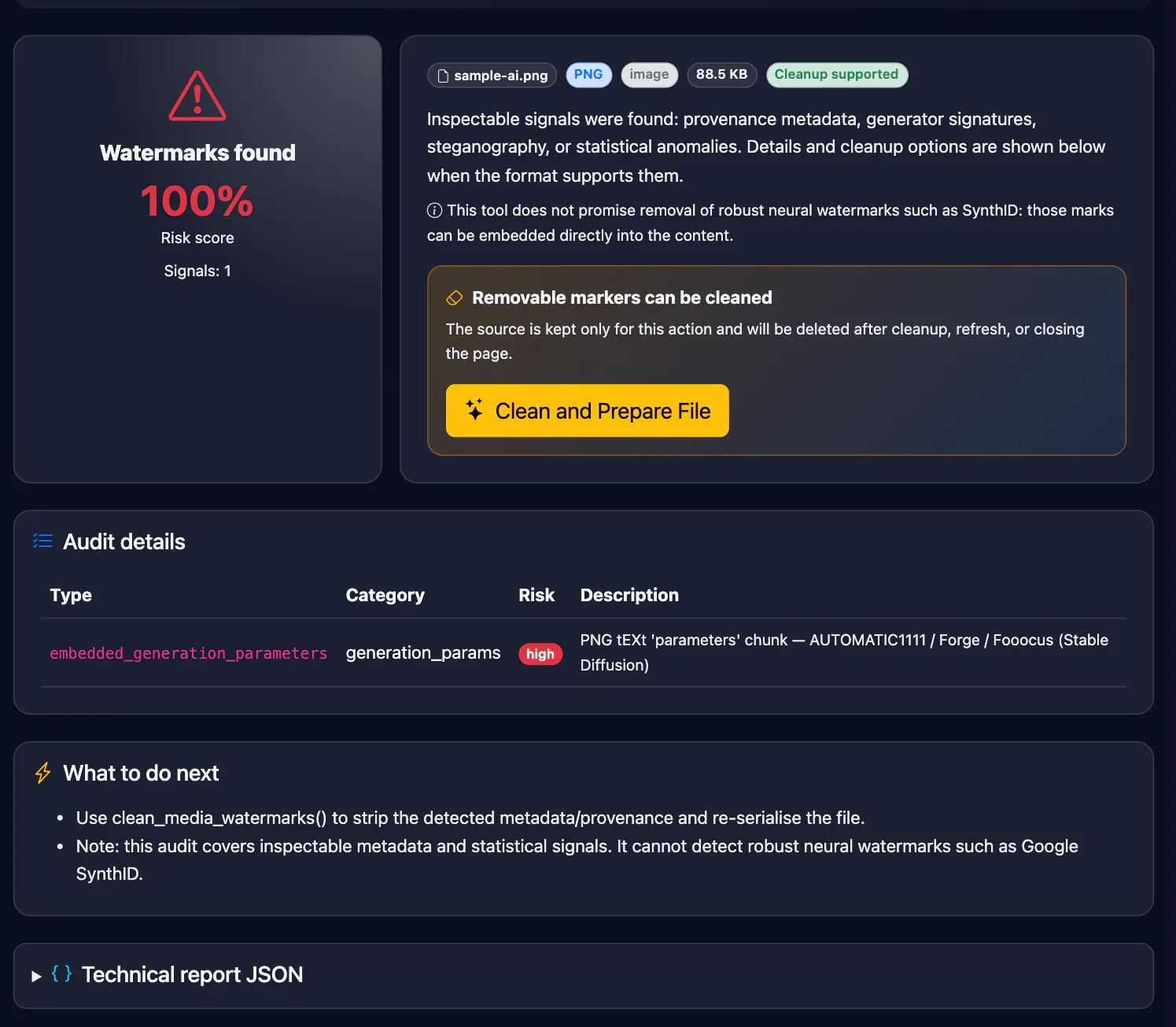
- A report with findings and a risk level: C2PA/JUMBF (Content Credentials), XMP/EXIF fields, AI-generator names, statistical anomalies; for PNG, JPEG and WebP a cleaned copy without removable metadata
- Last updated
See it in action
AI Watermark Detector for Images — C2PA, EXIF and AI Signatures
Online image audit for watermarks and provenance: C2PA Content Credentials, XMP digitalSourceType, generator names in EXIF/XMP (Midjourney, DALL·E, Firefly, Leonardo, Gemini and more), Stable Diffusion/ComfyUI parameters in PNG, and LSB anomalies. Invisible SynthID in the pixels is not detected. PNG, JPEG, and WebP support metadata cleaning.
How to Use
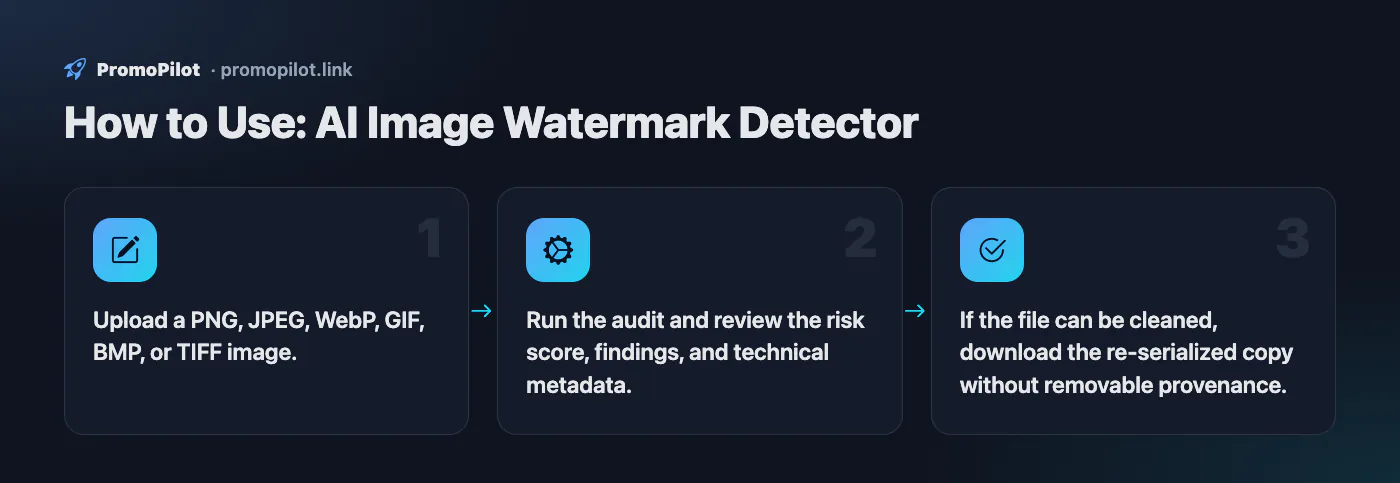
- Upload a PNG, JPEG, WebP, GIF, BMP, or TIFF image.
- Run the audit and review the risk score, findings, and technical metadata.
- If the file can be cleaned, download the re-serialized copy without removable provenance.
Use Cases
- Check images before publishing them in a blog, marketplace listing, or PR asset.
- Remove EXIF/provenance from your own images before public distribution.
Limitations
- Does not remove visible logos, text overlays, or robust neural watermarks.
- GIF/BMP/TIFF are audited, but automatic metadata cleaning is limited to PNG/JPEG/WebP.
- JPEG cleaning drops every APP segment, including the ICC profile and EXIF orientation, so colours and rotation may change.
Example Input / Output
product-photo.webp with XMP digitalSourceType and ComfyUI metadata
Risk 100%; found XMP provenance and ComfyUI signature; cleaned WebP copy available.
FAQ
Who it is for and typical uses
- Editors and moderators. Check whether a submitted picture carries Content Credentials (C2PA) that flag AI generation before you publish it.
- Creators of AI illustrations. See what the generator (Midjourney, DALL·E, Firefly, Stable Diffusion, ComfyUI) wrote into the file and, if needed, remove the service metadata before publishing.
- Photographers and designers. Check whether the file still holds XMP/EXIF fields you do not want to disclose.
- Checking provenance. A first look: whether a digital provenance signature survived and who issued it.
Honest limitations
- Pixels are not read. The visible Gemini sparkle and the invisible SynthID inside the image are not detected by this tool; they need the model developers\' own tools.
- A clean result does not prove the photo is real. Metadata disappears with screenshots, re-saving and social uploads, and “statistical anomalies” give only a hint.
- Metadata cleanup does not disguise AI origin. Only removable metadata is stripped, and only for PNG, JPEG and WebP; for other formats you get a recommendation. It will not hide the origin from Google or another platform that reads the pixels.
- Size and limits. Up to 25 MB and 10 checks per minute per IP.
- The file is uploaded to a server. Do not send unreleased material under NDA.
Related: C2PA checker, SynthID checker, Gemini watermark remover, EXIF remover, AI image detector.
PromoPilot vs alternatives: comparison
We compare only what is confirmed on each service's own pages. Where we could not confirm a fact, the cell shows "—".
| Parameter | PromoPilot | c2patool (Content Authenticity Initiative) | ExifTool |
|---|---|---|---|
| Free and limits | Yes: up to 25 MB, 10 checks per minute | Open source, dual-licensed Apache-2.0 and MIT | — |
| Where the file is processed | On our server | Runs on your machine (command line) | Runs on your machine (Perl, command line) |
| Reading C2PA manifests | ✓ finds C2PA/JUMBF records | ✓ summary JSON and a low-level manifest report | — |
| XMP/EXIF and generator signatures | ✓ | — | ✓ XMP, EXIF, IPTC and many other metadata formats |
| Writing and editing metadata | Metadata cleanup for PNG, JPEG, WebP | ✓ can add a C2PA manifest | ✓ reading, writing and editing |
| Installation needed | No, works in a browser | ✓ | ✓ |
Scroll the table sideways
Where we are weaker: we do not verify the cryptographic signature of the C2PA manifest in depth, do not read marks in the pixels (SynthID, visible marks) and have no batch processing; the limit is 25 MB.
When to choose PromoPilot: When you want to know quickly whether an image still carries Content Credentials, XMP or traces of an AI generator in its metadata, and to get a copy without them if needed. For marks hidden in the pixels themselves, use the model developers' own tools.
Checked on: . "—" means not confirmed on the official page; terms and prices change, so check the services' own sites.
AI image watermark detector: three kinds of marks
An AI-generated image can be marked in three ways, and each needs a different check:
| Mark | Example | Does this tool see it? |
|---|---|---|
| Visible watermark | The sparkle in the corner of Gemini images | No, it reads the file, not the picture |
| Invisible pixel watermark | Google SynthID | No, only Google's own tools can verify it |
| Provenance metadata | C2PA Content Credentials, XMP digitalSourceType, generator names, Stable Diffusion parameters | Yes |
The tool reads JPEG APP segments and comments, PNG text chunks, WebP chunks, and the first 256 KB of GIF, BMP and TIFF files. It reports C2PA and JUMBF markers, XMP fields, generation parameters written by AUTOMATIC1111, ComfyUI, InvokeAI and similar tools, and generator names such as Midjourney, DALL·E, OpenAI, Firefly, Gemini, Imagen, Leonardo and Ideogram. For PNG, JPEG and WebP it also runs a least-significant-bit test that flags a suspiciously uniform LSB plane, a possible sign of hidden data.
Gemini and Nano Banana: visible sparkle plus SynthID
Images made with Gemini's image models, known as Nano Banana, carry SynthID, an invisible watermark spread across the pixels that survives resizing, compression and screenshots reasonably well. Images from the Gemini app also get a visible sparkle in the corner, though not on every plan or product. Google has added C2PA Content Credentials to images from Nano Banana Pro as well.
- This tool reports the C2PA manifest if the file still has it, and names Gemini, Imagen or SynthID if those words are in the metadata.
- Cropping out the sparkle removes neither SynthID nor, necessarily, the metadata.
- To check SynthID, upload the image to the Gemini app and ask whether it was made with Google AI. The SynthID checker page explains the steps and limits.
- To remove the visible sparkle from your own image, use the Gemini / Nano Banana watermark remover. It subtracts the mark exactly, in your browser, but SynthID stays in the pixels.
ChatGPT Images: C2PA metadata
OpenAI adds C2PA metadata to images generated in ChatGPT and through its image API. There is no visible watermark. An untouched download should show "C2PA manifest (Content Credentials)" in the report, usually with an OpenAI generator line. OpenAI itself points out the weakness: a screenshot or an upload to most social networks strips the metadata. So a ChatGPT image that passed through a messenger will often come back clean. To read who signed the manifest and what actions it records, use the C2PA checker.
Meta AI and the "Imagined with AI" label
Meta says it marks images made with Meta AI in three ways: a visible marker, an invisible watermark and IPTC metadata. On Facebook, Instagram and Threads the label first read "Imagined with AI" and is now "AI info"; Meta also applies it when it finds C2PA or IPTC signals from other generators, or when the author discloses AI. That label is part of the app interface, not the file. A picture saved from a post is re-encoded by the platform and usually loses its metadata, so this tool will often find nothing in it. What it can report is an IPTC digitalSourceType or a C2PA manifest that is still in the file. It does not read Meta's invisible watermark and does not see visible labels.
Adobe Firefly and Content Credentials
Adobe Firefly attaches Content Credentials, Adobe's name for C2PA, to generated images, and Photoshop can record generative edits such as Generative Fill in the same way. The report shows the C2PA manifest, the "Adobe Firefly" name when it appears in the metadata, and the XMP value for AI-composited images (compositeWithTrainedAlgorithmicMedia). Content Credentials from Photoshop or Lightroom without AI actions are not an AI sign. Adobe can also bind credentials to an invisible watermark so they can be recovered after the metadata is stripped; this tool does not read that watermark. The C2PA checker lists the actions recorded in the manifest.
Midjourney
Midjourney does not offer a public watermark checker. Original files can contain text fields with the prompt and job ID and, depending on the version, IPTC fields; the tool flags them if they name Midjourney or mark the image as AI-generated. Upscaled, edited or re-saved copies usually lose these fields. For Midjourney, a clean report says very little.
Stable Diffusion, ComfyUI and other local tools
Local generators are the easiest case. AUTOMATIC1111, Forge and Fooocus write a parameters text chunk into the PNG with the prompt, sampler, steps and seed; ComfyUI saves the whole workflow; InvokeAI and SwarmUI have their own keys. The report shows the chunk and the tool it belongs to. Converting to JPEG or WebP in most editors drops these chunks.
How to read the findings
| Finding | What it means | Is it an AI sign? |
|---|---|---|
| C2PA manifest, JUMBF box | A signed provenance record is present | Not by itself: cameras such as recent Pixel, Leica and Sony models and Adobe apps also write C2PA. Read the manifest |
| XMP digitalSourceType: trainedAlgorithmicMedia | The file declares itself AI-generated | Yes, strong |
| XMP packet | The file simply has XMP metadata | No: phone photos and anything from Lightroom or Photoshop have it |
| Generator signature | A generator name was found in metadata | Usually yes, but check the context: "OpenAI" or "Gemini" can appear in an editor's history or a caption |
| Embedded generation parameters | Stable Diffusion settings in a PNG chunk | Yes |
| LSB plane abnormally uniform | Statistical hint of hidden data | No, it points to steganography, not to AI |
Risk 100% means at least one high-severity finding; 60% means only medium ones, often just the XMP packet. Read the rows, not the number.
Is this image AI? A practical order of checks
- Get the original file. Ask for the file itself, not a screenshot or a link to a repost.
- Run it here for C2PA, XMP and generator traces.
- Check SynthID in the Gemini app if a Google model is possible.
- No metadata at all? Run the AI image detector: its ML model scores the pixels and gives a probability, not proof.
- Search for the image. Google's "About this image" shows AI labels from metadata where available and older copies that reveal the source.
- Look closely: garbled text on signs and labels, hands, earrings and glasses that do not match left to right, repeating textures, objects melting into the background, lighting that comes from two directions.
A detector that promises to recognise any AI image from pixels alone is guessing. Treat its score as one opinion.
Cleaning metadata from your own images
For PNG, JPEG and WebP the tool can build a copy without removable metadata. Know the side effects. JPEG cleanup removes every APP segment except the basic JFIF header, which includes the ICC colour profile and EXIF orientation, so a wide-gamut photo can look duller and a phone photo can appear rotated. PNG keeps its colour and gamma chunks. Cleanup never touches visible marks or SynthID. If you only need to remove EXIF and GPS before posting, the EXIF remover works right in your browser without uploading the file.