
Audio Watermark Detector
Audit audio files for AI provenance, generator signatures, hidden metadata, and unusual high-frequency energy. WAV can be re-serialized without removable metadata.
See also
Key facts
Upload a WAV, MP3, FLAC, OGG, M4A or AAC file up to 50 MB and the detector checks its metadata for Suno, Udio, ElevenLabs and C2PA signatures, plus the spectrum for WAV. Free, no sign-up. It does not decode a watermark hidden inside the sound itself.
- Price
- Free
- Sign-up
- Not required
- Processing
- The file is uploaded to our server and examined by a Python module; a copy stays in a temporary folder only while you can still download the cleaned WAV, and is deleted after about 15 minutes
- Input
- One audio file in WAV, MP3, FLAC, OGG, M4A or AAC format, up to 50 MB
- Limits
- 8 checks per minute per IP; no sign-up; files over 50 MB are rejected; the spectral check covers only 16-bit WAV, first 20 seconds
- Output
- A report with findings and a risk level: C2PA/JUMBF, XMP fields, generator names (Suno, Udio, ElevenLabs and others), unusual high-band energy in WAV; a cleaned file for WAV, recommendations for other formats
- Last updated
See it in action
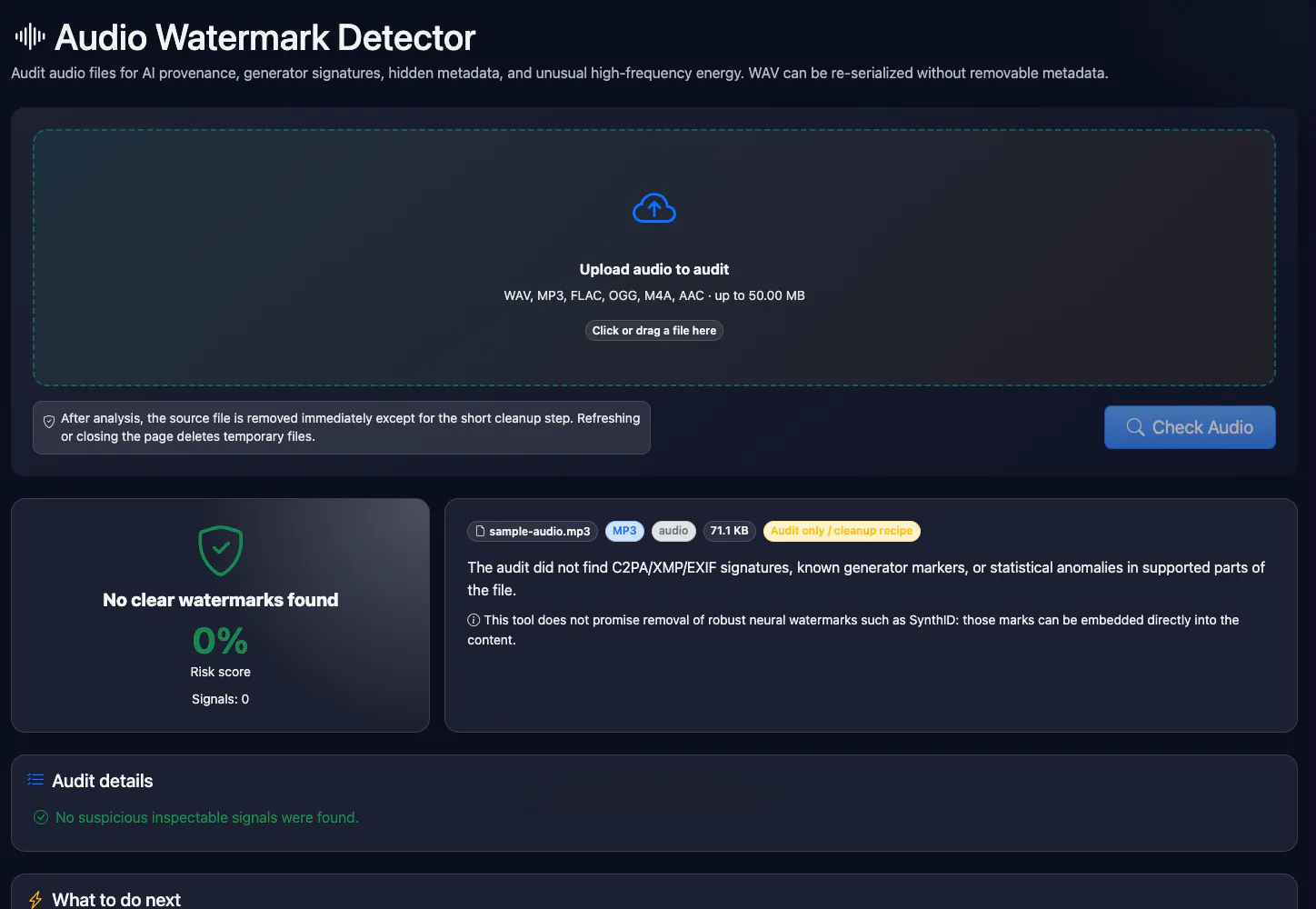
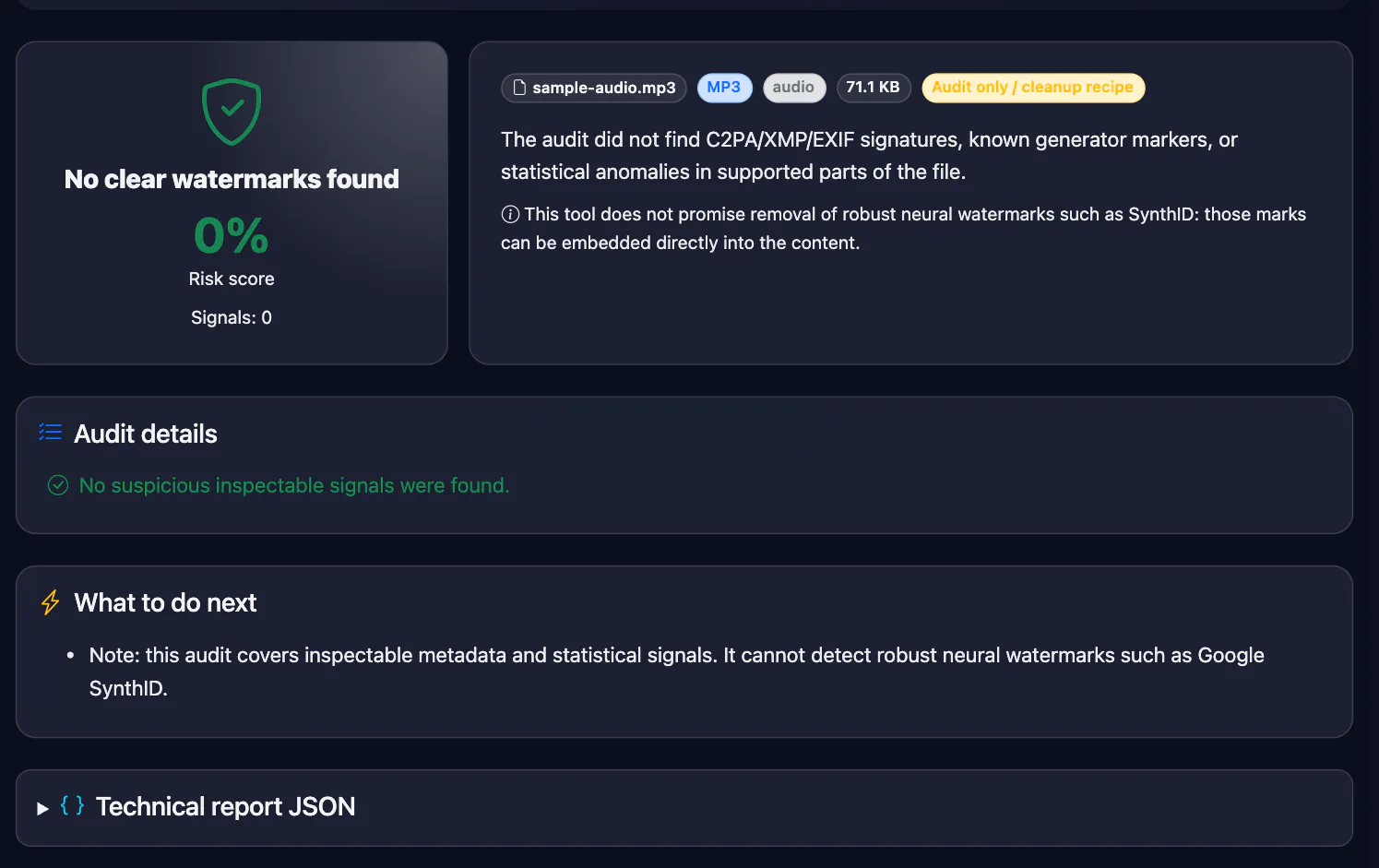
Audio Watermark Detector — AI Signatures, Metadata and Spectrum
Check audio for provenance metadata and Suno, Udio, ElevenLabs names in tags and file metadata. WAV files also get a high-band energy check (16-bit PCM) and can be rebuilt without metadata. Inaudible watermarks embedded in the sound itself are not detected.
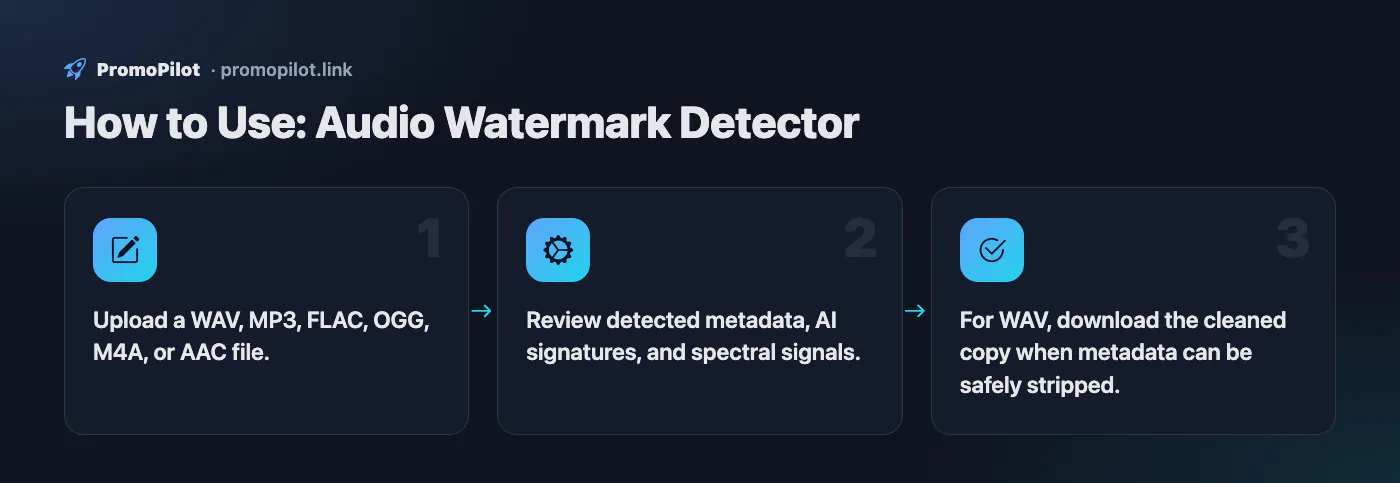
How to Use
- Upload a WAV, MP3, FLAC, OGG, M4A, or AAC file.
- Review detected metadata, AI signatures, and spectral signals.
- For WAV, download the cleaned copy when metadata can be safely stripped.
Use Cases
- Audit audio before publishing a podcast, ad spot, or UGC asset.
- Check outsourced voice-over and music files for AI provenance.
Limitations
- Does not remove audible jingles/watermarks or guarantee detection of robust neural audio watermarks.
- Automatic metadata cleaning is implemented for WAV; other formats receive audit and recommendations.
- A signature is a string match: a short name like Udio can match inside an ordinary word (Studio, Audio). Check which field it came from.
Example Input / Output
voiceover.wav with ElevenLabs metadata and high-band anomaly
Risk 100%; found generator signature and spectral anomaly; cleaned WAV copy available.
FAQ
Who it is for
- You received a track and want to know where it came from. A file downloaded straight from a generator may still carry its name or a provenance record (C2PA, XMP) in the metadata.
- Musicians and labels before a distribution upload. You see which marks and tags would travel with the file and can decide what to do about them.
- Podcasts and voice-overs. Check a spoken WAV for speech-generator traces in its tags and for an odd tail in the high frequencies.
- Editors and platform moderators. A quick first signal to weigh alongside credits, account history and a listen.
- Stripping metadata from a WAV. The file is rebuilt with only the audio chunks, without extra blocks.
Other media have the image watermark detector and the video watermark detector; provenance records inside files are read by the C2PA checker, and Google-made images by the SynthID checker. For text there is the hidden character check.
Honest limits
- A watermark mixed into the sound itself (Suno says it uses one) is not decoded here, and the companies have no public checker for it. We read only metadata and, for WAV, the spectrum.
- “Nothing found” does not mean a human made the track: marks vanish after a DAW export, re-encoding or a streaming rip.
- For MP3, FLAC, OGG and AAC only the first 256 KB are read; for M4A the metadata boxes and the first 64 KB. A mark stored elsewhere will be missed.
- A generator-name match can be false: “Udio” sits inside “Studio” and “Audio”, for example in an “FL Studio” tag.
- The spectral hint works for 16-bit WAV, first 20 seconds only, and it is just a hint: bright cymbals, synth noise and dithering look the same.
- Cleanup is WAV-only; other formats get recommendations. The file goes to our server, so skip unreleased material.
PromoPilot vs alternatives: comparison
We compare only what is confirmed on each service's own pages. Where we could not confirm a fact, the cell shows "—".
| Parameter | PromoPilot | ElevenLabs AI Speech Classifier | Musci AI Music Detector | Pex AI Song Detector |
|---|---|---|---|---|
| Free and limits | Free; 8 checks a minute | Free; first minute analysed | Credits: 3 credits per detection | — (pricing on request) |
| Sign-up | ✗ | Not needed (no login) | — | API access / Client ID from their team |
| Where the file is processed | On our server, temporary copy | — | — | — |
| Paid plan price | The tool has no paid plan | — | — (not shown on the page) | — |
| Reads metadata and C2PA | ✓ | — | ✗ (metadata is ignored) | ✗ (analyses the audio) |
| Model scoring of the sound itself | ✗ | ✓, ElevenLabs voices only | ✓, per stem, names the likely generator | ✓ |
| Metadata cleanup | WAV only | — | — | — |
| Formats and size | WAV, MP3, FLAC, OGG, M4A, AAC · 50 MB | “Common audio and video files”, size limit not stated | MP3, WAV, M4A, FLAC, OGG · 20 MB | — (file via API) |
Scroll the table sideways
Where we are weaker: We do not score the sound with a model and give no “probability this is AI”: only metadata and the WAV spectrum, so a re-saved file may show nothing. Classifiers do better where the marks have been stripped.
When to choose PromoPilot: We read the container and metadata (C2PA, XMP, generator names) and, for WAV, check the top band of the spectrum. It is not an “AI or human” classifier: no model scores the sound, and a watermark inside the audio is not decoded. Cleanup works for WAV only.
Checked on: . "—" means not confirmed on the official page; terms and prices change, so check the services' own sites.
What this audio watermark detector actually checks
An AI audio file can carry two kinds of marks. The first is metadata: tags written into the file container, such as ID3 in MP3, RIFF INFO chunks in WAV, Vorbis comments in FLAC and OGG, iTunes-style tags in M4A, and provenance records like C2PA Content Credentials or the XMP field digitalSourceType. The second is an inaudible watermark mixed into the sound itself, designed to survive re-encoding. This tool reads the first kind. It does not decode the second, and nobody outside the company that embeds such a mark can, unless the company publishes a detector.
Here is what happens when you upload a file:
| Format | What is scanned | Extra checks | Cleanup |
|---|---|---|---|
| WAV | Every RIFF chunk (LIST/INFO, id3, other metadata chunks) | High-band energy for 16-bit PCM, first 20 seconds | Rebuilt with only the audio chunks, temporary download link |
| M4A | MP4 metadata boxes (udta, meta, ilst) and the first 64 KB | None | ffmpeg command in the report |
| MP3, FLAC, OGG, AAC | The first 256 KB of the file, where tags usually sit | None | ffmpeg command in the report |
In those areas it looks for C2PA and JUMBF markers, XMP provenance fields and generator names: Suno, Udio, ElevenLabs and others from the same list it uses for images and video. Each hit becomes a row in the findings table with a risk level: generator names and C2PA count as high, the spectral anomaly as medium.
Suno watermark detector: what you can and cannot see
Suno has said it uses inaudible watermarking to recognise its own tracks, but it has not published a public checker for that mark. So no third-party Suno watermark checker can confirm it, including this one. What the tool can show is whether the file still carries a Suno reference in its tags or metadata. Files downloaded straight from the service are the best case. A track that was exported from a DAW, re-encoded by a distributor or ripped from a streaming platform will usually have new tags, and the reference disappears.
How to read the result:
- "Generator signature: Suno (audio)" means the string
sunoappeared in the scanned metadata. The report does not say which tag held it; to see the field, open the file in a tag editor or runffprobeon it. - "No clear watermarks found" means the metadata is clean. It does not mean the track is human-made.
- A short name can match inside an ordinary word. "Udio" is part of "Studio" and "Audio", so an encoder tag like "FL Studio" or "Audio Studio" can raise a false Udio hit. Look at the tags yourself before drawing conclusions.
Udio and ElevenLabs
Udio does not publish a watermark checker either; the same metadata rules apply. ElevenLabs is different: it offers its own AI Speech Classifier, which estimates whether a clip was generated with ElevenLabs. If you suspect an ElevenLabs voice, run the clip through that classifier, then use this tool to see what the file's metadata says. The two answer different questions: one analyses the sound, the other the container.
The high-band check on WAV files
For 16-bit PCM WAV, the tool takes up to the first 20 seconds of the first channel, computes the spectrum and measures how much energy sits in the top 10% of the band, for example above about 19.8 kHz at a 44.1 kHz sample rate. Natural speech and most music have little there. If the share is over 2%, the report shows "Unusual high-frequency energy". That is a hint worth a closer look in a spectrogram, not proof: bright cymbals, synth noise, dithering and some encoders also push energy there, and a watermark can just as well sit in the audible band where this check does not look. 24-bit and 32-bit WAV files skip this check.
AI music detector: how to judge "is this song AI"
No single test answers this. Combine the file check with manual signs:
- Check the file you received, not a re-upload. The original download keeps tags; a YouTube rip or a phone recording keeps nothing.
- Look at the distribution data. Deezer labels albums its own detector considers fully AI-generated. Credits that list no performers, producers or writers are a soft signal.
- Listen for typical artefacts. A metallic "shimmer" on cymbals and sibilants, consonants that smear, lyrics that drift into nonsense, instruments that change timbre mid-phrase, a mix that sounds the same in every section.
- Look at the spectrogram. Any audio editor can show one. A hard cut-off at the same frequency throughout, or bands of noise that do not follow the music, deserve questions.
- Ask for stems or project files. A human producer can usually supply them; for client or label work this is the most reliable check.
AI song detector: how to read each result
The report lists every signal it found. Here is what each one means when the question is "was this song made with AI":
| Line in the report | What it means | What to do |
|---|---|---|
| Generator signature: Suno, Udio or ElevenLabs (audio) | The service name appears in the tags or metadata. Strong evidence for Suno and ElevenLabs; weak for Udio because of the "Studio"/"Audio" overlap. | Open the tags and see where the name sits. A comment such as "made with Suno" is convincing; an encoder name is not. |
| Generator signature: OpenAI, Google Gemini and others | The signature list is shared with the image and video checkers, so audio can match these names too. | Same check: read the tags. |
| XMP digitalSourceType: trainedAlgorithmicMedia | The file declares itself AI-generated using the IPTC vocabulary. | Treat as a declaration of AI origin. |
| C2PA manifest, JUMBF box, CAI | The file carries a Content Credentials record. | The record names the signer and the tools used; read it with a C2PA viewer before publishing. |
| Unusual high-frequency energy | WAV only: more than 2% of the energy is in the top 10% of the band. | A hint, not proof. Open a spectrogram. |
| No clear watermarks found | Nothing in the scanned metadata. | The track may still be AI-generated. Use the checklist above. |
Suno, Udio and ElevenLabs at a glance
| Service | What this tool can find | What it cannot |
|---|---|---|
| Suno | A "suno" reference left in the tags of the downloaded file | Suno's inaudible watermark; Suno has not released a public checker for it |
| Udio | A "udio" string in metadata (check for "Studio"/"Audio" false hits) | Any mark inside the sound |
| ElevenLabs | An "elevenlabs" reference in metadata | Voice analysis; use ElevenLabs' own AI Speech Classifier for that |
Suno watermark remover: what cleanup does and does not do
For WAV, the cleaned copy keeps only the format, audio data and fact chunks. All tags, text chunks and embedded provenance records go, and the sound is not touched. For MP3, FLAC, OGG, M4A and AAC the report gives an ffmpeg command instead:
ffmpeg -i in.mp3 -map_metadata -1 -c copy out.mp3
It copies the audio stream without re-encoding and drops the global metadata. Note that ffmpeg writes its own encoder tag by default; that is normal.
What no metadata cleanup can do is remove an inaudible watermark mixed into the audio. Re-encoding, pitch shifting or adding noise may weaken such a mark or may not; the tool makes no claim either way. Cleaning tags also does not change licensing. Suno's terms, for example, tie commercial use to a paid plan at the time of creation; stripping a reference from the file does not affect who owns the track. Use cleanup for your own files, for privacy and for tidy delivery, not to hide where audio came from.
Related checks
Video soundtracks are checked as part of the container in the video watermark detector. For cover art and thumbnails generated with AI, use the image watermark detector. Text from AI chats can carry invisible characters; the text watermark detector finds them.