How to tell if a photo is AI-generated: we tested 17 images, C2PA metadata and a detector (2026)
Our own test of 17 images (Gemini, GPT Image and camera photos): how to tell if a photo is AI by C2PA metadata, a detector and your eyes, and why sending wipes every label.
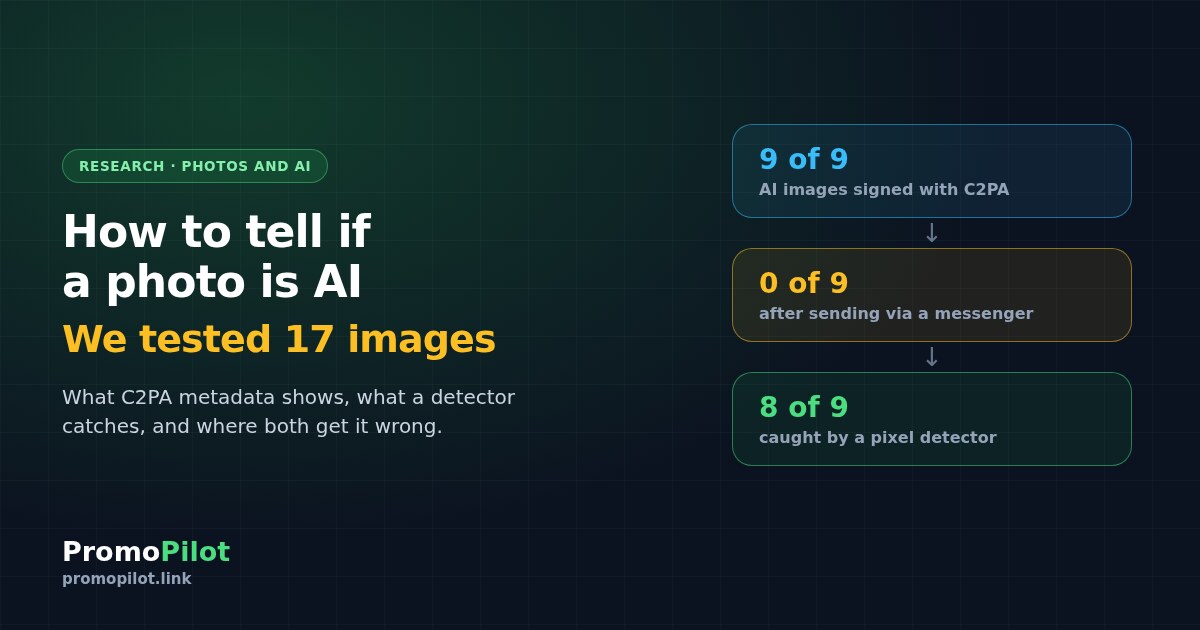
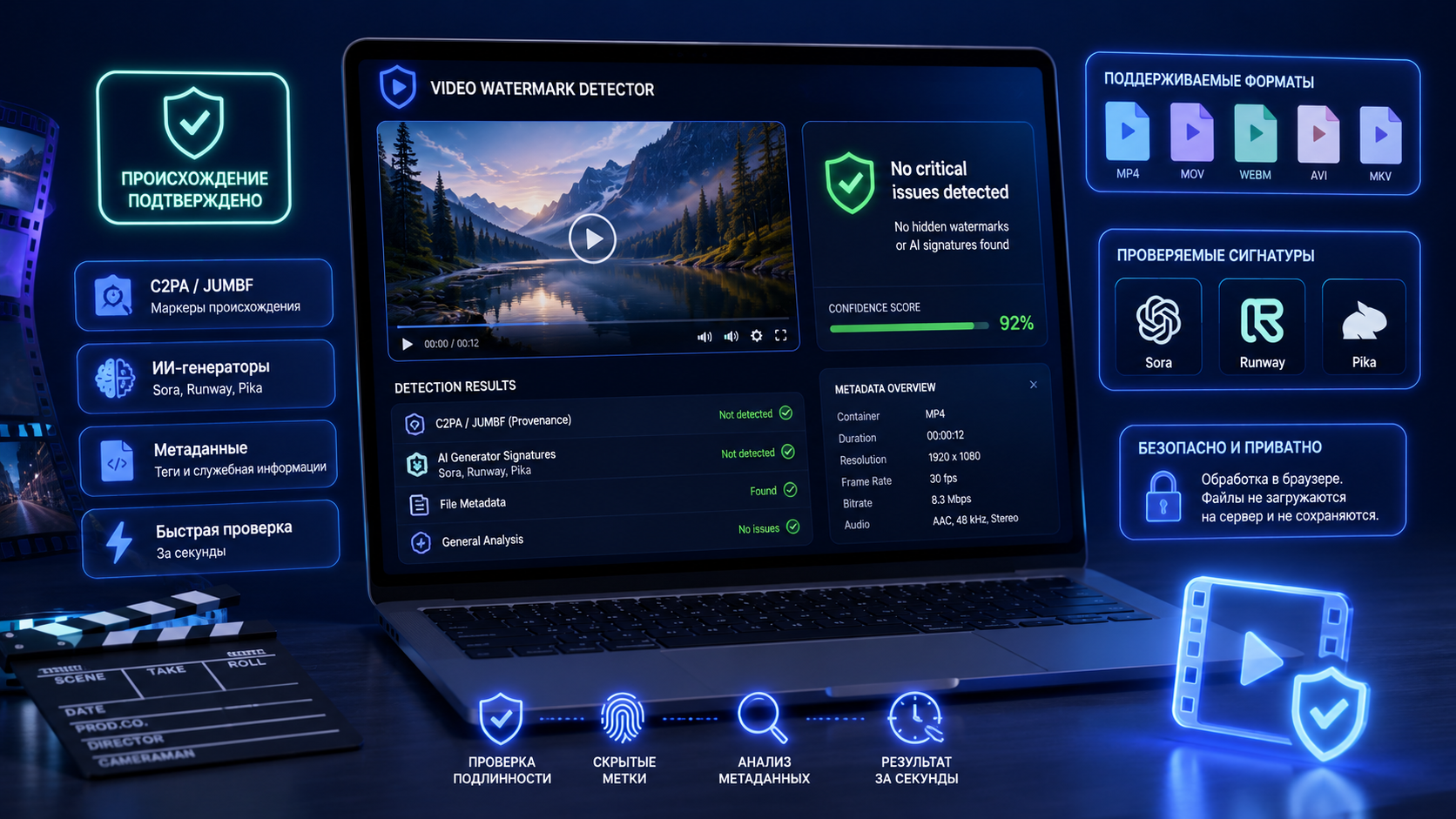
The most reliable way to tell if a photo is AI-generated is its metadata: in our test, all 9 images from Gemini and GPT Image arrived with a C2PA digital signature that says plainly "created by generative AI". But after we sent them the way a messenger does, not a single signature survived, and what remains is pixel analysis, a search for the original and a careful look. We ran 17 images (9 generated and 8 real photos from cameras and phones) in three versions through a watermark detector and a neural network detector. Below are the results, a table for every file and a checking routine that works in practice.
Key findings
- A fresh image from a generator is almost always signed. 9 of 9: Google images carry a C2PA signature from Google LLC and the label "Made with Google AI", OpenAI images an OpenAI signature with the model name. A real photo from a Google Pixel 10 Pro is also signed with C2PA, but as "Created by Pixel Camera".
- The signature is fragile. Cropping and re-saving in an editor removed C2PA from all 9 images. Only the Google images kept an XMP label. Compression with metadata removal, as when you send a picture through a messenger, wiped everything from all of them.
- A neural network detector survives compression but makes mistakes. It caught 8 of 9 AI images in every version, missed the newest one, GPT-5.4 Image 2, and in 4 of 24 checks called a real photo AI.
- A missing label proves nothing. In either direction. The verdict comes from several signals together: metadata, the detector, the original in search, details in the picture.
How you can check if an image is AI at all
There are four methods, and each has its own weakness. You need to know what exactly you are checking, otherwise it is easy to mistake a missing trace for proof.
- Metadata and C2PA Content Credentials. Generators from Google, OpenAI, Adobe and others write a manifest into the file: who created the image, with which tool, and that it is synthetic content. The manifest is signed with a certificate, so it cannot be forged unnoticed. The weakness is single but big: it is easily lost on any re-save.
- Invisible watermark in the pixels. Google embeds SynthID in all images from its models; for its new GPT Image 2 model, OpenAI records an invisible watermark in the manifest. Such marks survive compression and cropping, but only the owner of the technology can check them.
- Neural network detector. A model trained to tell generated images from photos looks at the pixels themselves. It works without metadata, but it gives a probability rather than an answer and makes mistakes on new generators and unusual photos.
- Your eyes and context. Reverse image search for the original, details (text, hands, reflections, shadows), the history of the post. Slow, but sometimes the only way.
Our test: how we checked
On 26 October 2026 we put together two sets of images and checked each in three versions.
- 9 AI images. We generated them ourselves via API (OpenRouter) with everyday "phone photo" prompts: a street, a portrait, a dog, a market, mountains, coffee, a car for a sale listing, a desk, a party. Models: Gemini 2.5 Flash Image, Gemini 3.1 Flash Image, Gemini 3 Pro Image, GPT-5 Image Mini and GPT-5.4 Image 2.
- 8 real photos. Originals from Wikimedia Commons shot on a Canon EOS R6, Fujifilm X-T4, Nikon D750, Sony A7 IV, Google Pixel 8 Pro, Google Pixel 10 Pro, Samsung Galaxy S23 Ultra and Xiaomi 13 Pro. Two of them were processed (Lightroom and GIMP), as photos online usually are.
- Three versions of each image. The original. "Edit": a 5% crop from each edge and saving as JPEG 90% in ImageMagick, with no deliberate metadata removal. "Send": downscaling to 1280 px on the long side, JPEG 80% and metadata removal, roughly what messengers and social networks do to photos.
- Tools. We read metadata, C2PA, XMP and EXIF with the same code that runs our image watermark detector. We checked the pixels with the model from our AI image detector: an open model based on the Community Forensics research, the same preprocessing, a "likely AI" threshold of 65%.
51 files in total. This is not a lab benchmark on thousands of images, but a check of what an ordinary person will see with their own pictures. Generation cost about $0.70.

Result 1: in the original, the metadata says it outright
All 9 generated images came with a C2PA manifest. The details differ by vendor:
- Google (5 images). Signed by Google LLC, action "Created by Google Generative AI", source type trainedAlgorithmicMedia and a separate entry "Applied imperceptible SynthID watermark". Plus a duplicate in XMP: Credit "Made with Google AI".
- OpenAI (4 images). Signed by OpenAI OpCo, LLC, generator "OpenAI Media Service API", with the model name in the action (gpt-image-1-mini or gpt-image-2). The GPT Image 2 manifest also has a c2pa.watermarked.unbound action, meaning an invisible watermark was added to the picture.
Real photos are the opposite: all 8 have EXIF with the camera make and model, the capture date, the firmware or editing software version. And the Pixel 10 Pro shot is signed with C2PA by the phone itself: Google LLC, "Created by Pixel Camera", source type computationalCapture, meaning a camera capture with computational processing. It is still rare, but it is the strongest sign of a real photo.
Result 2: editing and sending erase the signature
An ordinary crop in an editor removed C2PA from all nine images. After that, the vendor made the difference. Google duplicates the label in XMP, and it survived editing on all five images: the detector still saw "Made with Google AI" and the trainedAlgorithmicMedia source type. OpenAI keeps the information only inside C2PA, so after editing the four OpenAI images had no traces left.
After "sending", nothing survived anywhere: no C2PA, no XMP, and no EXIF on the real photos. The file of a generated image and the file of a Canon photo became indistinguishable by metadata. This is exactly how most pictures reach us: from Telegram, from social networks, from screenshots.
Hence the main rule: an AI label in the metadata all but proves the origin, while its absence means nothing. Empty metadata is what you get from a forwarded AI image, from a screenshot and from a photo someone simply re-saved.
Result 3: a neural network detector sees beyond metadata, but makes mistakes
The model looks at pixels, so compression and lost metadata barely bother it. It confidently called eight of the nine AI images generated in all three versions, most of them with a score above 99%.
Its mistakes are telling:
- The newest model slipped through. The portrait of a young woman at a party from GPT-5.4 Image 2 scored 3% in the original and under 1% after editing and sending. Detectors learn from images of generators that are already out, so new models go unnoticed for a while.
- Compression knocks down confidence. The Carpathian landscape from Gemini 3 Pro Image: over 99% in the original, 85% after editing, 69% after sending, almost at the threshold.
- Real photos get "caught" too. A news-style shot from a Nikon D750 scored over 99% "AI" in the original and after editing, and 96% after sending. A Pixel 8 Pro shot scored 29% in the original and 96% after cropping: the model looks at the central part of the frame, and the crop changed what it sees.
Bottom line: read a detector score as "worth a closer look", not as a verdict. A high percentage with no other signals is no reason to accuse the author of faking, and a low percentage is no guarantee the image is real.
All 17 images: results table
| What is in the image | Source | Original metadata | Detector: original / edit / send |
|---|---|---|---|
| Rainy street | Gemini 2.5 Flash Image | C2PA Google, XMP "Made with Google AI" | >99% / >99% / >99% |
| Portrait in a kitchen | Gemini 2.5 Flash Image | C2PA Google, XMP | >99% / >99% / >99% |
| Dog on a carpet | Gemini 3.1 Flash Image | C2PA Google, XMP | >99% / >99% / 99% |
| Market stall | Gemini 3.1 Flash Image | C2PA Google, XMP | >99% / >99% / >99% |
| Mountains at sunrise | Gemini 3 Pro Image | C2PA Google, XMP | >99% / 85% / 69% |
| Cappuccino in a cafe | GPT-5 Image Mini | C2PA OpenAI | >99% / >99% / 99% |
| Car for a sale listing | GPT-5 Image Mini | C2PA OpenAI | >99% / >99% / >99% |
| Desk | GPT-5 Image Mini | C2PA OpenAI | >99% / >99% / >99% |
| Young woman at a party | GPT-5.4 Image 2 | C2PA OpenAI, invisible watermark | 3% / <1% / <1% |
| Camera photo | Canon EOS R6 | Camera EXIF | 2% / 8% / 6% |
| Camera photo | Fujifilm X-T4, Lightroom | EXIF, XMP Lightroom | 9% / 35% / 1% |
| News-style photo | Nikon D750 | Camera EXIF | >99% / >99% / 96% |
| Phone photo | Google Pixel 8 Pro | Camera EXIF | 29% / 96% / 30% |
| Phone photo | Google Pixel 10 Pro | C2PA "Created by Pixel Camera", EXIF | 2% / <1% / 2% |
| Phone photo | Samsung Galaxy S23 Ultra | Camera EXIF | 1% / <1% / 2% |
| Camera photo | Sony A7 IV, GIMP | Camera EXIF | 2% / 1% / <1% |
| Phone photo | Xiaomi 13 Pro | EXIF, XMP | 2% / <1% / <1% |
Detector score: probability of "AI-generated", threshold 65%. After "sending", none of the 17 files has metadata.
How to tell if a photo is AI: a 5-minute routine
Find the earliest file
Ask the author for the original or find the first post via reverse image search (Google Lens, TinEye). Every forward wipes traces, so checking a screenshot from a chat is almost pointless, while the file from the original source often answers the question right away. The search will also show whether the image appeared earlier in a different context.
Read the metadata and C2PA
Upload the file to the image watermark detector. It shows the C2PA manifest with the signer, the source type label (trainedAlgorithmicMedia means "created by AI"), XMP and EXIF. A Google LLC or OpenAI signature with a "created" action all but settles the question.
Check SynthID if you suspect Google
The metadata is gone, but the picture looks like Gemini or Imagen work? SynthID lives in the pixels and survives compression. Only Google can check it: in the Gemini app you can upload the picture and ask whether it was made with Google AI. Third-party services, ours included, cannot see SynthID and say so openly.
Run it through a neural network detector
The AI image detector scores the pixels themselves; the model runs right in your browser. Check the uncropped file: in our test, cropping the Pixel 8 Pro photo pushed the score from 29% to 96%. If in doubt, run another copy of the image from a different source.
Look at details and context
Text on signs and labels (letters that do not exist, mixed fonts in one word), fingers and ears, reflections in windows and glasses, shadows from different light sources, repeated faces in a crowd. And questions about context: who posted it first, are there other shots of the same event from other angles.
What not to do
Want to dig deeper into watermarks, including video and audio? We compared the tools in detail in "AI watermark detectors compared: SynthID, C2PA and AI metadata". And for invisible characters in AI text, we have a separate test of 8 models.
Questions and answers
How can I check if a photo is AI for free?
First upload the original file to a watermark detector: if it has a C2PA signature from Google or OpenAI or the label "Made with Google AI", the image is generated. If there is no metadata, check the pixels with an AI image detector and find the first post via reverse image search. All three steps are free.
Can you tell that an image was made by ChatGPT?
Yes, if the file has not been re-saved. In our test, all 4 OpenAI images contained a C2PA signature "OpenAI OpCo, LLC" with the model name. After a crop in an editor or sending through a messenger, the signature disappeared from all of them, and the metadata can no longer tell the origin.
Is the AI label removed when you send a photo via Telegram or social media?
The metadata usually is: when sent "as a photo", the image is recompressed and cleaned. In our simulation of such a send, the label survived on none of the 9 images. Invisible watermarks in the pixels, such as SynthID, survive compression, but only their owner can check them.
How accurate are AI image detectors?
In our test, the model caught 8 of 9 generated images and gave 4 false alarms in 24 checks of real photos. It missed the newest model, GPT-5.4 Image 2, in every version. A detector result needs to be confirmed by other signals.
How can I prove my photo is real?
Keep the original from your camera or phone and do not forward it as your only copy. Some phones, such as the Google Pixel 10, sign photos with C2PA at capture: in our test such a file showed "Created by Pixel Camera". The signature stays as long as the file is not re-saved.
Sources: PromoPilot's own test of 26.10.2026 (17 images, 51 files; generation via OpenRouter API; camera photos from Wikimedia Commons under CC BY, CC BY-SA and public domain); the C2PA specification and the IPTC Digital Source Type vocabulary; Google documentation on SynthID; the Community Forensics model on Hugging Face. Prepared by the PromoPilot team.