
EXIF Viewer & Remover
See what your photo reveals — GPS location, camera, dates, author, AI labels — and remove the metadata without quality loss. Everything runs in your browser: the file is never uploaded.
Drop photos here or click to choose
JPEG, PNG, WebP — view and remove; HEIC, AVIF, TIFF — view only. Up to 20 files, 50 MB each.
The file is read and cleaned on your device — it is not sent to our server. The compressed image data is copied as is, so quality does not change.
Key facts
Remove EXIF and location data from a photo online: drop a JPEG, PNG or WebP, view all metadata (GPS, camera, dates, author) and download a clean file. Everything runs in your browser, the file is not uploaded and quality is unchanged. HEIC, AVIF and TIFF can only be viewed.
- Price
- Free
- Sign-up
- Not required
- Processing
- In your browser — nothing is sent to our server
- Input
- JPEG, PNG or WebP photos from your device (HEIC, AVIF and TIFF are view-only), up to 20 files of 50 MB each
- Limits
- No sign-up and no cap on the number of checks; up to 20 files at a time, each up to 50 MB
- Output
- A list of all metadata found (EXIF, GPS, XMP, IPTC, ICC, comments, AI/C2PA markers), a short summary and a cleaned JPEG, PNG or WebP file to download
- Last updated
See it in action

View and remove EXIF data without quality loss
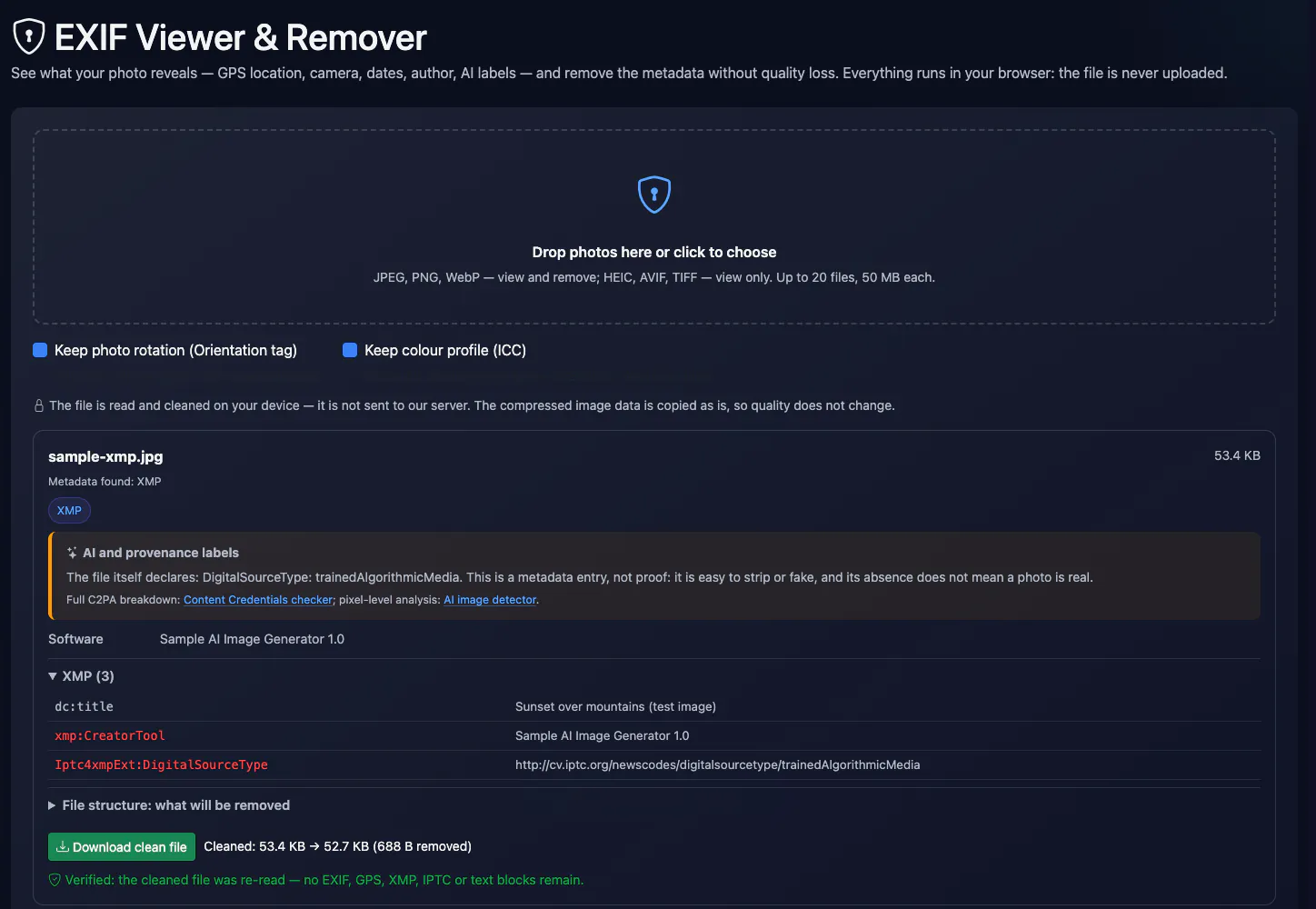
The tool first shows everything stored in a photo: EXIF camera, lens, settings and dates, GPS coordinates, XMP (including AI and C2PA labels), IPTC, the colour profile and PNG text chunks. Then it cuts those blocks out of the file without touching the image itself — no recompression and no upload.
How to Use
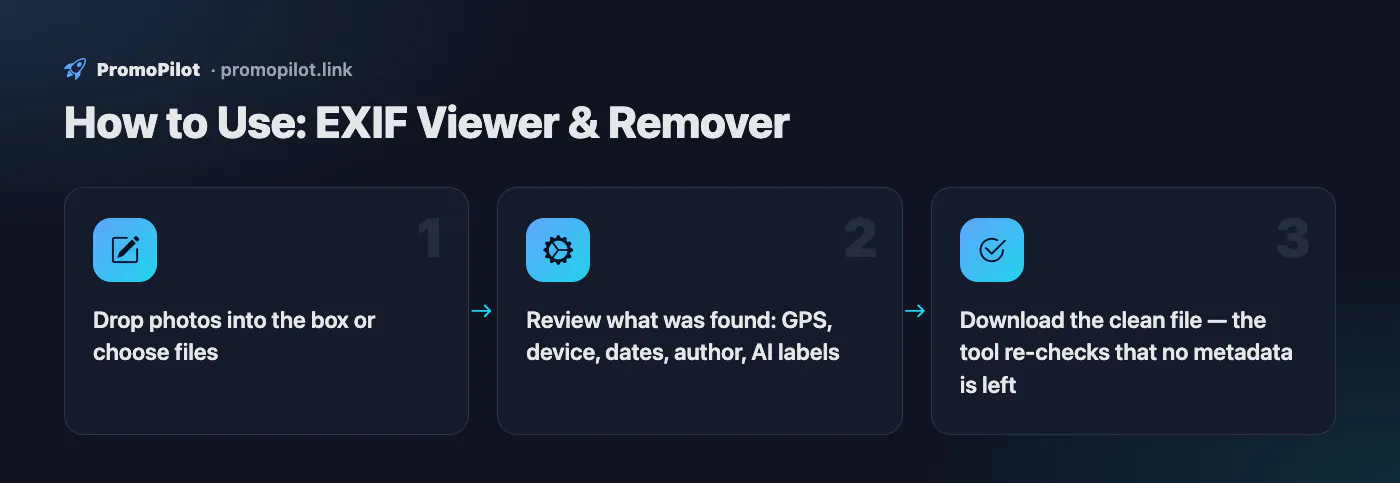
- Drop photos into the box or choose files
- Review what was found: GPS, device, dates, author, AI labels
- Download the clean file — the tool re-checks that no metadata is left
FAQ
Who it is for and typical uses
- Photos for a site or social media. Remove home GPS coordinates and device data before posting a picture; image compression is a handy next step for page speed.
- Selling and classifieds. A phone photo often holds the exact shooting location; delete it before sending to a buyer.
- Checking what is hidden. See which AI and C2PA markers a file carries; a full C2PA breakdown is done by the C2PA checker.
Honest limitations
- Removal only for JPEG, PNG and WebP. HEIC, AVIF and TIFF are view-only: save the picture as JPEG first (on iPhone it is a compatibility setting).
- Not everything can be removed. The C2PA block and AI markers are cut, but watermarks inside the pixels, such as SynthID, remain.
- Rotation and colours. By default the Orientation tag and the ICC profile stay so the photo is not turned sideways or recoloured; tick them off to remove those too.
- Files download one by one. There is no archive of cleaned pictures.
PromoPilot vs alternatives: comparison
We compare only what is confirmed on each service's own pages. Where we could not confirm a fact, the cell shows "—".
| Parameter | PromoPilot | ExifTool |
|---|---|---|
| Processing | in your browser | on your own computer (Windows, macOS, systems with Perl); a command-line tool and Perl library |
| No pixel re-encoding | ✓ | ✓ for JPEG removes every APP segment (except Adobe APP14) and trailer; for other formats complete removal is not guaranteed |
| Cleaning HEIC/AVIF/TIFF | ✗ | — |
Scroll the table sideways
Where we are weaker: cleaning only for JPEG, PNG and WebP (HEIC/AVIF/TIFF are view-only), no archive download and no command line.
When to choose PromoPilot: When you need to strip coordinates and camera data before publishing a photo, without handing the file to a third-party service and without quality loss. Save HEIC as JPEG first.
Checked on: . "—" means not confirmed on the official page; terms and prices change, so check the services' own sites.
What a photo stores besides the picture
Cameras and phones write extra data into every file — metadata. You cannot see it in the image, but anyone who downloads the original can read it. The tool above lists everything it finds, grouped like this:
| Block | What it holds | Why it matters |
|---|---|---|
| EXIF | Camera make and model, lens, shutter speed, aperture, ISO, date and time taken, editing software | Date and device; on dedicated cameras also body and lens serial numbers |
| GPS (part of EXIF) | Latitude, longitude, altitude, direction | Reveals where the photo was taken — your home or workplace, for example |
| MakerNote | Manufacturer’s private data | Can include a serial number and other device details |
| EXIF thumbnail | A small preview copy | May still show the original frame after cropping |
| XMP | Author, rights, Lightroom/Photoshop edit history, AI and provenance labels | Author name, software, signs of generation |
| IPTC | Caption, keywords, creator, city and country | Names and places typed in by hand |
| ICC | Colour profile (sRGB, Display P3, Adobe RGB) | Usually nothing personal; needed for correct colours |
| PNG text | Free-form tEXt/iTXt fields: comments, generation settings | E.g. the prompt and settings from Stable Diffusion or ComfyUI |
How to view EXIF data
Drop a photo into the EXIF viewer above. It shows a short summary (device, date, software, author), warns you about GPS and expands every tag by group. Rows highlighted in red are the ones that identify a person, a place or a specific device. If the photo has coordinates you can open a map with a button — until you click, the coordinates go nowhere.
You can also check EXIF without any online service:
- Windows: right-click the file → Properties → Details.
- macOS: open the photo in Preview → Tools → Show Inspector → the “i” tab, which has EXIF and GPS sub-tabs.
- iPhone: in Photos, open the picture and swipe up or tap “i” to see the camera, lens and location.
- Android: in Google Photos, open the picture and swipe up.
System dialogs show only the basic fields. XMP, IPTC, MakerNote and PNG text chunks usually stay hidden there.
How to remove EXIF data without losing quality
- Drop one or more photos (JPEG, PNG, WebP).
- Leave “Keep photo rotation” and “Keep colour profile” ticked unless you need a completely bare file.
- Click “Download clean file”. The tool re-reads the result and tells you whether any metadata is left.
Many online EXIF removers simply re-save the image. JPEG and WebP get recompressed and lose quality, and the colour profile disappears. This tool works differently: the metadata blocks are cut out of the file and the compressed image data is copied byte for byte. The pixels stay identical and the file shrinks by exactly the amount removed.
If there is extra data after the end of the image — that is where depth maps, HDR gain maps and motion-photo videos are stored — it is removed too, because it carries its own metadata. A motion photo becomes a regular still.
Removing metadata with built-in tools
- iPhone: when sharing, tap “Options” at the top of the share sheet and turn off “Location”. To stop saving locations for new photos, turn off location access for Camera in Privacy settings.
- Android: in the camera app settings, turn off location tags (the name of the option depends on the manufacturer).
- Windows: Properties → Details → “Remove Properties and Personal Information”. It works for JPEG but not for every field.
- macOS: in Preview’s Inspector, the GPS tab has a “Remove Location Info” button.
AI labels and C2PA
Generators and editors increasingly label their output. An XMP DigitalSourceType of trainedAlgorithmicMedia means “created by generative AI”, CreatorTool names the software, and a C2PA manifest (Content Credentials) stores a signed creation history. The tool shows these labels, but they are claims made by the file, not a verification — and cleaning removes them just like EXIF. For a full C2PA breakdown use the Content Credentials checker; to assess the pixels themselves, try the AI image detector.
What cleaning does not remove
- Anything visible in the photo: faces, number plates, shop signs, the view from a window.
- Invisible watermarks embedded in pixels (such as SynthID) — they are not metadata.
- The file name:
IMG_20261001_120000.jpgcontains a date too. Rename the file before sending.
On a website, metadata is usually dead weight. After cleaning, compress the image and run an image SEO check for alt text, dimensions and format.
Improve search rankings
SEO problems may be costing you traffic. Cascade link building will improve site visibility in search.