Google on robots.txt: percent-encode non-English paths and name AI crawlers explicitly
On 21 October 2026 Google Search Central published a video on what can go into robots.txt. What it says about non-English paths, invalid lines and AI crawlers, and a short checklist for your own file.
On 21 October 2026 the Google Search Central channel published the second episode of its Non-Canonical Cabinet series, "What can you actually put in a robots.txt?", with Gary Illyes and Cherry Prommawin. Google did not announce new rules: it is a clarification of what the file does and does not do. It matters most for sites with non-English URLs and for owners who write rules for AI crawlers. Below: what is confirmed and where it comes from, what it may mean for your site, and what to check in one evening.
What happened and where it comes from
The episode is on the Google Search Central YouTube channel. The date, 21 October, and the content of the episode are given as reported by Search Engine Roundtable and Search Engine Journal (links at the end); we did not transcribe the video ourselves. Where Google's documentation confirms a point, we say so.
- According to the reports, the speakers described robots.txt as an access preference protocol (RFC 9309): it controls which URLs a crawler may request, not what happens to the data afterwards.
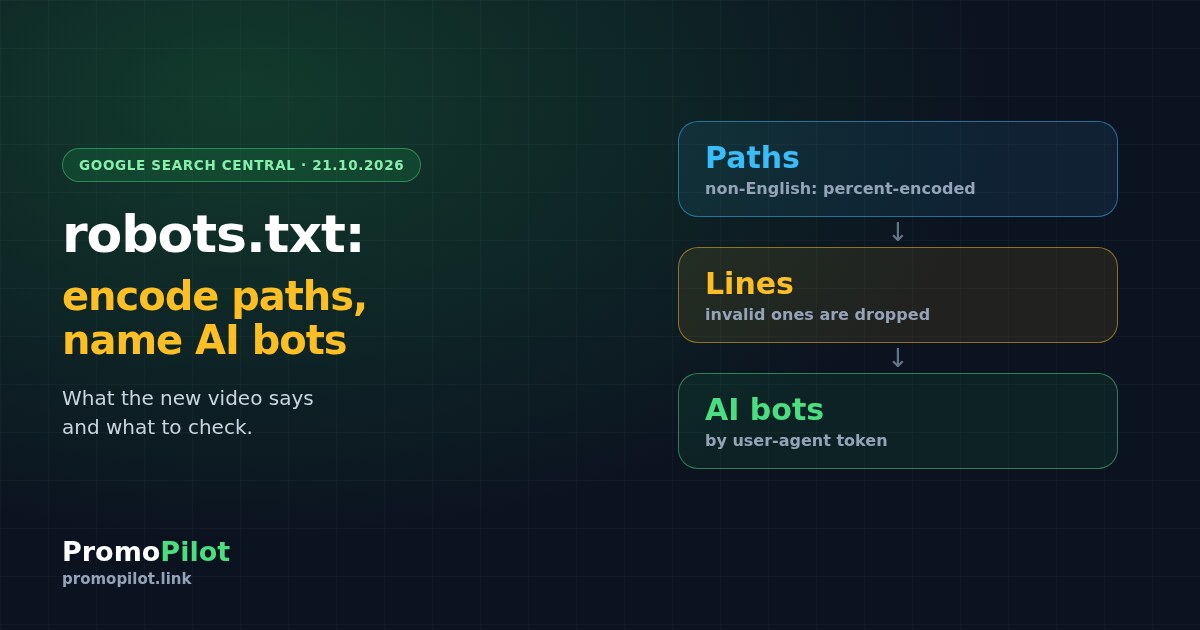
- According to the reports, a line the parser does not understand is silently dropped. The documentation confirms it: Google supports four fields (user-agent, allow, disallow, sitemap), does not support crawl-delay and ignores invalid lines.
- According to the reports, to block one specific AI crawler the rule must name that crawler's user-agent token. Custom wording is ignored.
- According to the reports, Cherry Prommawin recommended writing non-English paths in percent-encoded form, because Google's parser copes with raw characters but other crawlers may not. The documentation confirms the Google side: rule paths may be raw UTF-8 or percent-encoded, Google compares them in percent-encoded form, and the file itself must be UTF-8.
What this may mean for a site owner
- Non-English URLs. If your paths contain Cyrillic, Polish letters or emojis, a raw rule works in Google according to its documentation, but another crawler may read it differently. The percent-encoded form is the safer one to write. This is a precaution, not a ranking factor.
- Typos and invented directives do nothing. A line that the parser does not know is discarded, so the page stays open to crawling, as if the line were not there.
- AI crawlers need their own rules. A general-sounding line is not enough; the rule has to name the token of the crawler you mean. And robots.txt only asks compliant bots to stay out. It is not protection for private content.
- Nothing here promises a change in rankings. The episode talks about how the file is read, not about how pages are ranked.
What to check now
Open your file and read the rules
Run the domain through the robots.txt checker: it shows Allow and Disallow rules, user-agents, Sitemap lines and warnings such as a fully blocked site. It has no single-URL test, so for one specific URL use the robots.txt report in Search Console.
Find paths with non-English characters
Compare the Disallow and Allow lines with real URLs on the site. If a path has Cyrillic, diacritics or emojis in raw form, consider rewriting it in percent-encoded form. The robots.txt generator can help you assemble a clean version.
List your AI crawler rules
Write down which crawlers you want to block or allow and check that each rule names the right user-agent token. The same generator has presets for AI crawlers.
Check that the file and key pages respond
Open the file address and a few key pages in the HTTP status checker. The file should answer with 200, and pages you want indexed should not be blocked by accident. Then validate the sitemap listed in the file with the sitemap checker.
See which pages bring impressions
Before blocking anything, look at which pages already get impressions. SEO Radar shows them, so you do not close a useful page by mistake.
What we do not know yet
- Which crawlers other than Google actually misread raw non-English paths. The reports say "may", without a list.
- Whether Google's documentation will change. In the documentation we read, raw UTF-8 and percent-encoded paths are both allowed.
- Any effect on rankings. Nothing in the reports or in the documentation mentions it.
- The exact wording of the video: we rely on two reports and on the documentation, not on a transcript.
Sources: Google Search Central, video "What can you actually put in a robots.txt?"; Google Search Central, robots.txt documentation; Search Engine Roundtable, 21 October 2026; Search Engine Journal, 22 October 2026. Prepared by the PromoPilot team.