
Robots.txt Generator — With AI Crawler Presets
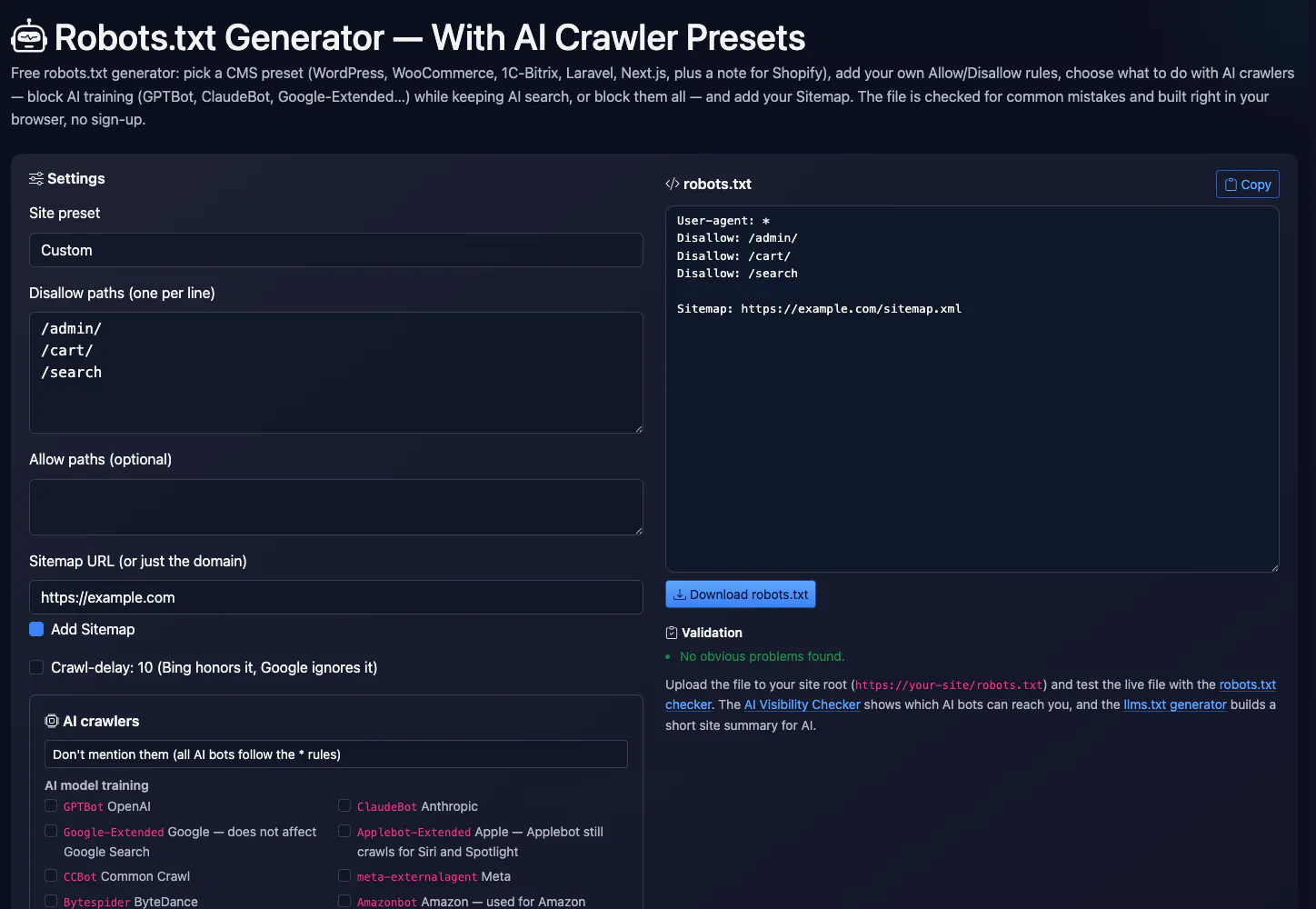
Free robots.txt generator: pick a CMS preset (WordPress, WooCommerce, 1C-Bitrix, Laravel, Next.js, plus a note for Shopify), add your own Allow/Disallow rules, choose what to do with AI crawlers — block AI training (GPTBot, ClaudeBot, Google-Extended…) while keeping AI search, or block them all — and add your Sitemap. The file is checked for common mistakes and built right in your browser, no sign-up.
Settings
Checked bots get “Disallow: /”. robots.txt is a request, not a lock: well-behaved bots follow it, anything else has to be stopped at the server or CDN (e.g. Cloudflare's AI bot blocking).
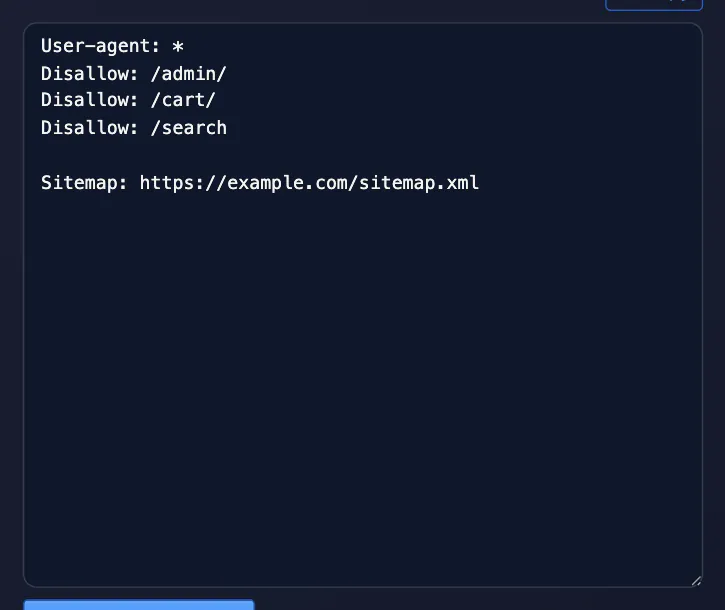
robots.txt
Upload the file to your site root (https://your-site/robots.txt) and test the live file with the robots.txt checker. The AI Visibility Checker shows which AI bots can reach you, and the llms.txt generator builds a short site summary for AI.
Key facts
robots.txt is a text file in the site root where you ask crawlers to stay out of some sections. Pick a preset (WordPress, WooCommerce, Bitrix, Next.js and more), add your paths and Sitemap, optionally block AI bots, then copy the result. It is a request, not protection: well-behaved bots follow it, others do not, and a blocked page can still end up indexed.
- Price
- Free
- Sign-up
- Not required
- Processing
- In your browser — nothing is sent to our server
- Input
- A site preset, Disallow and Allow paths (one per line), the Sitemap URL, a Crawl-delay checkbox and a list of AI bots
- Limits
- No sign-up and no limits; it only generates and checks text, and you must upload the file to your site yourself
- Output
- A ready robots.txt text with a Copy or Download button and a list of warnings (Allow/Disallow conflict, blocking the whole site, Crawl-delay)
- Last updated
Video walkthrough 0:56

Robots.txt Generator Free: CMS Presets + Block AI Training Bots (GPTBot, ClaudeBot)
Generate a robots.txt for free: CMS presets (WordPress, WooCommerce, Shopify…), your own rules, a Sitemap line and ready-made presets for AI crawlers.
Video transcript
Write a robots.txt file, and decide what to do about AI crawlers. Here's a free generator that does both. Pick a site preset: WordPress, WooCommerce, Shopify and others. I'll choose WordPress, and the rules for its admin area and search pages appear on the right. Then the AI crawlers section. The preset, Block AI training, allow AI search, disallows the training bots like GPTBot and ClaudeBot, but leaves the search bots alone. Add a sitemap line, and download the file. Robots.txt is a request, not access control. It blocks crawling, not indexing. Blocking Google-Extended doesn't hurt your Google rankings. Free, no sign-up. The link is in the description. Subscribe for more free tools.
See it in action
Robots.txt generator with AI crawler presets
This robots.txt generator builds the rules file for search engines and AI crawlers: presets for WordPress, WooCommerce, 1C-Bitrix, Laravel and Next.js, a note for Shopify, your own Allow/Disallow paths, a Sitemap line and a separate block for AI bots. You can block AI training crawlers (GPTBot, ClaudeBot, Google-Extended and others) without touching the AI search bots that cite and link to your site. The result is checked for common mistakes as you type.
How to Use
- Pick your CMS preset or “Custom” and adjust the Allow and Disallow paths
- Decide what to do with AI crawlers: leave them, block training only, or block them all
- Add your sitemap URL and review the warnings under the file
- Download robots.txt, upload it to your site root and test the live file
FAQ
Who it is for and typical uses
- A WordPress or Bitrix site. Choose a preset with the typical service paths and add your Sitemap URL.
- Blocking search, filters and the cart. Enter your own paths with the
*and$patterns, for example/*?sort=. - A decision on AI bots. Block only model training or AI search too, after deciding whether you want visibility in AI answers.
Honest limitations
- robots.txt is a request, not a lock. Bad bots ignore it; OpenAI and Perplexity themselves say it may not apply to requests made at a user’s request.
- A blocked page can stay indexed. To remove it from results you need noindex, not Disallow.
- Google ignores Crawl-delay. Bing honours it; Google controls crawl rate differently.
- Shopify. The platform generates robots.txt itself, so rules change through the robots.txt.liquid template, not by uploading a file.
- The file must sit in the host root. Each subdomain and protocol needs its own file; the generator publishes nothing and does not check the live site.
Related: robots.txt checker, sitemap generator, AI visibility checker, llms.txt.
PromoPilot vs alternatives: comparison
We compare only what is confirmed on each service's own pages. Where we could not confirm a fact, the cell shows "—".
| Parameter | PromoPilot | Google Search Central: спецификация robots.txt |
|---|---|---|
| CMS presets | ✓ WordPress, WooCommerce, Bitrix, Laravel, Next.js | ✗ |
| AI bot list | ✓ 14 bots | ✗ |
| Rule conflict check | ✓ | Rule: the most specific wins; on conflict the least restrictive |
| Runs in the browser | ✓ | — |
Scroll the table sideways
Where we are weaker: we do not check a published file or specific URLs, there is no preset for Joomla, Drupal and other CMSs, and the AI bot list needs periodic checking against the operators’ official pages.
When to choose PromoPilot: When you want a correct robots.txt from a CMS preset quickly and a check for typical mistakes. To check a published file and test URLs use the robots.txt checker or Search Console.
Checked on: . "—" means not confirmed on the official page; terms and prices change, so check the services' own sites.
How robots.txt works
robots.txt is a plain-text file at your site root (https://example.com/robots.txt). It is made of groups: a User-agent line names the bot, followed by Allow and Disallow rules with paths. Keep these rules in mind when you write one:
- A bot obeys exactly one group — the most specific match for its name. If GPTBot has its own group, it no longer reads the
*rules. That's why the generator never writes anAllow: /group for “allowed” AI bots: it would open/wp-admin/and everything else you blocked for other crawlers. - The longest match wins.
Allow: /wp-admin/admin-ajax.phpbeatsDisallow: /wp-admin/. On a tie, Google picks Allow. *and$work.Disallow: /*?sort=blocks every URL with a sort parameter;Disallow: /*.pdf$blocks all PDFs.- The
Sitemapline belongs to no group and must be a full URL. - Google does not support
Crawl-delay; Bing honors it. Google reads at most 500 KiB of the file.
AI crawlers: what to block and what it costs you
AI bots fall into three groups, and each calls for a different decision.
| Group | Bots | If you block them |
|---|---|---|
| Model training | GPTBot (OpenAI), ClaudeBot (Anthropic), CCBot (Common Crawl), meta-externalagent (Meta), Bytespider (ByteDance), Amazonbot (Amazon), plus the Google-Extended and Applebot-Extended tokens | Your content stays out of future training datasets. Google Search and Bing are not affected. |
| AI search | OAI-SearchBot, Claude-SearchBot, PerplexityBot | Your site stops appearing as a cited link in ChatGPT search, Claude and Perplexity answers — that is lost traffic. |
| User-initiated fetches | ChatGPT-User, Claude-User, Perplexity-User | The assistant can't open your page even when a user pastes the link or asks it to look something up. OpenAI and Perplexity note these fetches may not follow robots.txt. |
Special cases. Google-Extended is not a crawler but a token: regular Googlebot does the crawling, and disallowing the token means “don't use my content to train or ground Gemini”. Google's documentation says it affects neither inclusion in Search nor ranking. Applebot-Extended works the same way: it opts you out of training Apple's models, while Applebot keeps crawling for Siri, Spotlight and Safari. Amazonbot is described by Amazon as improving its products and services, with data that may be used to train its AI models — hence the training group.
The most common choice is the “Block AI training, allow AI search” preset: your content stays out of training sets, while links in AI answers keep sending visitors. It produces this block:
User-agent: GPTBot
User-agent: ClaudeBot
User-agent: Google-Extended
User-agent: Applebot-Extended
User-agent: CCBot
User-agent: meta-externalagent
User-agent: Bytespider
User-agent: Amazonbot
Disallow: /
Once it's live, see how each AI bot treats your site in the AI Visibility Checker, and add an llms.txt file if you want AI tools to understand your site better.
robots.txt is a request, not a lock
Well-behaved bots follow it; nothing technically stops the rest from ignoring it. If you need to actually stop bots, do it at your server or CDN. Cloudflare, for instance, offers a managed robots.txt with AI crawler rules (available on all plans) and separate network-level bot blocking. And never use robots.txt to hide secret URLs: the file is public, and Disallow: /secret-admin/ just tells people where to look.
CMS presets: what's in them and why
- WordPress: blocks
/wp-admin/(exceptadmin-ajax.php), internal search/?s=and/search/, and?replytocom=links. We leave/wp-includes/and/wp-content/plugins/open: they hold the CSS and JS Google needs to render pages. A physical file replaces WordPress's virtual robots.txt; in Yoast SEO you can edit it under Tools → File editor. - WooCommerce: adds cart, checkout, my-account and
?add-to-cart=links to the WordPress rules. - 1C-Bitrix: blocks the
/bitrix/system folder but keeps/bitrix/templates/,/bitrix/js/,/bitrix/cache/,/bitrix/components/,/bitrix/panel/and/upload/open so Google sees the design and images. - Shopify: the platform generates the file and you can't upload your own. You change the rules in a
robots.txt.liquidtemplate (Online Store → Themes → Edit code → Add a new template → robots); the generator prepares the extra lines. - Laravel: the web root is
/public, so/vendorand.envaren't reachable and shouldn't be listed. The preset blocks the login, registration and password-reset pages. - Next.js: blocks only
/api/. Leave/_next/alone — it holds your pages' JS and CSS.
Common mistakes the validator catches
- A path without a leading
/(Disallow: admin) — the rule won't match anything. - Blocked CSS and JS, or the folders that hold them — Google can't render the page the way users see it.
Disallow: /for every bot — fine for a staging copy, fatal for search traffic on a live site.- Duplicates, the same path in both Allow and Disallow, spaces and non-ASCII characters in paths.
- A relative Sitemap URL, or no Sitemap line at all. The sitemap generator builds the sitemap itself.
Remember: robots.txt blocks crawling, not indexing. To remove a page from search, leave it crawlable and add noindex. Test the live file with the robots.txt checker to see how the rules apply to a specific URL.
Improve search rankings
SEO problems may be costing you traffic. Cascade link building will improve site visibility in search.