Crawled, currently not indexed: 7 reasons and what to do
What "Crawled, currently not indexed" and "Discovered, currently not indexed" mean, seven reasons behind them, an evening diagnosis in URL Inspection and an order of fixes. With a live example from promopilot.link.
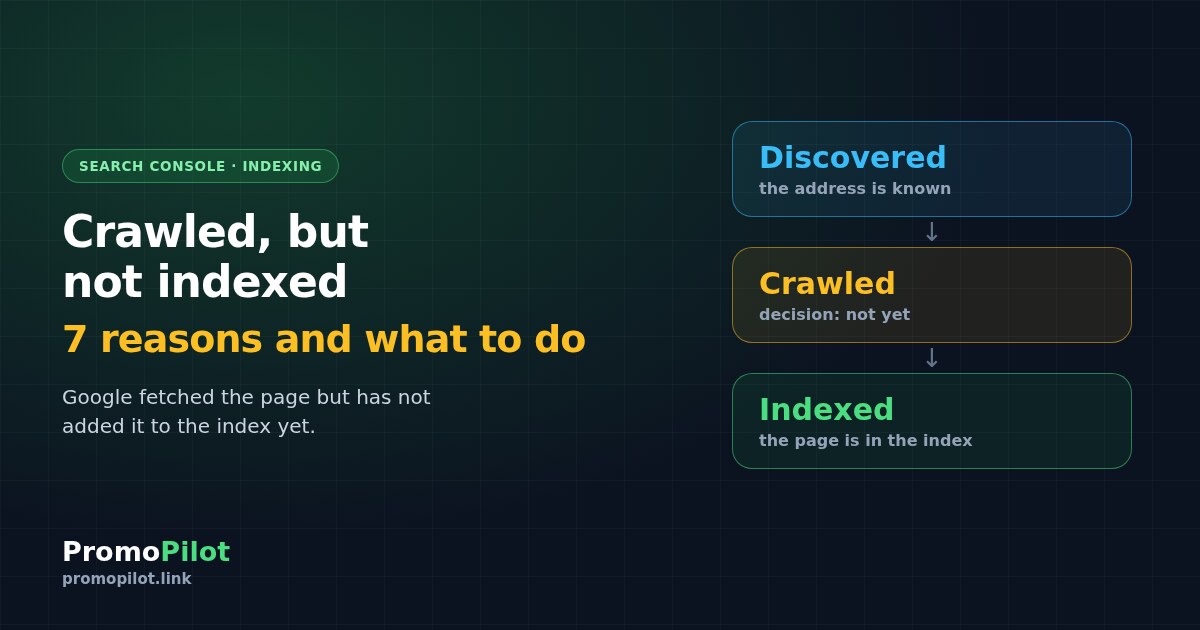
"Crawled, currently not indexed" means Google has downloaded your page and decided, for now, not to add it to the index. On its own it is not a penalty and not a site error: it is a verdict on one specific URL at one specific moment. The neighbouring status, "Discovered, currently not indexed", is different: Google knows the address but has not fetched the page yet. Below are seven reasons behind these two statuses, a way to work out in one evening which of them is yours, and an order of fixes. As a live example we show what we found on our own site, promopilot.link, on 22.10.2026.
The short version: two statuses, seven reasons
- Two statuses. "Discovered" means the address is known from a sitemap or links, but the crawl queue has not reached it. "Crawled" means Google fetched the page and decided not to add it for now.
- Why it happens. For "crawled": weak or duplicate content, low value or authority, few internal links, a canonical conflict, an unstable server. For "discovered": few internal links, a young site, server load.
- What to do. Check the URL in URL Inspection, make the text more unique, give the page 3–5 internal links from strong indexed pages, keep a sitemap with an honest lastmod, request indexing for a few URLs and wait 2–4 weeks.
- What we do not promise. Nobody can guarantee indexing. The decision is Google's.
| Status in Search Console | What Google has done | Typical reasons | Where to start |
|---|---|---|---|
| Discovered, currently not indexed | Knows the address from a sitemap or links, has not fetched the page | Few internal links, a young site, server load | Internal links, sitemap, server response |
| Crawled, currently not indexed | Downloaded the page and decided not to add it for now | Weak or duplicate content, low value, few links, a canonical conflict, an unstable server | URL Inspection, then content and links |
Two statuses that are often confused
Both statuses live in Search Console under Indexing, Pages, in the group "Why pages aren't indexed". The difference is the moment at which the process stopped. In the first case it stopped before the download, in the second after it.
The difference matters because the fixes differ. If Google has not fetched the page, the problem is usually how easy the page is to reach and how important it looks from inside the site. If Google fetched it and declined, the page itself is in question: what it says, what it duplicates and which URL it names as canonical.
Note the word "currently" in Google's wording. The status can change with no action from you, so a single snapshot proves little. Crawl capacity can play a part too, mostly for young sites with many new URLs; see the knowledge base article Crawl budget.
Seven reasons a page ends up in these statuses
The order below is not by importance but by how easy each reason is to check. Reasons 1, 2 and 4 are typical for "crawled", reason 6 for "discovered", and reasons 3, 5 and 7 for both.
1. Weak or duplicate content
Pages that repeat each other with one phrase swapped, a short text that adds nothing to what already exists, a tool page with a form and two lines of description. Google fetched them, compared them with what it already has and saw nothing new. How to check: read the page as a stranger would and ask whether an answer is missing elsewhere on your site or on the web. What to do: add what only you can: examples, data, limits, a worked case.
2. Low value or authority of the page and the site
A new site and a page with no references and little engagement give Google few reasons to spend space in the index. We cannot measure this directly; it shows up as strong sections getting indexed while the periphery waits. What to do: strengthen the role of the page by linking to it from sections that matter, and earn real references over time. There is no quick button here.
3. Few internal links
A page reachable only from a side menu or a footer looks unimportant from inside the site. A link from a strong page, placed in the body text, says that the page matters. How to check: count the internal links that lead to the page (the Links report in Search Console or any crawler). What to do: give the page 3–5 contextual links from pages that are already indexed and get impressions, with clear anchors. Where such places might be, the internal link opportunities tool and the article Internal Linking: Where Links Are Missing will help.
4. A canonical conflict
The page points to another URL as canonical, or Google chose a canonical different from yours. URL Inspection shows both: the user-declared canonical and the Google-selected one. If they differ, the page is not indexed as itself. Typical causes are parameters, a trailing slash, http and https or www duplicates. What to do: a self-referencing canonical, one URL variant and redirects for the rest. Details are in the article Canonical URL.
5. An unstable server
If a site sometimes answers slowly or with 5xx errors, Google crawls it more carefully, and some pages wait longer. How to check: the Crawl stats report in Search Console settings and your server logs. What to do: stabilise response time first, and make sure a firewall or a CDN does not block Googlebot by mistake.
6. A young site and the crawl queue
When a site is new or a lot of new URLs appear at once, Google sorts the queue and some addresses wait. This is the typical case for "Discovered". How to check: compare the date the pages appeared with the number of URLs that appeared at the same time. What to do: do not push everything at once. Choose the pages that matter, link to them first and wait.
7. A sitemap that does not help
A sitemap lists addresses but does not make Google crawl them. If lastmod carries the same date on every page or changes on every deployment, it stops being a hint about what actually changed. What to do: set lastmod to the real date of a content change and keep only canonical addresses that answer 200 in the file. The sitemap analyzer and the broken links checker will find the rest, and the checks are described in the article Sitemap sitemap.xml: Checking and Common Errors.
| Reason | More typical for | How to check | What to change |
|---|---|---|---|
| Weak or duplicate content | Crawled | Compare with neighbouring pages | Add unique examples and data |
| Low value or authority | Crawled | Which sections are indexed and which are not | Strengthen the role of the page, wait |
| Few internal links | Both | Count links to the page | 3–5 links from indexed pages |
| Canonical conflict | Crawled | Two canonicals in URL Inspection | Self-referencing canonical |
| Unstable server | Both | Crawl stats, server logs | Stable 200 responses |
| Young site, queue | Discovered | Date of appearance, number of new URLs | Prioritise, link, wait |
| Unhelpful sitemap | Both | lastmod and the status of listed URLs | Honest lastmod, only 200 addresses |
How to find your reason in one evening
You do not need a special tool: Search Console is enough. Tools outside it, such as the page index checker and the site index checker, are useful for a quick estimate, but Search Console remains the authoritative source. How the options differ is described in the review of index checkers, and a short instruction is in the article How to Check if a Page is Indexed by Google.
Open the list of pages with the status
In Search Console go to Indexing, Pages, scroll to "Why pages aren't indexed" and open the status you need. You will get a list of addresses. Export it and group the addresses by section or template: the reason is rarely different for each page.
Inspect 5–10 typical addresses
Paste an address into URL Inspection. Look at four things: the canonical (yours and the one Google selected), the date of the last crawl, whether crawling and indexing are allowed (robots and noindex), and how the page was found.
Compare with a neighbour that is indexed
Take a similar page that is already in the index and compare: the volume and uniqueness of the text, the number of internal links, the template. The difference is your main suspect.
Check the site level
Check the sitemap and the server response: what lastmod says, whether the listed addresses answer 200, whether there are broken links and 5xx errors.
If you are new to these reports, the Search Console lesson: 8 questions about your site shows where each answer lives.
What to do, in order
The main rule: first fix the cause, then ask for indexing. Asking for a re-crawl of a page that Google has just declined, without changing it, usually changes nothing.
Now the details of the last three steps. Internal links do the most work: they are free and fully in your hands. The sitemap is a hint, not a command, but an honest one helps Google tell which addresses to revisit. A request for indexing is made in URL Inspection with the "Request indexing" button. The limit on such requests is small, about 10 addresses a day, so spend it on the pages that matter and do not use it in bulk. Do not request the same address every day: it does not speed anything up.
Then wait. A reasonable period before an honest re-check is 2–4 weeks, and statuses are updated with a delay. Do not buy "fast indexers" as a shortcut: they promise no result and do nothing about the reason Google declined the page. If after a month the picture has not changed, go back to the table of reasons, because the cause is most likely on the page or in how it is linked.
What we saw on our own site
On 22.10.2026 we looked at 42 new English pages of our tools. 24 of them had no impressions and were not in the index. Here is how they split by status.
| Status of the page | Pages |
|---|---|
| Discovered, currently not indexed | 9 |
| Crawled, currently not indexed | 11 |
| Google did not know the address yet | 4 |
What these pages had in common: they were connected to the site only by the side menu of the tools section. Our reading is a hypothesis, not a finding: few internal links is the most likely shared cause, and it fits reasons 3 and 6 above. We did not establish it.
What we did on 22.10: added links from the home page to the 8 most requested of these tools and began submitting indexing requests, within the limit and not in bulk. We will repeat the check in 2–4 weeks on the same list of addresses and write down what changed, including if nothing did.
What we cannot claim
Where to start: an order for one evening
- Export the list of pages with the status you have and group it by section.
- Inspect 5–10 typical addresses in URL Inspection and write down the canonical, the last crawl date and the permissions.
- Compare one of them with an indexed neighbour and note the difference in text and links.
- Add 3–5 internal links from strong indexed pages to the pages that matter most, and check the sitemap and its lastmod.
- Request indexing for a few key addresses, write down the date and come back in 2–4 weeks.
If search traffic has fallen rather than pages failing to enter the index, start with the article why search traffic drops, and for what to fix on the site first, read an SEO audit returns thousands of findings. For pages that are shown but get few clicks, see Pages ranking 8–20. How we read the dynamics of our own site is in the promopilot.link organic traffic breakdown.
SEO Radar works with pages that already get impressions in Search Console: it shows those near the top and suggests what to do next. For pages that are not in the index yet, URL Inspection is the tool, and once they begin to get impressions, Radar can take over.
Frequently asked questions
What is the difference between "Crawled, currently not indexed" and "Discovered, currently not indexed"?
In the first case Google has fetched the page and decided not to add it for now. In the second it knows the address from a sitemap or links but has not fetched the page yet. The first status usually points to the page and its signals, the second to links, the queue and the server.
How long should I wait before checking again?
We suggest 2–4 weeks after the fixes. Statuses are updated with a delay, so a check after a day or two tells you little. No single timeframe applies to all pages and we do not promise one.
How many addresses can I submit for indexing per day?
The limit on requests in URL Inspection is small, about 10 addresses a day. Use it on the pages that matter, not in bulk, and do not request the same address every day.
Should I use paid "fast indexers"?
We do not recommend it. They promise no result and do not remove the reason why Google declined the page. A better use of the time is unique content, internal links and an honest sitemap.
Is "Crawled, currently not indexed" a penalty?
On its own, no. It is a status for a specific address, and the reason is usually in the page, its links or the server. Whether a page will be indexed is decided by Google, and nobody can guarantee it.
Sources: Search Console Help, the Page indexing report; Search Console, promopilot.link, data for 22.10.2026. This article was prepared by the PromoPilot team.