IP Blacklist Check
Checks an IP against 14 DNSBLs (Spamhaus, Barracuda, SpamCop and more) and a domain against 3 domain blocklists — for a domain, both the website and mail server IPs.
Key facts
Check an IP against blacklists online: enter an IP or domain and see whether the address is on 14 spam lists (Spamhaus ZEN, Barracuda, SpamCop and others) and the domain on 3 domain lists. Free, no sign-up. That is far fewer lists than services checking a hundred or more.
- Price
- Free
- Sign-up
- Not required
- Processing
- On our server: parallel DNS queries to 14 IP blocklists and 3 domain blocklists; we never connect to your IP
- Input
- An IPv4 or IPv6 address, a domain or a site URL
- Limits
- 5 checks per minute; 10 a day without an account, 30 with a free account, unlimited with Pro; for a domain up to 5 addresses (site and mail servers) are checked
- Output
- For each address and list: “listed”, “clean”, “policy” (for example Spamhaus PBL) or “zone unavailable”; a summary of how many lists, the major lists separately and links to delisting pages
- Last updated
See it in action

How to check if an IP or domain is blacklisted
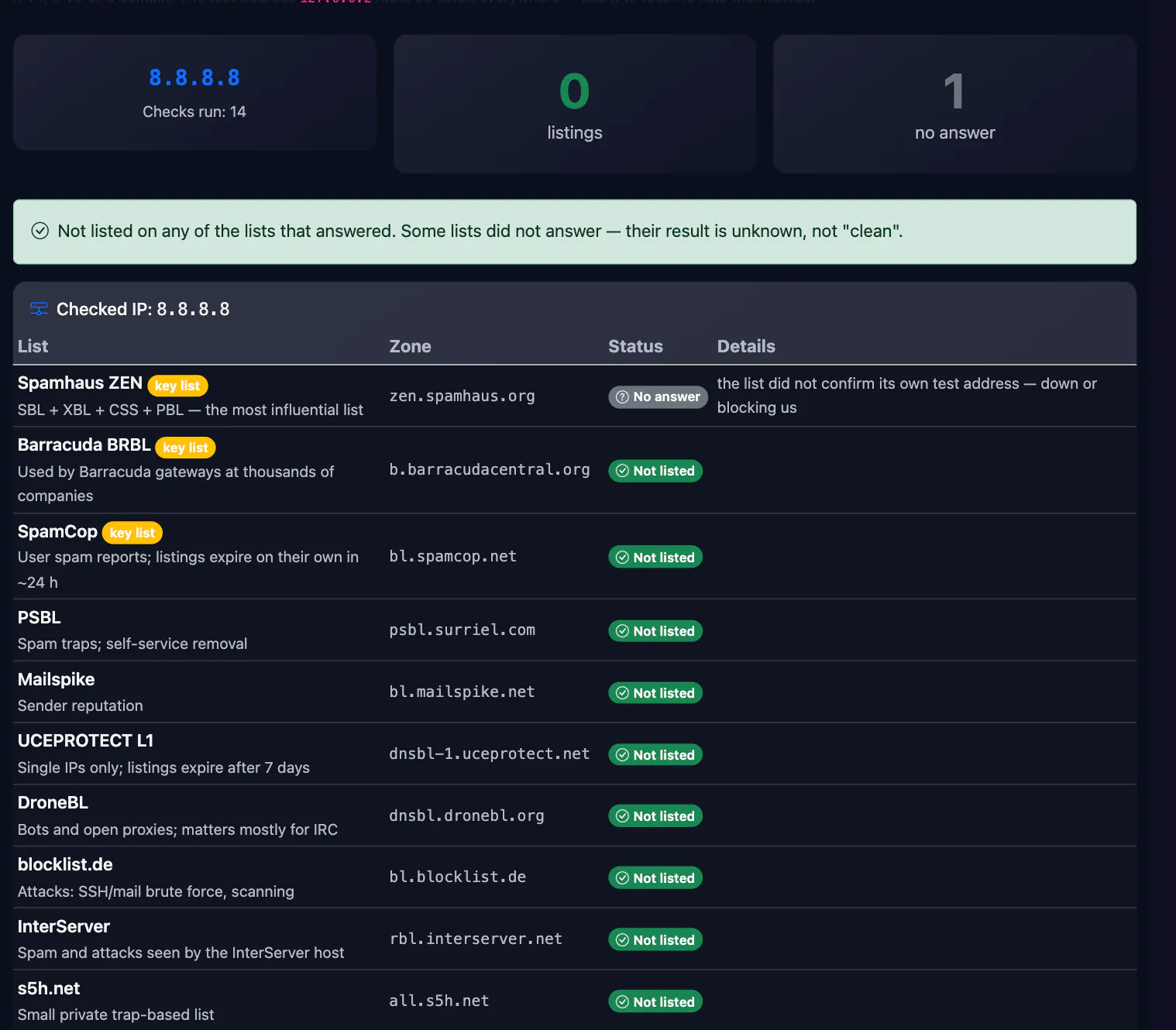
The tool checks an IP address against 14 DNSBLs (Spamhaus ZEN, Barracuda, SpamCop, PSBL, Mailspike, UCEPROTECT and more) and a domain against the Spamhaus DBL, SURBL and URIBL domain lists. For a domain it checks both the website IPs and the mail server IPs from MX. Every list is first tested with a control address, so a list that is down shows "no answer" instead of a false "clean". Listings come with the return code, the reason from the TXT record and a delisting link.
How to Use
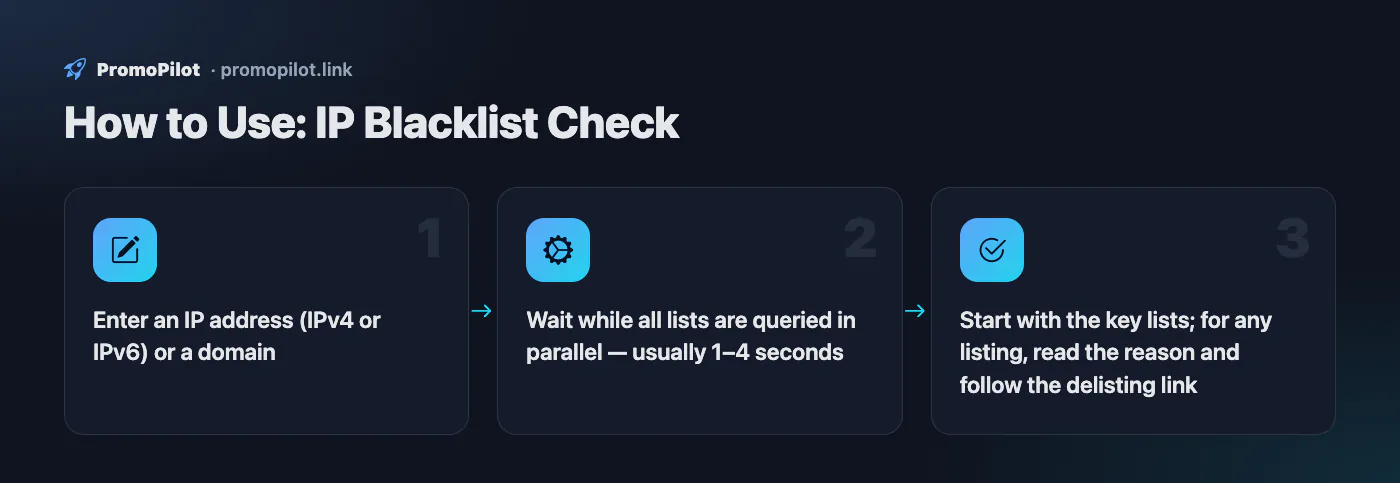
- Enter an IP address (IPv4 or IPv6) or a domain
- Wait while all lists are queried in parallel — usually 1–4 seconds
- Start with the key lists; for any listing, read the reason and follow the delisting link
FAQ
Who it is for and typical uses
- Emails go to spam or bounce. Check the mail server IP: a listing on Spamhaus, Barracuda or SpamCop noticeably affects delivery.
- A new VPS or host. The IP you were given may have belonged to a previous owner with a poor reputation.
- Checking by domain. Enter a domain: we take the site IP and the IPs of its MX servers and also check the domain itself on the domain lists.
- Testing the lists themselves. 127.0.0.2 is the standard test address and must show as listed.
Honest limitations
- 17 lists, not a hundred. We chose active lists that really affect delivery; noisy and defunct ones (such as SORBS) are excluded. Larger services check far more.
- The “policy” status. Spamhaus PBL means “this address should not send mail directly”, not “has sent spam”; it is a separate status.
- At most 5 addresses per domain. Up to two IPv4 and one IPv6 of the site plus the IPs of up to two MX servers are checked; the rest are not.
- We do not delist. We link to the request forms; the list owner decides.
- Daily limit. 10 checks for a guest; if the per-minute cap hits, wait a minute.
Related: MX lookup, SPF, DMARC, reverse DNS.
PromoPilot vs alternatives: comparison
We compare only what is confirmed on each service's own pages. Where we could not confirm a fact, the cell shows "—".
| Parameter | PromoPilot | MxToolbox Blacklist Check | MultiRBL.valli.org | HostingChecker.com IP Blacklist |
|---|---|---|---|---|
| Number of lists checked | 17 (14 IP + 3 domain) | Over 100 DNS-based blacklists | — | Claims over 300 DNS-based blacklists |
| Check by domain (site and MX) | ✓ site IP and up to two MX | ✓ accepts a server IP or a domain | ✓ IPv4/IPv6 address or domain name | — |
| Self-test of the lists’ reliability | ✓ canary addresses 127.0.0.2 / 127.0.0.1 | — | Marks neutral (blue) entries as informational, not blocking; includes an FCrDNS check | — |
| Free and sign-up | Yes: 5 a minute, 10 a day for a guest | — | A free service | — |
Scroll the table sideways
Where we are weaker: several times fewer lists than services with a hundred or more; no monitoring with alerts and no listing history.
When to choose PromoPilot: When you want to see quickly whether an IP or domain is on the big lists that affect mail delivery, with an honest “zone unavailable” instead of a false “clean”. For full coverage of a hundred lists you need a specialised service.
Checked on: . "—" means not confirmed on the official page; terms and prices change, so check the services' own sites.
How to check if an IP address or domain is blacklisted
Enter an IPv4 or IPv6 address or a domain. An IP is checked against 14 DNSBLs — lists of addresses seen sending spam, infected or attacking. For a domain the tool runs three checks at once: the website IPs (A/AAAA records), the mail server IPs from MX, and the domain itself on the Spamhaus DBL, SURBL and URIBL domain lists, which catch domains that appear in links in spam and phishing.
Keep in mind that mail often does not leave from the MX address. If Google Workspace, Microsoft 365 or an email service provider sends your mail, their IPs are the ones to check. You can find the sending IP in the Received headers of any delivered message: open "Show original" and look for the earliest Received: from … [203.0.113.5] line outside your own network.
How to read the results
| Status | Meaning | What to do |
|---|---|---|
| Listed | The list returned a listing code (127.0.0.x). Next to it: the code, the reason from the TXT record and a delisting link | On a key list, find the cause now; on a minor list, act if you send mail from this IP |
| Not listed | The list answered and the address is not on it | Nothing |
| PBL | Spamhaus PBL: the address is in a range its ISP says should not send mail directly (usually residential or dynamic) | Not a spam listing. For your own mail server, remove the IP from the PBL on the Spamhaus site or relay through your provider |
| No answer | The list timed out, returned an error or failed the test with the control address 127.0.0.2 | Result unknown — not "clean". Try again later |
| IPv4 only | The list does not accept IPv6 addresses | IPv6 is currently covered by Spamhaus ZEN and DroneBL |
Which blacklists actually matter
There are hundreds of public DNSBLs, but only a few noticeably hurt email delivery. Gmail, Outlook and Yahoo mostly rely on their own sender reputation; DNSBLs are used by corporate mail servers, hosting companies and spam filters such as SpamAssassin and Rspamd.
| List | What it catches | How to get off it |
|---|---|---|
| Spamhaus ZEN (SBL, CSS, XBL, PBL) | Spam operations, infected machines and botnets, bad ranges | Fix the cause, then request removal at check.spamhaus.org. XBL and CSS usually clear without a manual request |
| Spamhaus DBL | Domains seen in spam, phishing and malware | Clean the site and file a request at check.spamhaus.org |
| Barracuda BRBL | IPs sending spam into Barracuda customers' networks | The removal-request form at barracudacentral.org |
| SpamCop | User reports and spam traps | Expires on its own about a day after the spam stops |
| UCEPROTECT L1 | Individual IPs that hit traps | Expires after 7 days without new spam; the list charges for express removal — you do not have to pay |
| PSBL, Mailspike, DroneBL and others | Spam traps, missing PTR, residential addresses | Self-service removal on the list's site, or wait |
We leave out dead lists that many online checkers still query: SORBS shut down in 2024, NJABL and WPBL no longer work, and the AHBL zone answers "listed" for every address. We also skip UCEPROTECT levels 2 and 3, which block entire provider networks because of their neighbours.
Why online blacklist checkers disagree
DNSBLs are queried over DNS, and the answer depends on which resolver asks. Spamhaus does not serve public resolvers: through Cloudflare's 1.1.1.1 it returns 127.255.255.254, while Google's 8.8.8.8 returns "domain not found". Many services show the first as "listed" and the second as "clean", although both mean "the check did not happen". That is why this tool first tests every list with control addresses: 127.0.0.2 must be listed and 127.0.0.1 must not. If a list does not answer our resolver (Spamhaus does this on free access), you see "No answer" with a link to check the address on the list's own site.
To check an IP by hand, reverse its octets and append the list's zone:
# IP 203.0.113.5 → 5.113.0.203
dig +short 5.113.0.203.zen.spamhaus.org
dig +short TXT 5.113.0.203.zen.spamhaus.org   # listing reason

# A domain in Spamhaus DBL
dig +short example.com.dbl.spamhaus.org

# Test the list itself: the answer must be 127.0.0.x
dig +short 2.0.0.127.zen.spamhaus.org| Spamhaus answer | Meaning |
|---|---|
| 127.0.0.2 / 127.0.0.9 | SBL / SBL DROP — spam operation or hijacked range |
| 127.0.0.3 | SBL CSS — poor sending reputation |
| 127.0.0.4–7 | XBL — infected machine, bot or open proxy |
| 127.0.0.10 / 127.0.0.11 | PBL — should not send mail directly |
| 127.0.1.x | DBL — domain listed (2 spam, 4 phishing, 5 malware) |
| 127.255.255.252 / 254 / 255 | Error: malformed query / public resolver / rate limit. Not a listing |
How to remove your IP from a blacklist
- Find the cause. Most often it is an infected computer on the office network, a hacked mailbox (the password was guessed and spam goes out through your SMTP), an open relay, spam through a website form, or mailing to a bought list.
- Close it. Change passwords, rate-limit outgoing mail, update the CMS and plugins, remove the infection.
- Fix your mail DNS. The IP's PTR record should point to the server name, and that name back to the IP (check it with reverse DNS). Set up SPF, DKIM and DMARC, and verify your MX records.
- Request delisting using the "Delist" link in the listing row. If the cause is still there, the address will be listed again quickly, and the next removal will be harder.
- On shared hosting the address is shared and a neighbour may be to blame. Contact your host, or send mail through a separate service with its own reputation.
Blacklists and SEO
Google does not use DNSBLs for ranking, and a shared hosting IP is used by hundreds of sites. You can see who shares an address with Reverse IP Lookup and who owns the network with ASN lookup. Domain lists matter indirectly: links to a domain on Spamhaus DBL or SURBL get stripped in email and messengers, and antivirus tools block it. A domain listing almost always means spam or a compromise — scan the site with the website security scanner.