Key facts
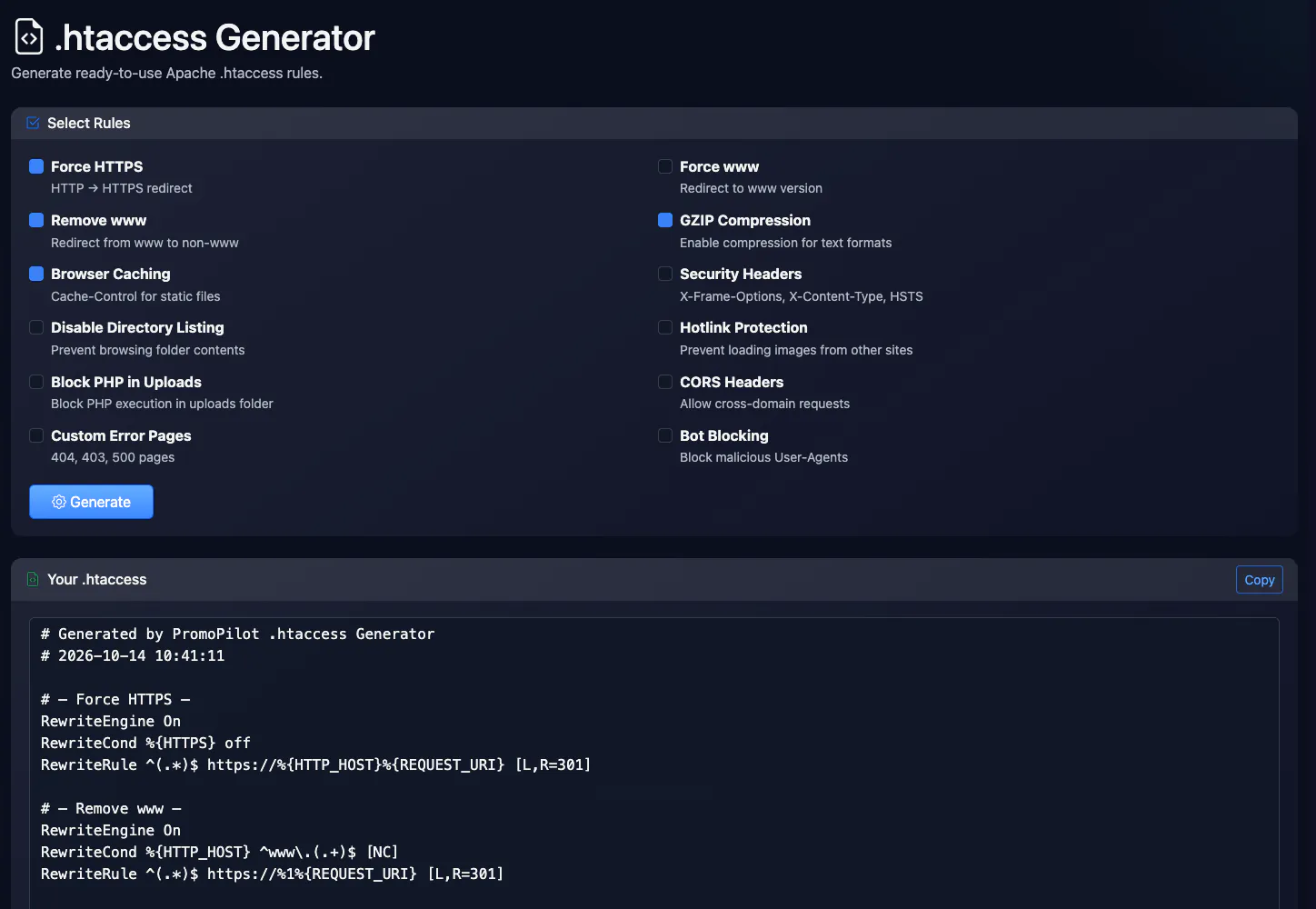
.htaccess is an Apache configuration file for per-directory rules. Tick the rules you need (HTTPS, www, GZIP, caching, security headers, CORS and more) and copy the result. These are templates for Apache, not Nginx; back up your old file before deploying, because a mistake in .htaccess can cause a 500 error.
- Price
- Free
- Sign-up
- Not required
- Processing
- On our server: the ticked boxes are sent by POST and the server assembles ready rule templates into text; nothing is stored
- Input
- Checkboxes for 12 ready Apache rules
- Limits
- No sign-up and no limits; ready templates only, you cannot enter your own URLs or conditions
- Output
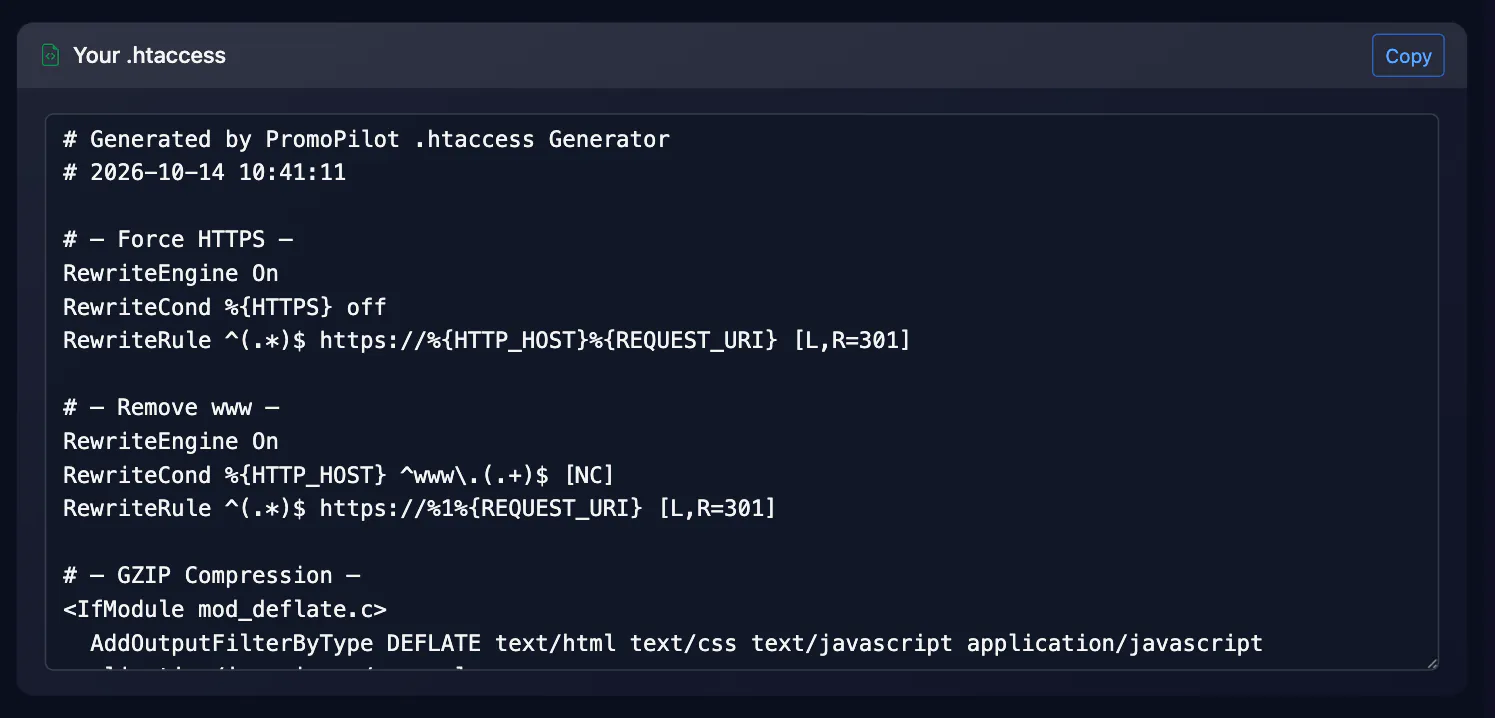
- The .htaccess text in a read-only field headed “Generated by PromoPilot” with a Copy button; paste it into the .htaccess file in the site root
- Last updated
See it in action
.htaccess Generator
Build an .htaccess for Apache from 12 ready-made rules: HTTPS and www redirects, caching, GZIP, security headers, no directory listing, hotlink protection, CORS, blocking SEO bots. There are no custom redirects, passwords or IP blocking.
How to Use
- Choose the desired rules: HTTPS redirect, GZIP compression, caching and others
- Configure each rule's parameters according to site requirements
- Copy the generated code and paste it into the .htaccess file
FAQ
Who it is for and typical uses
- A site on ordinary Apache hosting. Enable forced HTTPS, choose the www or non-www version and add compression.
- Speed and security. Add static-file caching and basic security headers.
- Protecting folders. Turn off directory listing, limit image hotlinking and block PHP execution in the uploads folder.
Before adding a rule, settle on the status code: the guide 301 vs 302 redirect covers which one to use and why it matters for SEO.
Honest limitations
- Ready templates only. No custom 301 redirects, no .htpasswd password protection and no testing against a sample URL.
- The hotlinking rule uses the domain field. Enter your domain: it is inserted escaped; without a domain the Referer is compared with the request Host.
- The “no PHP in uploads” rule is for a separate file. Put the block only in uploads/.htaccess and never in the root file (the text carries a warning).
- Apache only. .htaccess does nothing on Nginx, and access-control syntax differs between Apache versions.
- Test on a copy. Any mistake can take the site down.
Related: redirect checker, security headers, compression checker, robots.txt generator.
PromoPilot vs alternatives: comparison
We compare only what is confirmed on each service's own pages.
| Parameter | PromoPilot | htaccess tester (madewithlove) |
|---|---|---|
| Ready templates (HTTPS, www, GZIP, caching) | ✓ | ✗ |
| Password protection for a file or folder | ✗ | ✗ |
| Custom 301 redirects | ✗ | ✗ |
| Testing rules against a URL | ✗ | ✓ paste rules and a URL and see how Apache would rewrite it |
Scroll the table sideways
Where we are weaker: only 12 fixed templates: no passwords or .htpasswd, no custom redirects or result testing, and you have to insert the domain into the hotlinking rule yourself.
When to choose PromoPilot: When you want typical Apache rules fast without digging through documentation. For custom 301 redirects, password protection and testing rules against a URL you need other tools.
Checked on: . Terms and prices change, so check the services' own sites.