Free Website Grader: Check Your Website's SEO Score
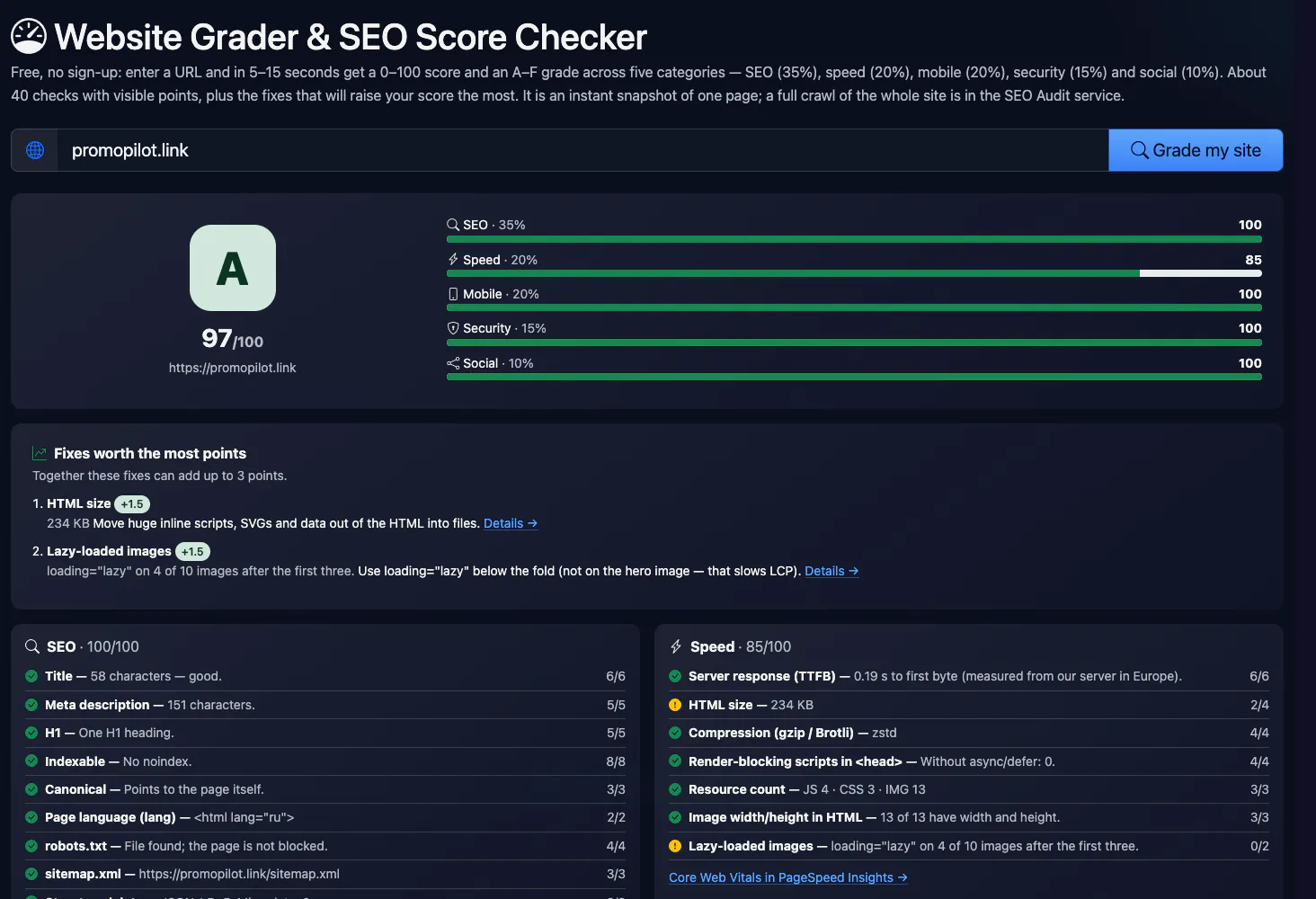
Free, no sign-up: enter a URL and in 5–15 seconds get a 0–100 score and an A–F grade across five categories — SEO (35%), speed (20%), mobile (20%), security (15%) and social (10%). About 40 checks with visible points, plus the fixes that will raise your score the most. It is an instant snapshot of one page; a full crawl of the whole site is in the SEO Audit service.
How the grade is calculated
Each check earns points; a category score is the share of points earned, the overall score is the weighted average. Grades: A 90+, B 80–89, C 70–79, D 60–69, F below 60. A noindex page cannot score above D.
The page is fetched as a phone (Google indexes the mobile version). JavaScript is not run, so this is not Lighthouse: speed here means hints from the code and server response, while real Core Web Vitals come from PageSpeed Insights. Response time is measured from our server in Europe.
Key facts
Rate a website online: enter an address and in 5–15 seconds get a 0–100 score and an A–F grade for SEO, speed, mobile, security and social. Free. It is a quick snapshot of one page from its HTML, not a Core Web Vitals measurement or a full site audit.
- Price
- Free
- Sign-up
- Not required
- Processing
- On our server: it fetches the HTML page as an Android phone, plus robots.txt, sitemap.xml, the http:// version and up to 6 CSS files; JavaScript is not run
- Input
- One public address (http or https)
- Limits
- 8 grades a minute; 15 a day without an account, 45 with one, unlimited with Pro
- Output
- A 0–100 score and A–F grade, five weighted category scores (SEO 35%, speed 20%, mobile 20%, security 15%, social 10%), about 40 checks and fixes sorted by points gained
- Last updated
Video walkthrough 0:51

Free Website Grader: Get an A–F SEO Score for Any Page (SEO, Speed, Mobile, Security)
Grade any page for free: a 0–100 score and A–F grade from about 40 checks across SEO, speed, mobile, security and social — with the fixes worth the most points.
Video transcript
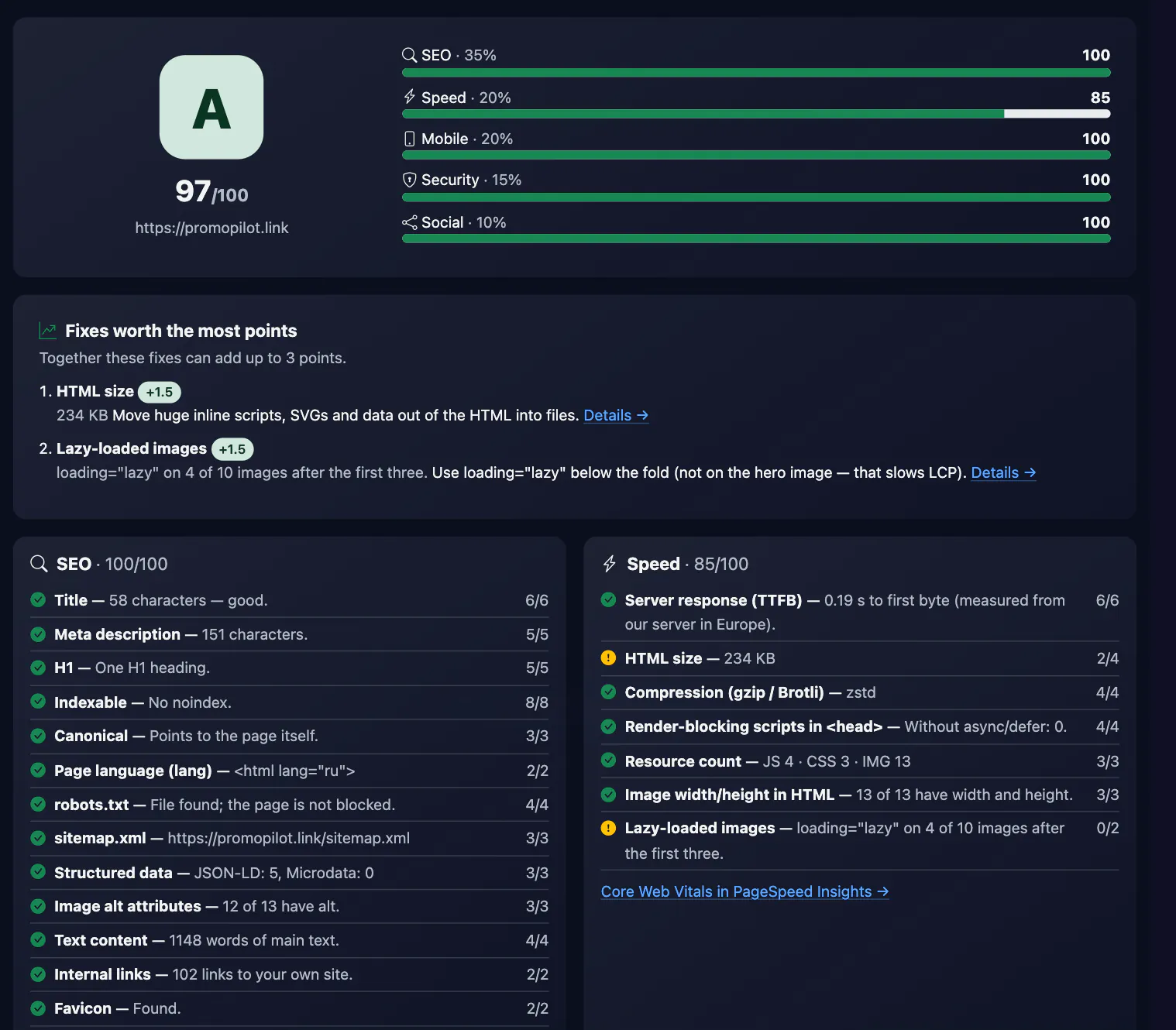
What grade would your website get? Here's a free grader that scores a page from zero to a hundred, and gives it a letter. Enter a page address. I'm using our homepage. Click Grade my site. In a few seconds: a grade of A, ninety-seven out of a hundred. The score is a weighted mix of five categories: SEO, speed, mobile, security and social, with every check and its points visible. And the fixes worth the most points are listed first. It's not a Google number. Speed is a hint, so trust PageSpeed Insights for real speed. It grades one page, not the whole site. Free, no sign-up. The link is in the description. Subscribe for more free tools.
See it in action
Free Website Grader & SEO Score Checker
Website Grader is a quick way to see where a page stands: one score from 0 to 100 and a letter from A to F. Behind it are about 40 checks in five categories with published weights: SEO (title, description, H1, indexability, canonical, robots.txt, sitemap, structured data, content), speed (server response, HTML size, compression, render-blocking scripts, image dimensions and lazy loading), mobile (the 8 checks of our Mobile-Friendly Test engine), security (HTTPS, redirect, HSTS, mixed content, headers) and social (Open Graph and the X card). A separate list shows the fixes that will raise the score the most.
How to Use
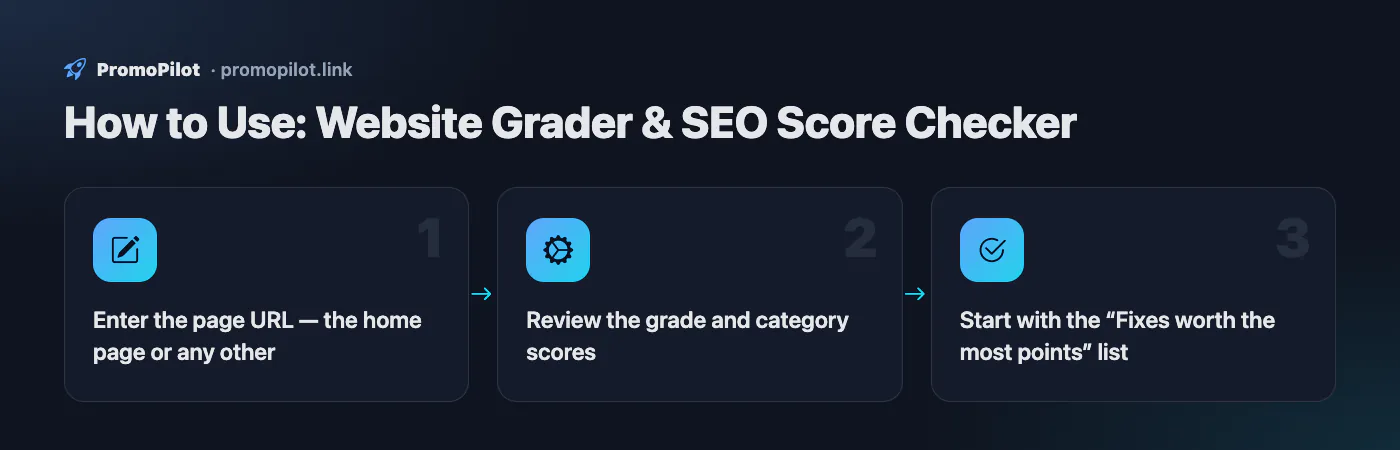
- Enter the page URL — the home page or any other
- Review the grade and category scores
- Start with the “Fixes worth the most points” list
FAQ
Who it is for and typical uses
- A quick assessment before work. In seconds you see which of the five categories sags the most.
- Order of fixes. The fixes are sorted by the points they add, so it is clear where to start.
- A client report. A score and a letter are easier to explain than a table of metrics; details are in the SEO analysis.
- Comparing with a competitor. Grade both pages, or contrast them in the site comparison.
The grade is a summary, so drill into a weak category with a dedicated tool: the SSL checker for the certificate, the mobile-friendly test for the phone view and the spam score checker for blacklists and hidden links.
Honest limitations
- One page. Only the address you enter is graded, not the whole site.
- Speed is approximate. We count TTFB, HTML size, compression, blocking resources and the number of requests from the HTML and CSS. Real-user metrics (LCP, CLS, INP) belong in PageSpeed Insights.
- JavaScript is not run. On sites where content and meta tags appear only in the browser the score will be understated.
- The points are ours. The weights and thresholds are published, but they are not official Google requirements.
- Daily limit. 15 grades a day for a guest.
Related: mobile-friendly test, security headers, Open Graph debugger, meta tags.
Website score: what 0 to 100 means
- 90–100, grade A: no serious problems found, only small fixes left.
- 80–89, grade B: a good result; a few fixes are worth making.
- 70–79, grade C: an average result with problems in several categories.
- 60–69, grade D: a weak result with many problems.
- Below 60, grade F: serious problems on the page; start with the fixes worth the most points.
The score is built from five categories with open weights, and the fix list in the report is sorted by how many points each fix adds.
PromoPilot vs alternatives: comparison
We compare only what is confirmed on each service's own pages. Where we could not confirm a fact, the cell shows "—".
| Parameter | PromoPilot | HubSpot Website Grader | Google PageSpeed Insights | Seobility SEO Checker |
|---|---|---|---|---|
| Overall score with open weights | ✓ 5 categories, ~40 checks, weights shown | “Check your Pages for Speed and SEO” (page title) | Lighthouse lab data: performance, accessibility, best practices, SEO | ✓ page analysis with recommendations for search and AI answer engines |
| Real Chrome user data (Core Web Vitals) | ✗ | — | ✓ CrUX field data: LCP, CLS, INP, FCP on mobile and desktop | — |
| Security and social in the score | ✓ | — | — | — |
| Free and limits | Yes: 15 a day without an account, 45 with one | — | — | Basic: 5 checks a day free; Premium is 50 a day at $69.90/month |
Scroll the table sideways
Where we are weaker: no Lighthouse or Core Web Vitals, JavaScript is not run, only one page is graded, and the weights and thresholds are our own.
When to choose PromoPilot: When you want one clear grade with open weights and fixes ordered by importance, in English, Ukrainian, Russian or Polish. For real speed measurements and a crawl of the whole site you need PageSpeed Insights and a full audit.
Checked on: . "—" means not confirmed on the official page; terms and prices change, so check the services' own sites.
How the grade works
About 40 checks are split into five categories. Each check earns points, a category score is the share of points earned, and the overall score is a weighted average:
| Category | Weight | What we check |
|---|---|---|
| SEO | 35% | title, description, H1, noindex, canonical, lang, robots.txt, sitemap, structured data, alt, content length, internal links, favicon |
| Speed | 20% | server response, HTML size, compression, render-blocking scripts, resource count, image dimensions and lazy loading |
| Mobile | 20% | the 8 checks of the Mobile-Friendly Test: viewport, media queries, widths, font size, tap targets |
| Security | 15% | HTTPS, http redirect, HSTS, mixed content, security headers, server version |
| Social | 10% | og:title, og:description, og:image, og:url, og:site_name, twitter:card |
Grades: A is 90 and up, B 80–89, C 70–79, D 60–69, F below 60. A noindex page cannot score above D — whatever else is on it, it will not appear in search.
What to fix first
- Indexing blockers — noindex, a robots.txt Disallow, a canonical pointing elsewhere. While these exist, nothing else matters.
- HTTPS and mobile — browsers flag non-HTTPS sites as not secure, and Google indexes the mobile version.
- Title, description and H1 — cheap fixes that change how the page looks in search right away. Try the title generator and meta description generator.
- Speed — server compression and
deferon scripts take minutes; find heavy images with the image size checker. - Social and security headers — barely affect rankings, but improve link previews and protection.
The “Fixes worth the most points” list is already sorted by impact on the overall score — work through it from the top.
What the grade cannot show
- Real visitor speed. We do not run a browser; Core Web Vitals (LCP, INP, CLS) from Chrome users are in PageSpeed Insights.
- Content quality and search intent. The grade sees that text exists and how much, not how useful it is — and that is what drives rankings most.
- Backlinks. Domain authority and inbound links are in the DR checker.
- Other pages. One page is graded. Broken links, duplicates and orphan pages across the site are found by a full crawl.
Grader vs SEO checker vs full audit
The grader gives one score for a page in seconds — handy to compare sites quickly or to see whether fixes helped. The Website SEO Checker shows a detailed list of checks for the same page. The SEO Audit service crawls the whole site, re-runs checks on a schedule and shows which issues cost you traffic.