
Grammar & Spell Checker
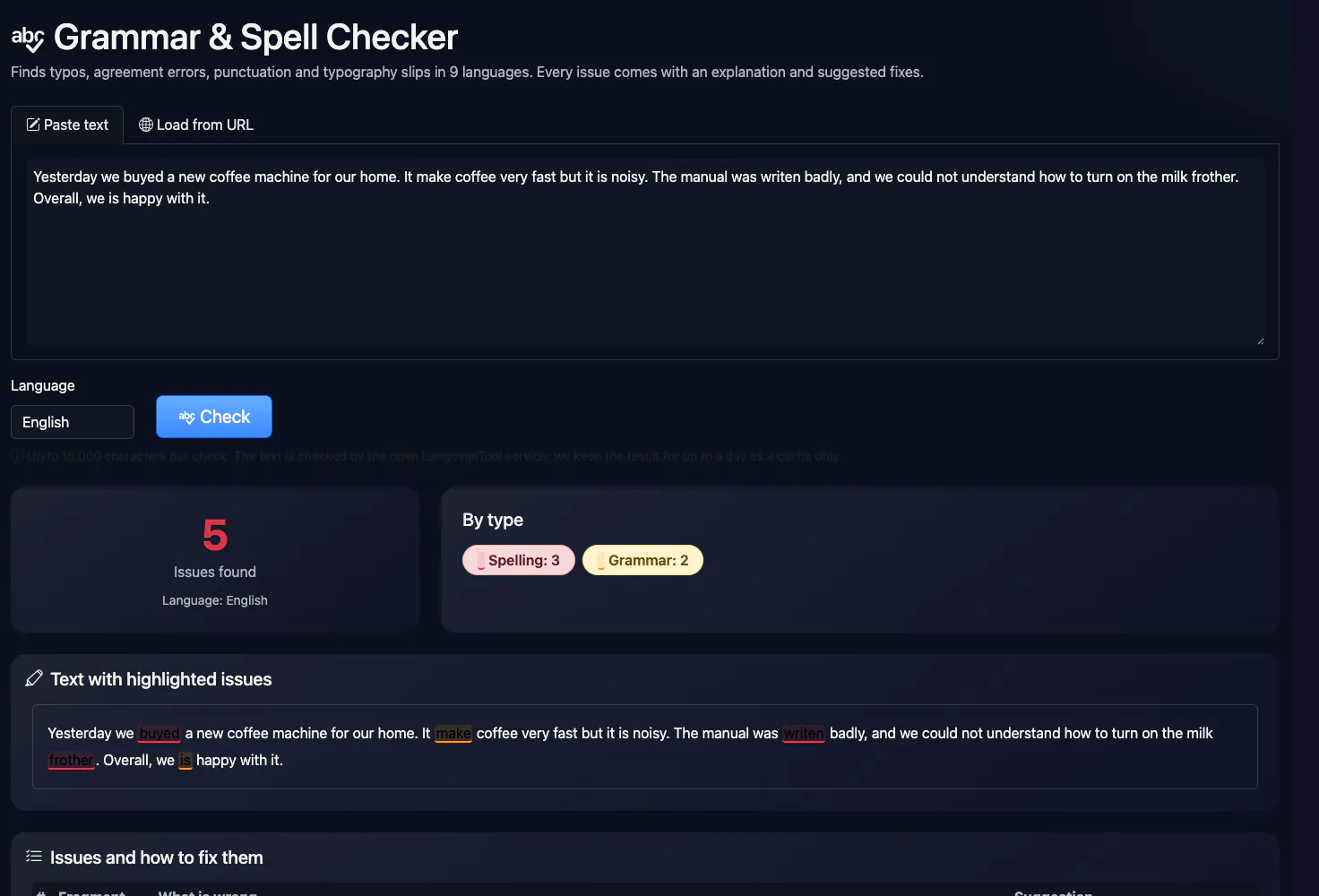
Finds typos, agreement errors, punctuation and typography slips in 9 languages. Every issue comes with an explanation and suggested fixes.
Key facts
Spelling and grammar check online: paste text and get every mistake with an explanation and suggested fixes in 9 languages. Free, no sign-up. The check runs through the open LanguageTool API, so the text is passed to a third-party service; style and logic are not assessed.
- Price
- Free
- Sign-up
- Not required
- Processing
- On our server and a third-party service: the text is sent to the public LanguageTool API (api.languagetool.org) and the result is cached on our side for a day
- Input
- Text from 10 to 15,000 characters or a page URL; a language (auto, ru, uk, en, de, pl, fr, es, pt, it)
- Limits
- 10 checks per minute per user; the free API's limit for the whole site is about 20 requests per minute; no sign-up and no daily limit
- Output
- A list of problems found (typos, agreement, punctuation, typography): what is wrong, where in the text and suggested fixes, plus the detected language; if the service is unavailable, a “text not checked” notice
- Last updated
Video walkthrough 0:45

Free Grammar & Spell Checker Online: Fix Typos, Grammar and Punctuation Mistakes
Check grammar and spelling for free: paste a text or load a URL and get highlighted issues, explanations and a corrected copy.
Video transcript
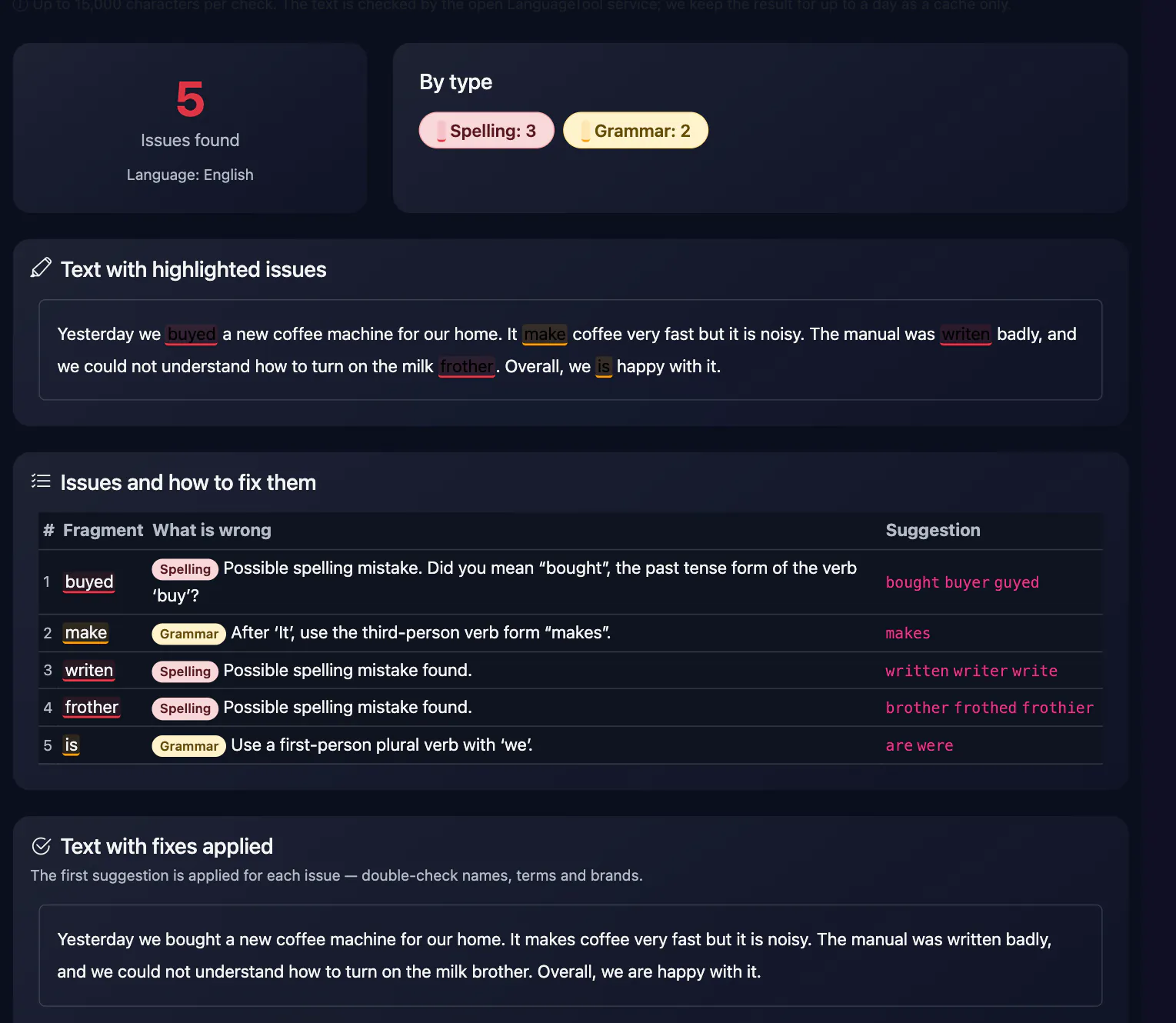
Need a quick grammar and spelling check? Here is a free one. Paste your text. Click Check. It finds eight issues in this sample, and splits them into spelling and grammar. Problems are highlighted in the text. Below, a table explains what is wrong and suggests a fix. And a copy of your text with the first suggestions already applied. Double-check names, terms and brands before you accept a fix. Language is detected automatically, or you can pick one. It is free, with no sign-up. The link is in the description. Subscribe for more free tools.
See it in action
Online Grammar & Spell Checker
Finds typos, agreement errors, punctuation and typography slips. Every issue comes with the rule explained and suggested fixes; you can copy the text with the fixes applied. The text is sent to the third-party LanguageTool service.
How to Use
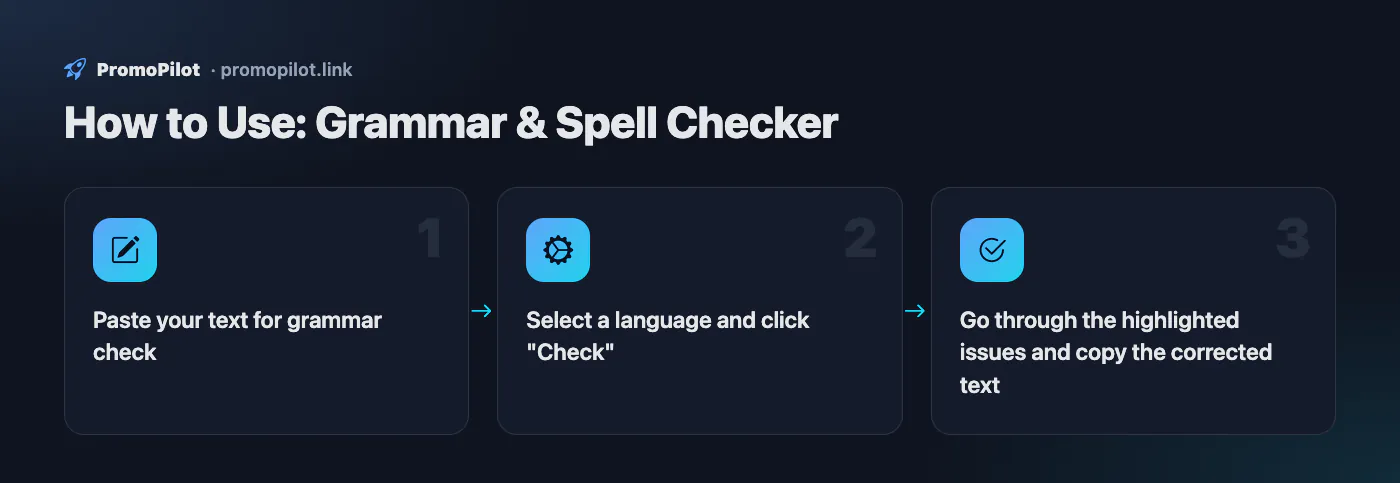
- Paste your text for grammar check
- Select a language and click "Check"
- Go through the highlighted issues and copy the corrected text
FAQ
Who it is for and typical uses
- Site and blog texts. Check an article before publishing: typos, agreement, commas. Readability is assessed separately by the readability analyser.
- Emails and descriptions. A quick proofread of a short text without installing an extension.
- A page by its address. Instead of pasting text, give a URL and we take the page's main text.
Honest limitations
- The text goes to a third-party service. The check is performed by the open LanguageTool API; do not paste anything confidential.
- The limit is shared across the site. The free API allows roughly 20 requests per minute for our whole IP, so a refusal is possible at busy times; then we say plainly “text not checked”.
- Up to 15,000 characters. Longer text is trimmed or must be checked in parts.
- Not a style editor. The tool finds mistakes but does not judge clarity, tone or logic.
PromoPilot vs alternatives: comparison
We compare only what is confirmed on each service's own pages. Where we could not confirm a fact, the cell shows "—".
| Parameter | PromoPilot | LanguageTool | Grammarly |
|---|---|---|---|
| Languages | 9 + auto-detect | more than 30 languages and dialects | English plus 24 other languages (per the FAQ; the intro says “more than 20”) |
| Where the text goes | ✗ to the LanguageTool API | the browser add-on stores no text; texts in a registered account are stored | — |
| Free version | ✓ no sign-up | ✓ spelling, simple punctuation and some style; Premium shows all errors | ✓ free grammar, spelling and punctuation check; no character limit stated, free sign-up offered |
Scroll the table sideways
Where we are weaker: the text goes to a third-party service, the limit is shared across the site, and there is no style editing, rewriting or browser extension.
When to choose PromoPilot: When you want a quick typo and grammar check of a paragraph or page in English, Ukrainian, Russian or Polish without signing up. For confidential texts and style checking use local or paid tools.
Checked on: . "—" means not confirmed on the official page; terms and prices change, so check the services' own sites.
Online grammar check: what this tool does
This grammar checker online sends your text to the open LanguageTool service and lists what it finds: typos and misspellings with suggested replacements, subject–verb agreement errors, doubled words, missing or extra spaces around punctuation, and some punctuation and style issues. Nothing is rewritten silently — every issue is shown on its own, and you decide whether to accept the fix.
Paste text (10 to 15,000 characters) or load it from a URL, in which case the tool extracts the page's main text; on long pages it checks the first 15,000 characters and tells you so. Pick the language yourself — English, German, French, Spanish, Portuguese, Italian, Polish, Ukrainian or Russian — or leave it on auto-detect. You can run up to 10 checks a minute from one IP address.
Reading the results
- Issues found — the total, the language the service detected and a breakdown by type.
- Types and highlight colours: Spelling, Grammar, Punctuation, Typography, Style. Each highlighted fragment uses its type's colour.
- Text with highlighted issues — your original with issues marked; hover over a fragment to see the hint.
- The Fragment / What is wrong / Suggestion table — up to three suggestions per issue, up to 200 rows. LanguageTool writes its explanations in the language of the text being checked, so a Polish text gets explanations in Polish.
- Text with fixes applied — the first suggestion is applied at every issue, with a Copy button. The first suggestion is not always right, so check names, terms and brands before you copy.
What it catches and what it misses
We ran deliberately broken samples in English, Russian, Ukrainian and Polish on 14 October 2026. The English one — "Yesterday we was going to the the store. I will see you tomorow , and we has fun." — came back with all five errors flagged:
| Error type | Result | Example |
|---|---|---|
| Subject–verb agreement | Caught, with fixes | we was → were, we has → have |
| Doubled word | Caught | the the |
| Spelling | Caught, with a fix | tomorow → tomorrow; also хлеп → хлеб in Russian, chlep → chleb in Polish |
| Space before a comma | Caught | tomorow , → tomorrow, |
| Missing space after a full stop | Caught in Russian, missed in Ukrainian | хлеп.Мы flagged; друзів.Ми not |
| Agreement in Ukrainian and Polish | Flagged, not always with a ready fix | Вони був, Oni był |
| Agreement and compound spelling in Russian | Missed | Мы были рад, В следствии |
So "No issues found" is not a guarantee. English coverage is the strongest of the four languages we tested; in every language the service can miss meaning errors and correctly spelled wrong words.
What to check after the automatic pass
These are the mistakes that most often slip past an automatic grammar check in website copy. Most can be found with a quick Ctrl+F through the draft:
- its / it's, your / you're, their / there / they're. Read the sentence with the expanded form ("it is", "you are", "they are"); if it still makes sense, keep the apostrophe. The checker catches many of these, but not all.
- Apostrophes in plurals. "FAQs", "URLs", "1990s" — not "FAQ's" or "URL's".
- Agreement with collective and distant subjects. "The list of features is long", not "are"; in American English, "the team is", in British English both are accepted.
- Comma splices. "Our plans start at $10, they include support" needs a full stop, a semicolon or "and".
- Affect / effect, then / than, lose / loose, complement / compliment. Each word is spelled correctly, so these depend on context and are easy to miss.
- Hyphenated compound adjectives. "A long-term strategy" but "in the long term"; "a 10-page report".
Checking a live page by URL
The URL mode is handy for pages that are already published: it pulls the main text without menus and footers. You see what actually ended up on the site, including problems a CMS adds when content is pasted from Word, such as sentences glued together after a line break.
Where your text goes
The check is done by the external LanguageTool service, so your text is sent to its server. On our side the result is kept for up to a day as a cache only: checking the same text again returns the cached answer without a new request. For drafts under NDA, contracts or personal data, use a check that stays on your own machine or server — LanguageTool is open source, and you can run its server yourself.
If the service does not respond, a yellow notice says the text has not been checked — which does not mean it is error-free. If our server is handling too many checks at that moment, you will be asked to wait a minute; in that case the text was not checked either.
Is there an SEO grammar checker effect on rankings?
Google has no separate "grammar score", but its guidance on helpful content lists spelling and stylistic issues among the self-assessment questions for content quality (Google's guide). Sloppy text erodes reader trust, which shows up in engagement and in how willing other sites are to link to you. A practical SEO grammar check therefore focuses on what readers and searchers see first:
- Title, meta description and H1. They are read before the body text and appear in search results. Check them separately, one line at a time.
- Keyword phrases. If a query is ungrammatical ("plumber london cheap"), do not force it into your copy verbatim — Google understands natural word forms and order. Brand names and niche terms are often flagged as misspellings; do not accept those fixes blindly.
- Quotes and code. Remove direct quotes, customer reviews, shell commands and HTML snippets before checking, or they will clutter the issue list.
- Guest posts and outreach articles. Editors reject submissions with obvious errors; one grammar check online before sending is cheaper than a second round of pitching.
A workable editing order for SEO copy
- Run the text through this checker and go through the issue table: accept the obvious fixes, decide the rest yourself.
- Work through the "what to check after the automatic pass" list above.
- Check readability: long sentences and complex words stand out there more clearly than in a grammar check.
- Check keyword density so the edits have not dropped or over-repeated your main query.
- Count the final length with the word counter if a brief sets a word limit.
If the draft came from an AI model and reads as templated, an online grammar check will not fix that — try text humanization instead.
When this grammar checker is not enough
- Legal, medical or financial copy — have a human proofread it.
- Confidential text — do not send it to an external service; use a local check.
- Mixed-language text: auto-detect picks one language and the other language's rules will not apply. Set the language manually or split the text.
- Texts over 15,000 characters — split them by section.
- Meaning errors, wrong facts and well-spelled but wrong words — those still need an editor.
RankBotAI — AI SEO Optimization for WordPress
RankBotAI AI plugin automatically finds and fixes SEO issues in WordPress products and posts — no manual editing.